
HubSpot Quiz: Add One to Your Blog in Minutes
HubSpot doesn’t include a native quiz builder, but you can create one with Opinion Stage and embed it on your HubSpot blog posts in minutes. Follow the steps below to get started.
How to Create a HubSpot Quiz
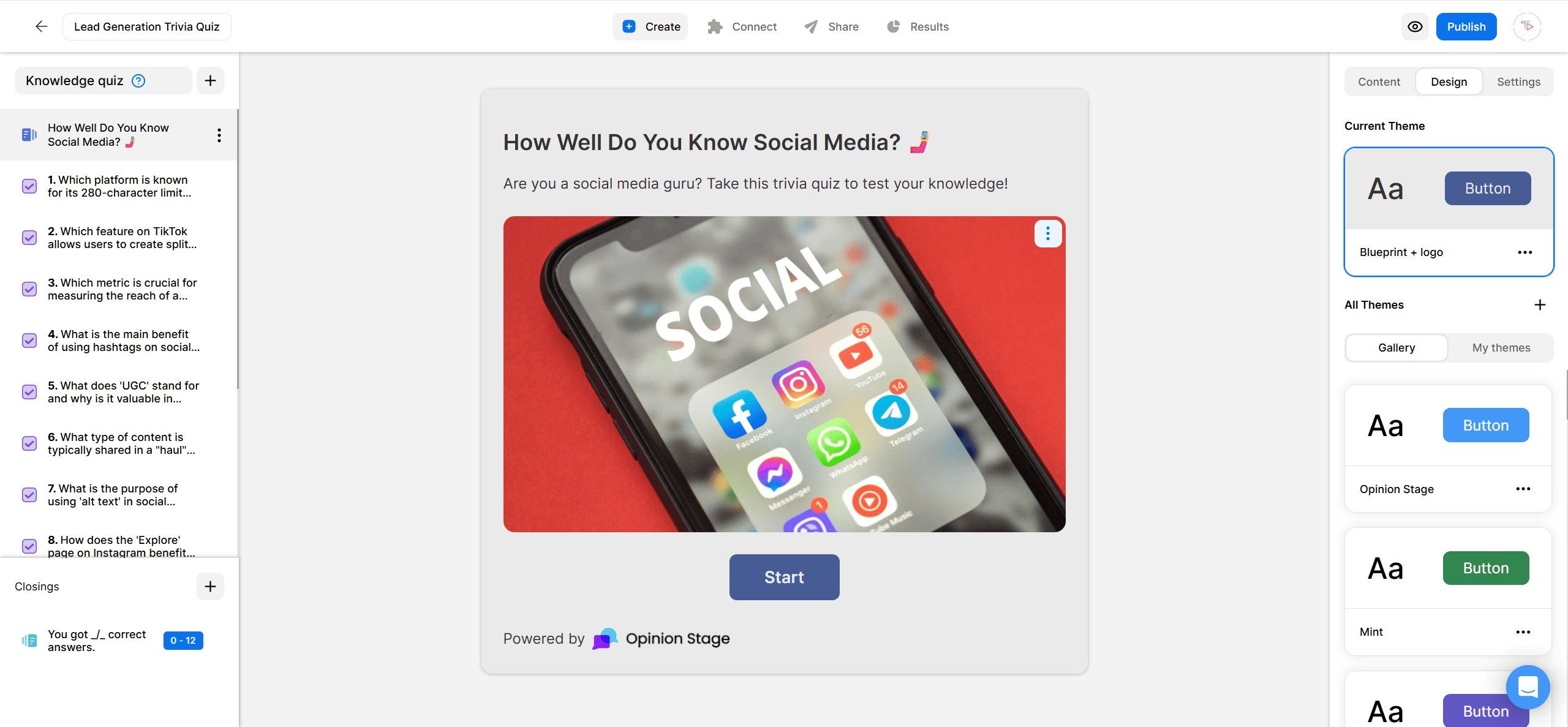
1. Create a quiz
Start by creating a HubSpot quiz. You can build from scratch, choose from our templates, or describe what you want and let the AI quiz builder draft it for you.
2. Copy the embed code
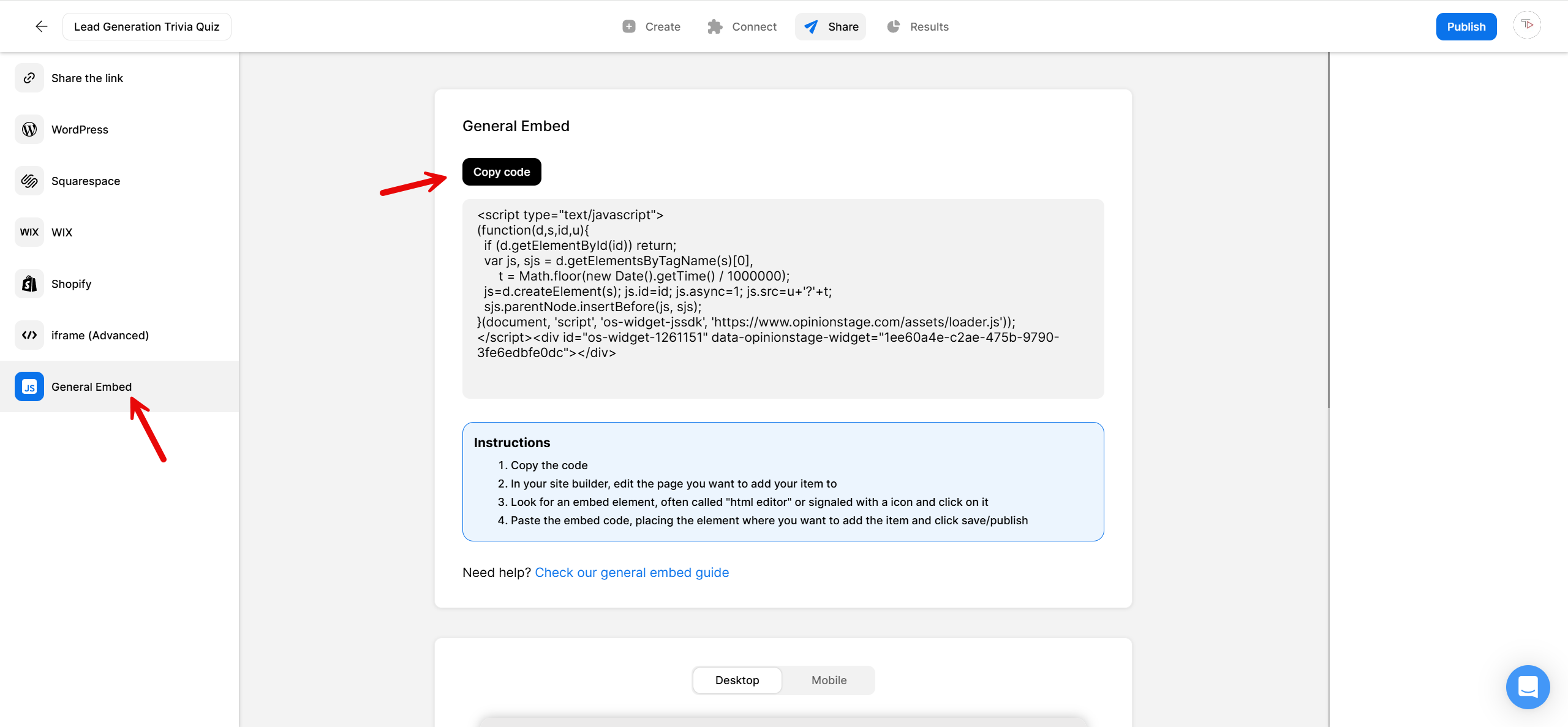
Click the Share button at the top of your screen. Select the General Embed tab and copy the code.
3. Add the quiz to HubSpot
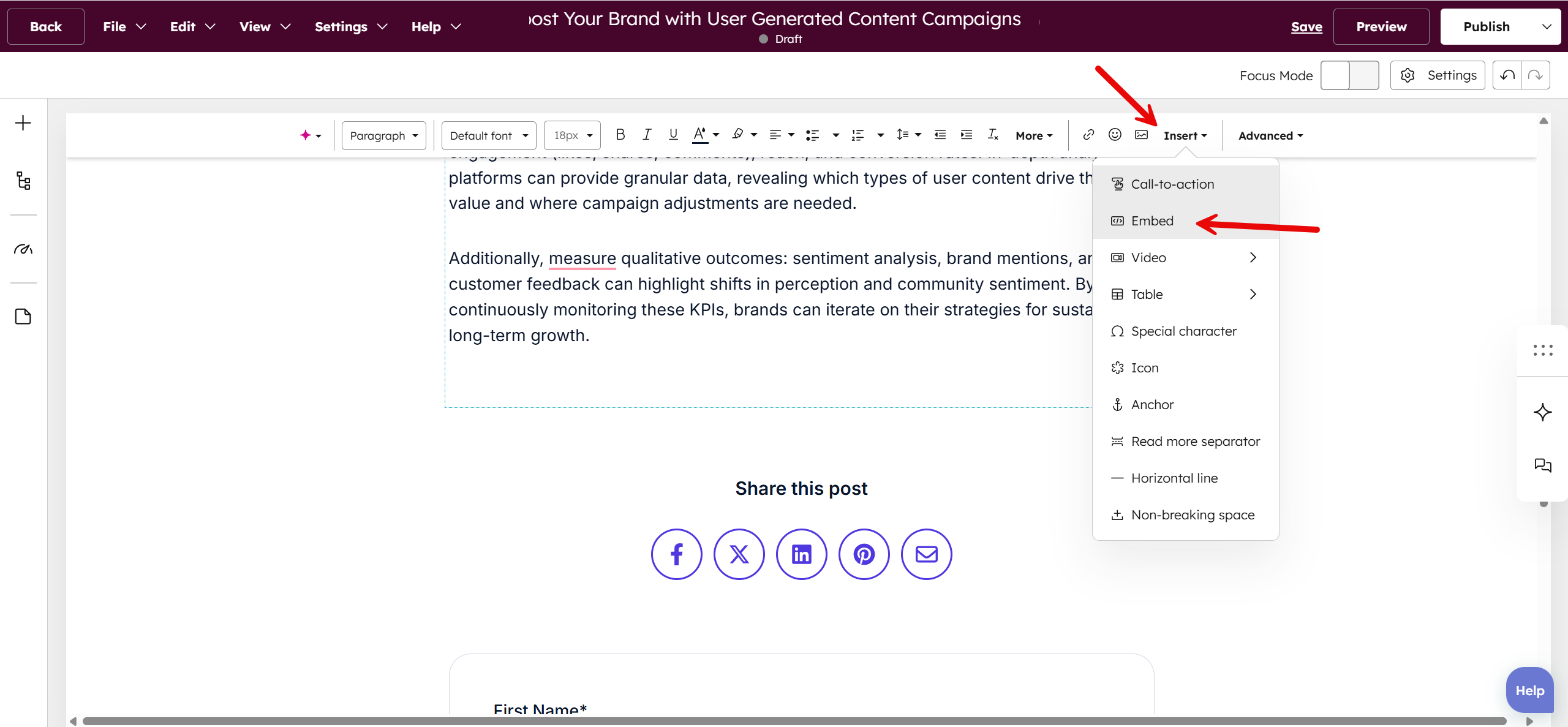
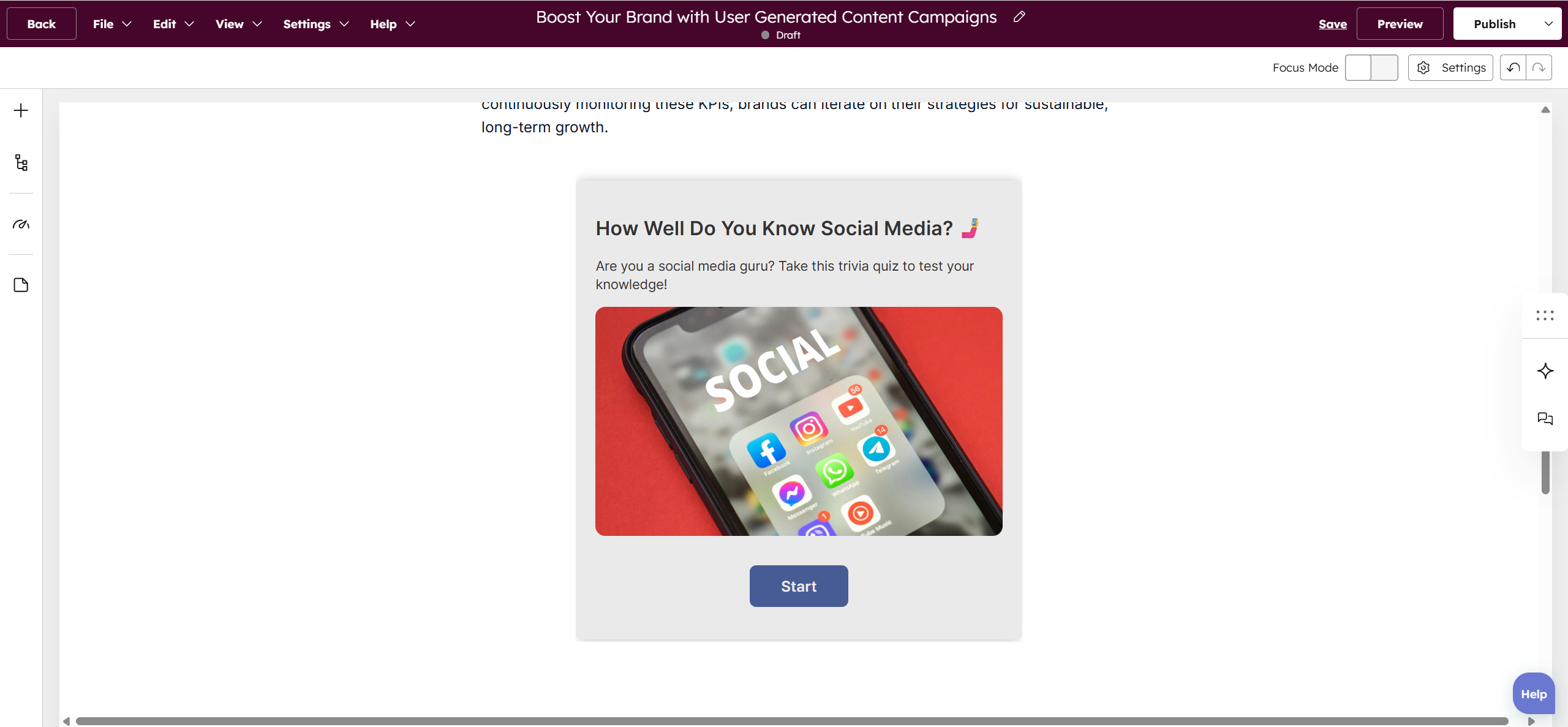
To add the quiz to a HubSpot blog post, open the rich text editor and select Insert → Embed.
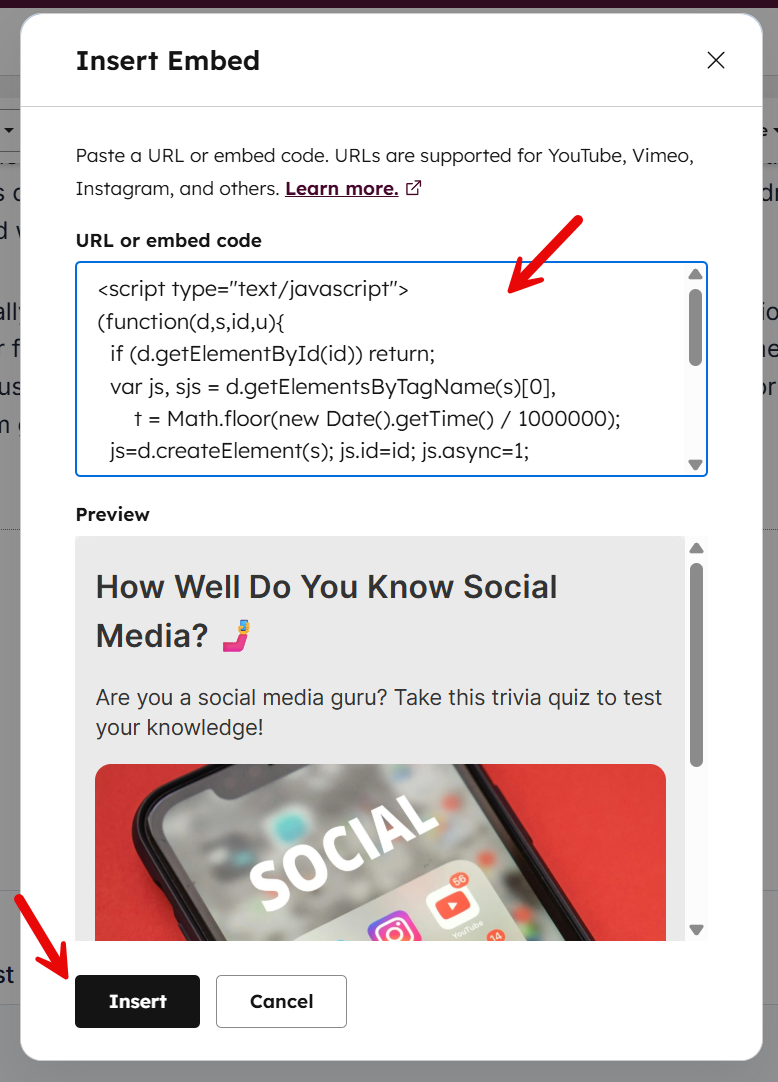
Paste the code into the box and click Insert.
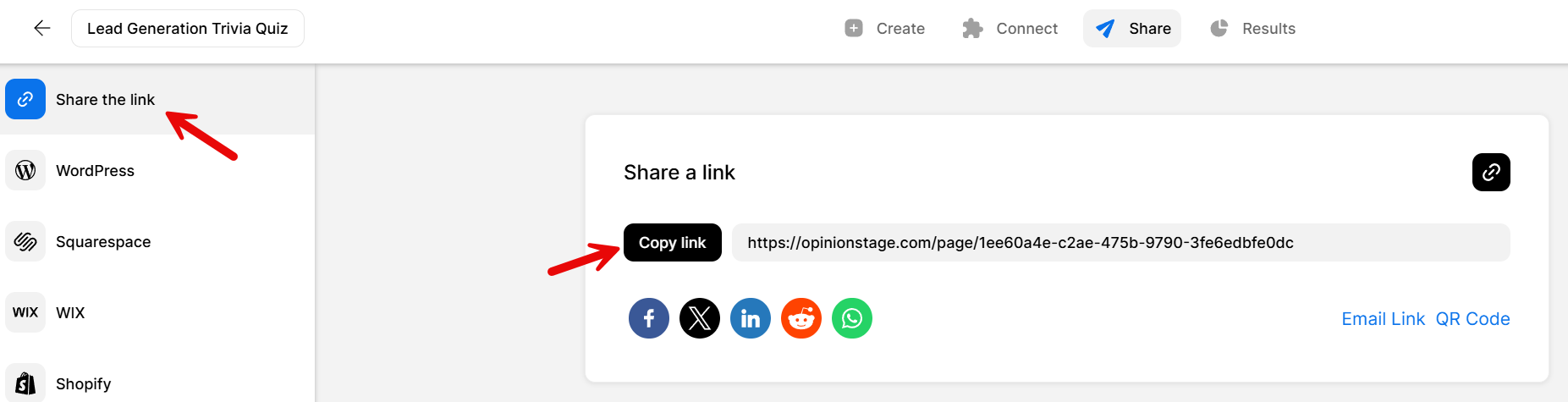
Want to share your quiz in a HubSpot email? Go back to the Share panel, select the Share the link tab, copy the quiz link, and paste it into your email.
Now you’re done!
Why Add Quizzes to Your HubSpot Site
Adding a quiz to your site can do more than just engage your audience. Here’s why you need to add one to your HubSpot site.
Capture Leads While Engagement is Highest
Most website forms ask for contact information before visitors have received any value. Quizzes flip that dynamic. By the time someone reaches your lead form, they’ve already invested time answering questions and are eager to see their result. That makes the exchange feel more natural and often leads to higher conversion rates.
Learn More About Every Lead
A form submission tells you who someone is. A quiz helps you understand what they care about. Each answer provides context about a visitor’s needs, preferences, challenges, or goals. When that data is sent to HubSpot, you can segment contacts more effectively, trigger relevant workflows, and create follow-up experiences that feel personalized from the very first interaction.
Turn Passive Content Into an Interactive Experience
Even great blog posts can struggle to keep visitors engaged. Adding a quiz gives readers a reason to actively engage with your content rather than simply reading and moving on. It creates a natural conversion opportunity within the page itself while encouraging visitors to spend more time engaging with your content and brand.
3 Types of Quizzes You Can Add to HubSpot
Opinion Stage supports three quiz types. Here’s how each one fits into a HubSpot marketing workflow.
Personality Quiz
Personality quizzes are one of the most effective ways to turn passive visitors into engaged participants. By answering a series of questions, people receive a personalized result that feels relevant to them, whether that’s “What Type of Leader Are You?” or “Which Marketing Strategy Fits Your Business?”
Because people are naturally curious about discovering something about themselves, personality quizzes often generate strong engagement and lead capture rates. They’re also highly shareable, helping your content reach new audiences beyond your existing traffic.
Knowledge Quiz
Knowledge quizzes challenge your audience to test what they know while making your content more interactive and memorable.
Instead of simply reading an article, visitors can apply what they’ve learned and see how they stack up. For marketers, educators, and B2B companies, knowledge quizzes provide valuable insight into audience understanding, helping you identify common knowledge gaps and create more relevant follow-up content.
Product Recommendation Quiz
Product recommendation quizzes help prospects find the right solution faster.
Rather than asking visitors to sort through multiple products, plans, or services on their own, the quiz guides them through a series of targeted questions and delivers a personalized recommendation based on their needs. The result is a smoother buying experience, more qualified leads, and greater confidence in the decision-making process.
Opinion Stage Features for HubSpot Quizzes
A few of the features that come in handy when building quizzes for HubSpot:
- AI quiz builder: Describe your quiz and get a full draft in under a minute.
- 50+ templates: Start from a ready-made template instead of a blank page.
- Lead capture: Add a lead form before the results to capture leads when egagement is highest.
- HubSpot integration: Send quiz responses and lead data directly into HubSpot contacts via Zapier.
- Branching logic: Show different questions or results based on previous answers – useful for routing prospects in HubSpot workflows.
- Full design customization: Colors, fonts, full customization with custom CSS, and white label so the quiz fits your HubSpot theme.
- Real-time analytics: Track views, completions, drop-off points, and answer breakdowns as responses come in.
HubSpot Quiz FAQs
Does HubSpot have a built-in quiz builder?
No. HubSpot doesn’t offer a native quiz feature. To add quizzes to your HubSpot blog posts, you’ll need an external tool like Opinion Stage. You create the quiz in Opinion Stage, copy the embed code, and paste it into your HubSpot post.
Can I connect quiz responses to HubSpot CRM?
Yes. Opinion Stage integrates with HubSpot via Zapier, so lead data captured inside the quiz – name, email, and the answers each person gave – can be sent to your HubSpot contacts automatically.
Can I use quiz results to personalize HubSpot follow-up emails?
Yes. When you connect Opinion Stage to HubSpot via Zapier, the quiz result a contact receives can be stored as a contact property. You can then use that property to trigger different email sequences, segment contact lists, or personalize content in follow-ups based on how someone answered.
Is Opinion Stage free to use with HubSpot?
Yes. Opinion Stage has a free plan that includes quiz creation, embedding, lead capture, and analytics. Paid plans add higher response limits, advanced customization, and white labeling. You can start without a credit card.