Create a Picture Quiz in Minutes
Add images to questions, answers, and results. Choose your layout, customize to match your brand, and share anywhere your audience is.
- ✓ Free to use
- ✓ No credit card needed
Trusted by 100,000+ teams and brands, including








Why Use a Picture Quiz?
A picture quiz maker uses images in questions, answers, and results for an engaging experience. Use it for lead generation, product recommendations and more with Opinion Stage’s quiz maker.
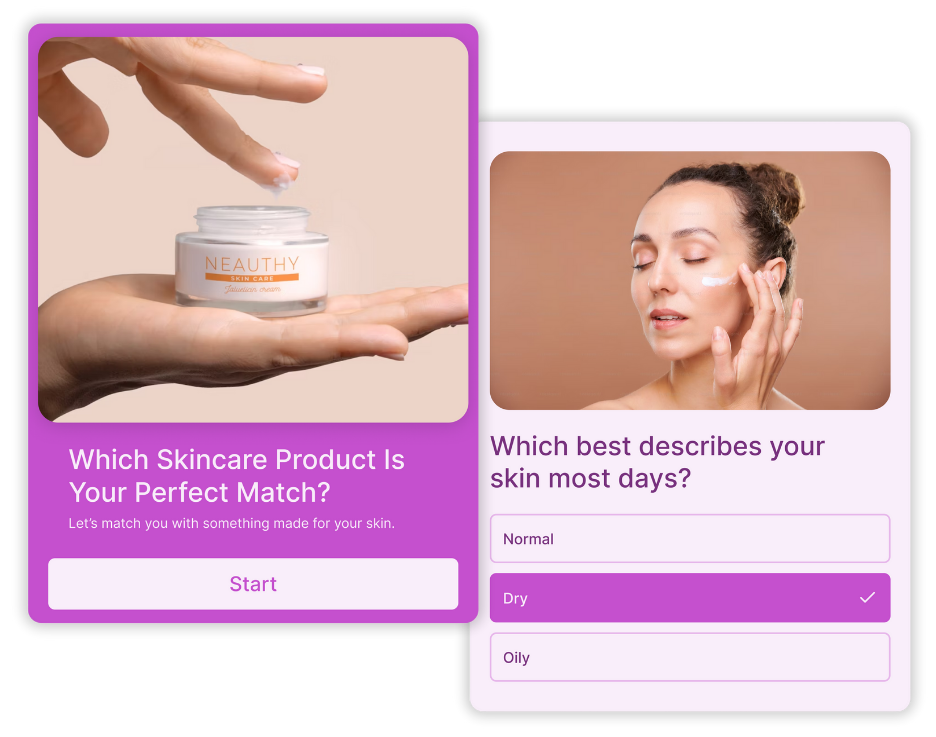
Guide Buyers to the Right Product
Not every buyer knows exactly what they need. A visual product recommendation quiz acts as a digital personal shopper, guiding users through their preferences.
Share this quiz on social to drive traffic, or embed it on your site to reduce cart abandonment and guide buyers toward a confident purchase.

Drive Engagement on Social Media
Visual content is the ultimate way to stop the scroll.
A picture quiz hooks users instantly, whether it’s a high-stakes trivia challenge or an intriguing personality quiz.
These quizzes aren’t just interactive, they’re highly shareable. When users post their results, they do your marketing for you by driving massive organic traffic without increasing your ad budget.
Capture Leads With Context
Picture quizzes tend to have higher completion rates than text-only quizzes. And, more completions means more people reaching your lead form.
People are also more willing to share their contact details when there’s a clear exchange. Offer personalized quiz results, a tailored recommendation, or an exclusive reward in return for an email. And because every lead comes with their quiz answers, your follow-ups can be personal from the very first message.

Make Learning Memorable
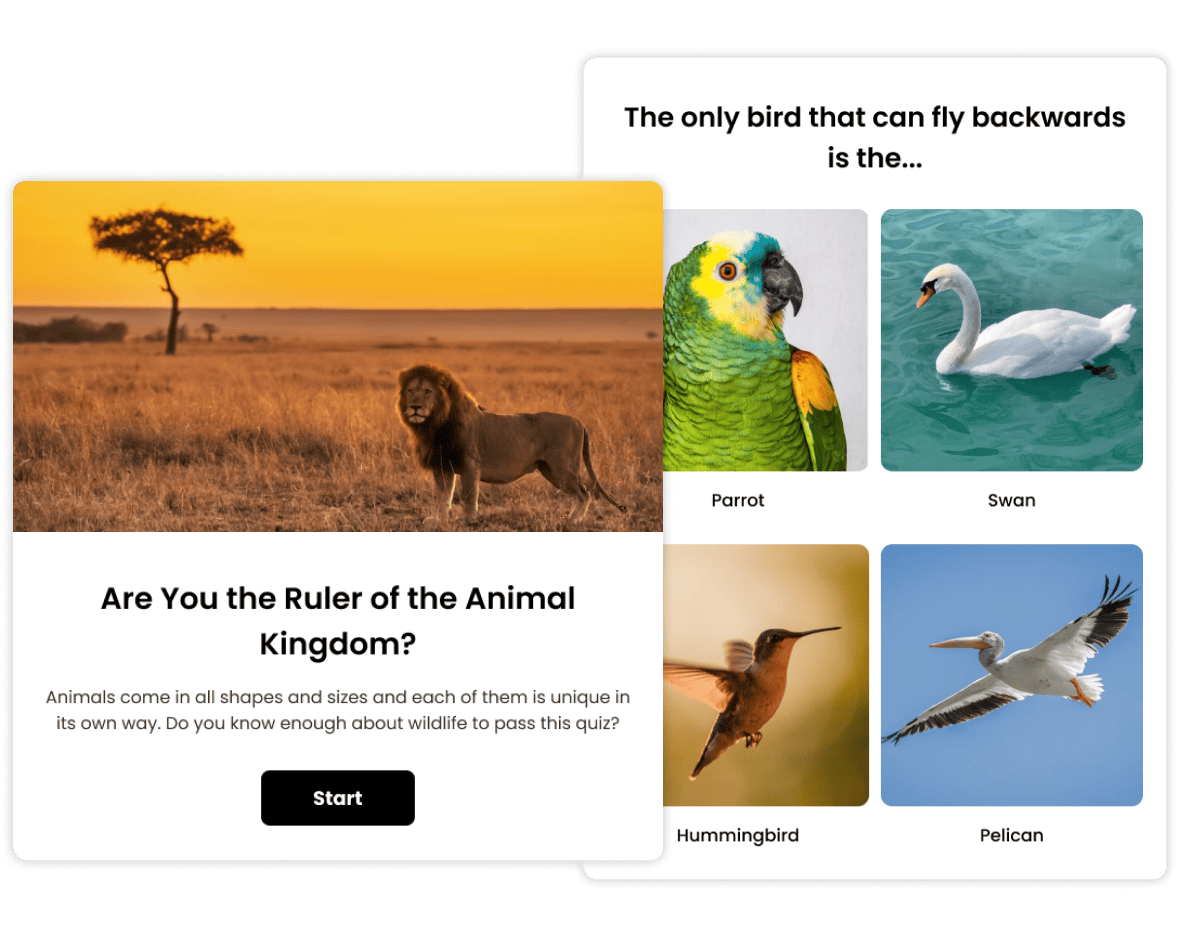
Identifying landmarks or matching vocabulary to images makes a quiz feel like an interactive challenge rather than a chore. Using visuals helps people connect concepts to real-world examples, which ensures the information sticks far longer than text alone.
From professional training modules to online courses, adding images turns a standard assessment into a visual experience that improves both focus and long-term retention.
How to Make a Picture Quiz
Building an image quiz takes only a minute. Here’s how it works.
1. Create
Click Create a new item in your dashboard and choose how you’d like to get started – from scratch, with AI, or from a template. Choose your quiz type, then start adding your questions and answers. You can then upload your own images or search for free and paid images directly in the builder.

2. Share
When your quiz is ready, share it via a direct link, post it across your social channels (picture quizzes perform especially well on visual platforms like Instagram and Pinterest) or embed it anywhere on your site. Everything is optimized for mobile and desktop automatically.

3. Track
See how your picture quiz is performing in real time by checking your analytics dashboard. Track completion rates, see how people answered each question, and identify where drop-off happens. You can use the AI Insights feature to surface patterns and export results to CSV or XLS for deeper analysis.

What Marketers and Publishers Say About Opinion Stage



With Opinion Stage we can create beautiful and on-brand content in an easy, collaborative fashion.

Stasia Kehoe
Opinion Stage is the best quiz tool I’ve used. It’s feature-rich, easy to use, and the content looks great.

John Dykstra
These quizzes allow us to tackle a variety of topics in a fun and easily consumed way that is great to share on social media.

Jessica de Bruyn
- 3B+ Questions answered
- 20M+ Leads captured
- 10+ Years of results
- 40+ Languages
Picture Quiz FAQs
Is there a free picture quiz maker?
Yes. Opinion Stage’s picture quiz maker has a free plan that lets you create and share unlimited picture quizzes without a credit card. Paid plans unlock additional features like white labelling, advanced customization, and higher response volumes.
Can I add images to both questions and answers?
Yes. With Opinion Stage, you can add images to your quiz cover, questions, answers, and results. You can upload your own images or search through paid and free images directly in the builder.
Can I capture leads with a picture quiz?
Yes. You can add a lead capture form to your photo quiz and collect contact details alongside responses. Because participants have already invested time in the quiz, they’re more willing to share their information, especially when you offer personalized results or a reward in return.
Can I embed a picture quiz on my website?
Yes. You can embed your picture quiz on any website, including WordPress, Squarespace, and Wix. Picture quizzes created with Opinion Stage are responsive and work smoothly on mobile and desktop.
Can I share a picture quiz on social media?
Yes. You can share your picture quiz via a direct link on any social platform. Picture quizzes tend to perform especially well on visual platforms like Instagram and Pinterest, where image-based content naturally drives more engagement and shares.
How many questions should a picture quiz have?
For online engagement, 5 to 10 questions is the sweet spot. Enough to feel like a real experience, short enough that most people finish. For educational or training purposes, 10 to 15 questions works well depending on the topic.