
Trivia Maker: Create & Share in Minutes
Build share-worthy trivia quizzes that drive traffic, engagement, and leads. Easy to create and free to start.
- ✓ Free to use
- ✓ No credit card needed
Trusted by 100,000+ teams and brands, including








Why Use a Trivia Quiz?
Trivia quizzes challenge your audience with scored questions and results they’ll want to share. Use them for engagement, competitions, or lead generation with Opinion Stage’s quiz maker.
Turn Attention into Engagement
Trivia gives people something to do, not just read. A quick “Can you get 8/10?” is often all it takes to pull someone in. And once they start the quiz, they usually finish it.
Trivia quizzes work especially well alongside content. A blog post, newsletter, or landing page becomes more interactive when you add a short quiz that reinforces the topic. Instead of leaving after reading, people stick around to test themselves, and often replay to improve their score.

Run Viral Contests & Competitions
Want to give people a reason to join your quiz? Turn it into something they can win.
Add a timer and a prize, and it becomes a competition, not just a piece of content. Any launch, event, or promotion is a chance to turn attention into participation.
Launch a fun challenge around your products or industry, with rewards for top scores. Or turn your quiz into a giveaway, where better scores unlock better chances of winning.

Capture More Leads
Lead capture works best when there’s a clear exchange. Instead of asking upfront, let people play first – then offer their results, ranking, or reward in return for their details.
The value is clear: they get something personalized, and you get more than just an email. Their answers give you context: what they know, what they care about, and where they might need help.
For example, a marketing consultant can run a “How strong is your strategy?” quiz, then segment leads based on answers and send personalized follow-ups instead of generic emails.

Drive Traffic from Social
Share your trivia quiz on social to attract people with a strong hook like “Only 1 in 5 people get this right.”
Once they complete the quiz, use your results screen to guide them to your site. Add a clear CTA like “See your personalized recommendations,” “Explore related products,” or “Read more on our site.”
The result? More traffic to your site and more people exploring your products or content.
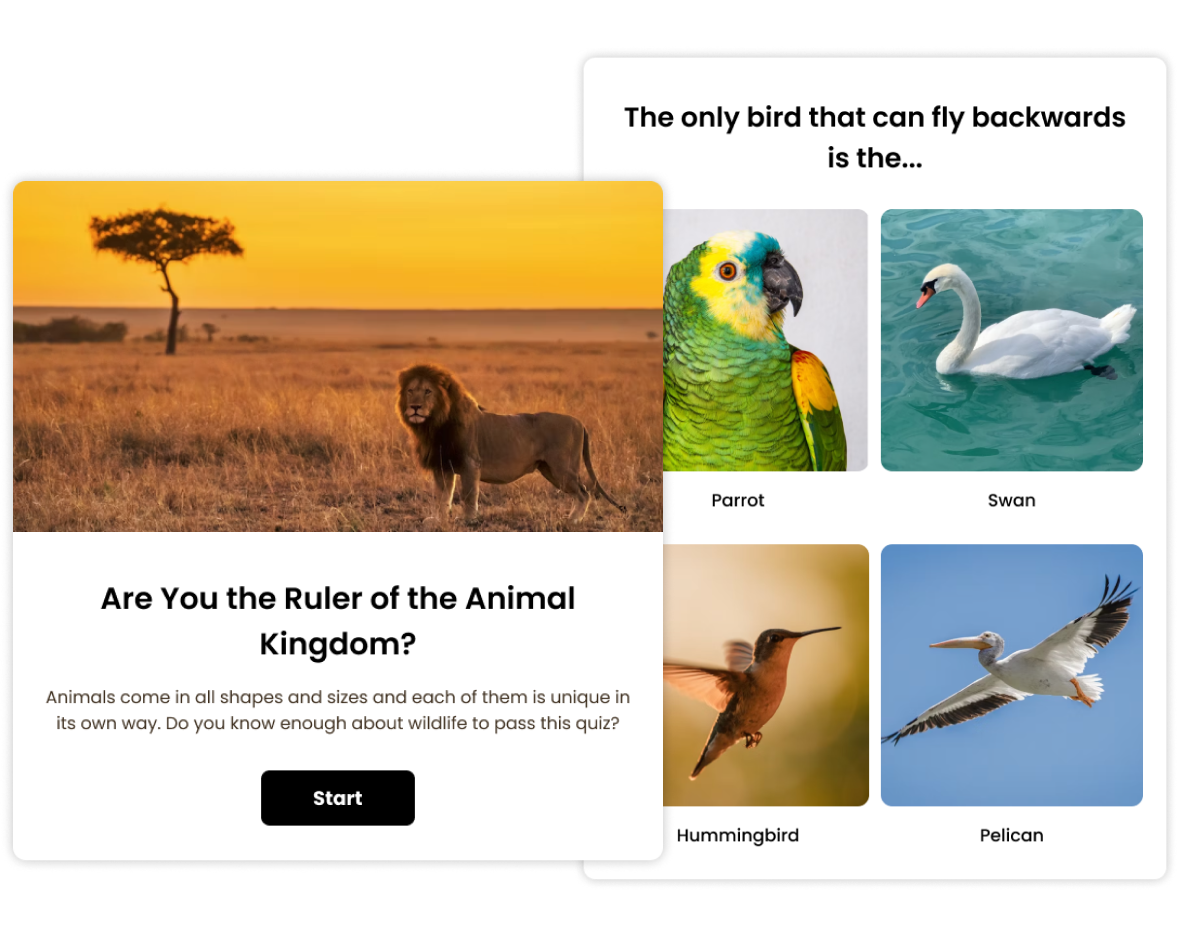
How to Make a Trivia Quiz
1. Create
To get started with our trivia creator, click Create a new item in your dashboard and choose how you’d like to get started – from scratch, with AI, or from a template. Add your trivia questions and answer options, then upload your own images or search for free images directly in the builder to make each question more engaging.
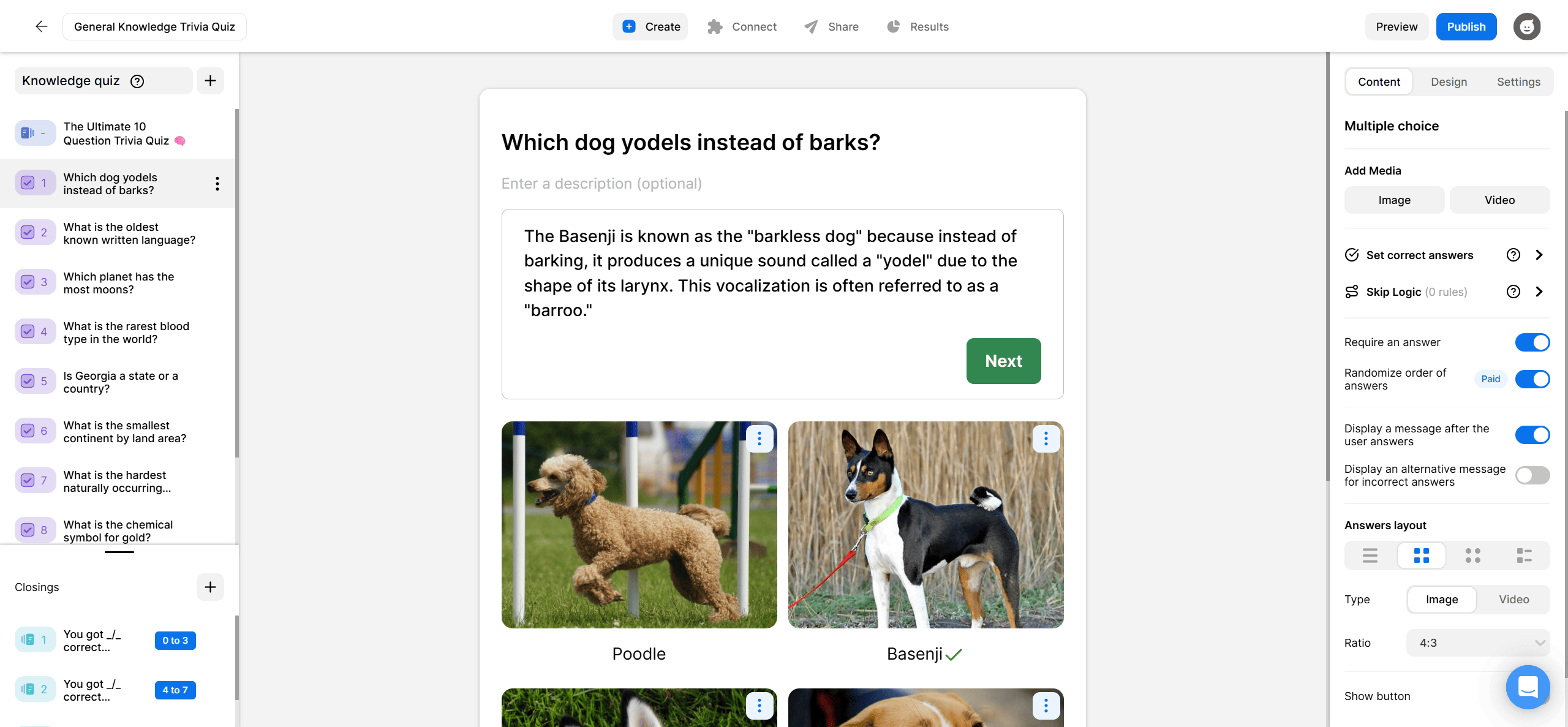
2. Share
When your quiz is ready, share it via a direct link, post it across social channels, or embed it anywhere on your site. WordPress, Squarespace, Wix, or any HTML page. Everything is optimised for mobile and desktop automatically.

3. Track
See how your trivia quiz is performing in real time by checking the analytics dashboard. Track completion rates, view how people answered each question, and identify where drop-off happens. Use AI Insights to surface patterns across responses, then export results to CSV or XLS for deeper analysis.

Trivia Quiz Templates
Get a head start with effective quiz templates you can customize and make your own.
Hundreds of Customers Gave Us 5-Star Reviews



Opinion Stage is the best quiz tool I’ve used. It’s feature-rich, easy to use, and the content looks great.

John Dykstra
Great features, helpful support, and an interactive experience that truly engages customers.

Iris Morales
Great for engagement and lead capture. I highly recommend Opinion Stage!

Mickey Bates
- 1.3M+ Experiences created
- 3B+ Questions answered
- 20M+ Leads captured
- 10+ Years of results
Trivia Quiz FAQs
What is a trivia quiz?
A trivia quiz, also known as a knowledge quiz, tests your audience with scored questions across any topic – history, pop culture, your industry, or your brand. Participants answer questions and get a result based on how they do. It’s one of the most shareable formats in interactive content. Need inspiration? Check out our trivia questions guide.
How many questions should a trivia quiz have?
For online engagement, 7 to 10 questions is the sweet spot. Enough to feel like a real challenge, short enough that most people finish. For competitive or educational purposes, 10 to 20 questions works well.
Can I add a lead form to my trivia quiz?
Yes. You can add a lead capture form to your trivia quiz and collect contact details alongside responses. People are far more willing to share their details when there’s something in it for them, such as their results, a prize, or a coupon.
Can I embed a trivia quiz on my website?
Yes. You can embed your quiz on any website, including WordPress, Squarespace, Wix, or any other platform. It’s fully responsive and mobile-friendly, so it works smoothly on any device.
What makes a good trivia quiz?
Start with a topic your audience already cares about. Mix easy and hard questions so it feels challenging, but still fun. Keep it short, 10 questions or fewer works best online. Then focus on your result cards. Make them fun or surprising, and people will want to share them.
Get Up and Running in Minutes
Create a Trivia Quiz