
Best Online Quiz Maker (2026): Compare the Top Quiz Tools
Choosing the right quiz tool depends on your goals. This guide highlights the best quiz maker for each category, so you can quickly find the tool that fits your needs.
How We Compared the Best Quiz Tools
Not all quiz makers are built for the same goals. Some are great for classroom learning and assessments, while others are designed to help businesses boost engagement, capture qualified leads, and turn interactions into conversions.
If you’re a marketer looking to generate leads, segment audiences, or guide visitors toward products, it’s especially important to choose a tool built with those outcomes in mind. Many quiz platforms are designed for education or live events, while others focus specifically on conversion-driven campaigns.
To make comparison easier, we evaluated each quiz maker based on pricing flexibility, ease of use, AI-powered quiz creation, customization options, and overall value for different use cases.
The table below highlights how the top quiz tools compare so you can quickly find the one that fits your goals.
| Tool | Price | Standout capability | Best for | Marketing & lead gen fit |
|---|---|---|---|---|
| Opinion Stage | Free plan available Affordable paid plans |
Engagement-first marketing quizzes designed for lead capture & conversion | Marketers who want to convert traffic into responses, leads, & sales | ✅ Strong – built for marketing & conversion |
| Interact | 14-day free trial Mid-high pricing |
Quiz-driven email list building | Solopreneurs building quiz funnels for email segmentation | ⚠️ Strong within quiz funnels, limited beyond that |
| Typeform | High pricing compared to other options | Conversational, design-focused forms | General data collection and design-led forms | ⚠️ Designed as a general form builder, with quizzes as one of several use cases |
| Google Forms | Free | Simple, free form & quiz creation | Basic surveys, internal questionnaires, & simple quizzes | ❌ Limited marketing & conversion capabilities |
| Kahoot | Free plan available Affordable paid plans |
Live, game-based quizzes with real-time participation | Classrooms, training sessions, & live learning environments | ❌ Not designed for marketing or lead generation |
| Quizlet | Free plan available Affordable paid plans |
Flashcards and study tools with learning modes | Students studying & memorizing material | ❌ Built for studying, not marketing use cases |
| ProProfs Quiz Maker | Low–mid pricing | Assessment and knowledge-testing features | HR teams, educators, & compliance or training quizzes | ⚠️ Limited |
| QuizMaker | Low–mid pricing | Straightforward quiz & test creation | Teachers & trainers creating simple assessments | ❌ Built for educational testing, not marketing |
1. Opinion Stage – Best for Marketing, Lead Generation & Engagement
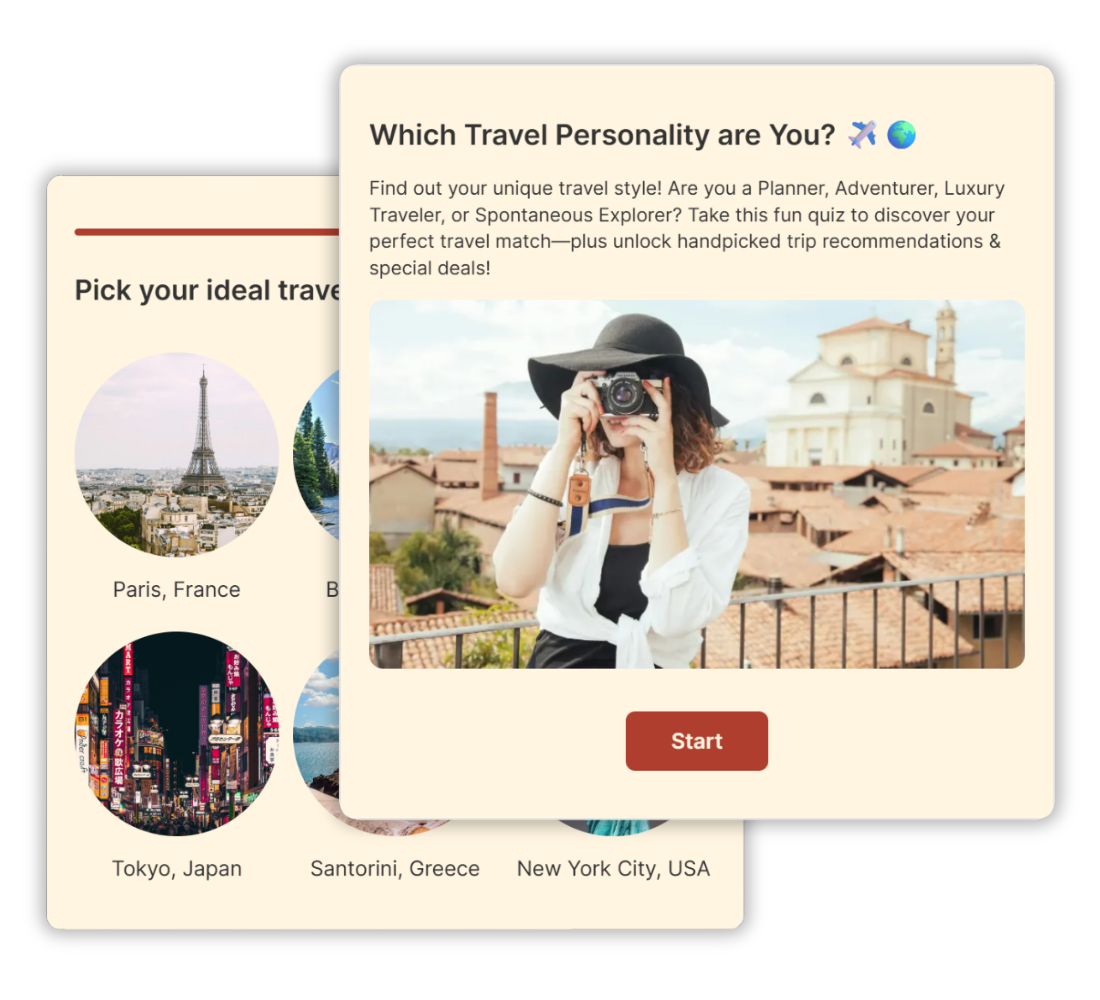
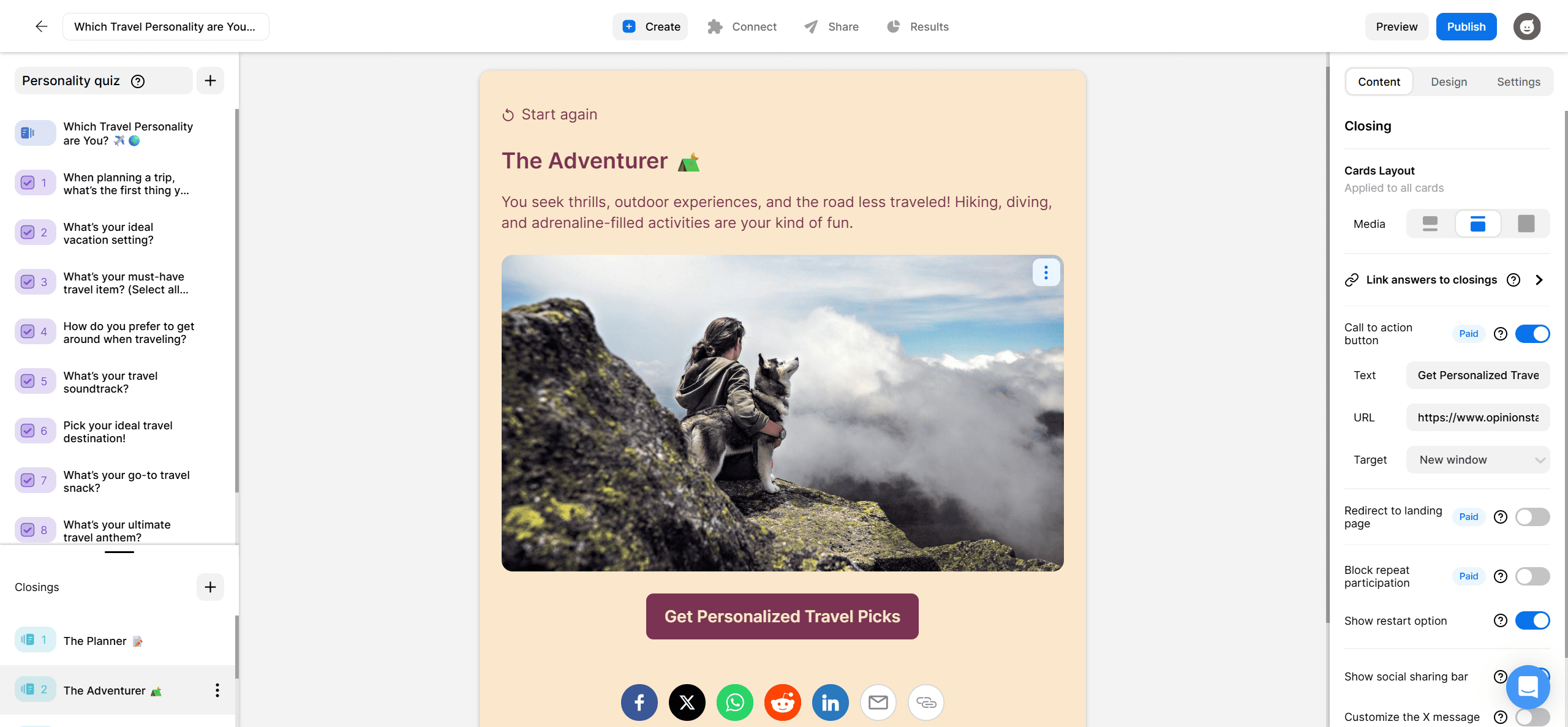
Opinion Stage is a quiz maker built for marketers who want to engage visitors, collect qualified leads, and guide people toward the right products or offers. It supports personality, knowledge, and product recommendation quizzes, making it a strong fit for brands focused on growth and conversion.
With AI-powered quiz creation and ready-made marketing templates, teams can launch campaigns quickly, without heavy configuration or technical setup.
Quiz responses can be connected to email marketing and CRM tools, making it easier to segment contacts and tailor follow-up campaigns. On paid plans, full branding control—including custom themes and CSS—helps quizzes feel like a natural part of your website.
“It’s so user-friendly, and the amount of editable options is incredible. Overall extremely well-made.” – Sydney C., G2 Review
Common Use Cases
Opinion Stage works well for marketing teams looking to:
- Grow email lists with interactive quizzes that encourage sign-ups
- Guide buyers to the right products using personalized recommendations
- Increase engagement on site with interactive content that keeps visitors involved
- Collect insights to better understand audience preferences and intent
“I have a beauty business, and the quiz option let me create a quiz for potential customers to find their skin type and the most suitable products for them. It’s easy to use and set up, and the support from the developers is outstanding. This plugin for my WordPress site has definitely brought in a lot of new customers.” – Michelle G., G2 Review
Pros:
✅ AI-powered quiz creation for faster campaign launches
✅ Designed for fast setup without complex configuration
✅ Built for lead generation & audience segmentation
✅ Personality, knowledge, & product recommendation quiz formats
✅ Email and CRM integrations for follow-up marketing
✅ Advanced analytics to track impressions & drop-off rates
✅ Full branding control, including custom CSS & white labeling
✅ Free plan to create free quizzes and test campaigns before scaling
✅ Priority support & onboarding assistance
Cons:
❌ Free plan is limited to 25 responses/month
❌ Signup is required before you can use the tool
🛠️ Best Integrations: Mailchimp, Zapier, Webhooks, Wix, Squarespace, WordPress
⭐ Customer Ratings
- G2: 4.8/5⭐
- Capterra: 4.9/5⭐
💲 Pricing: Free forever plan, paid plans start at $25/month.
2. Interact – Solopreneurs Building Quiz Funnels for Email Segmentation
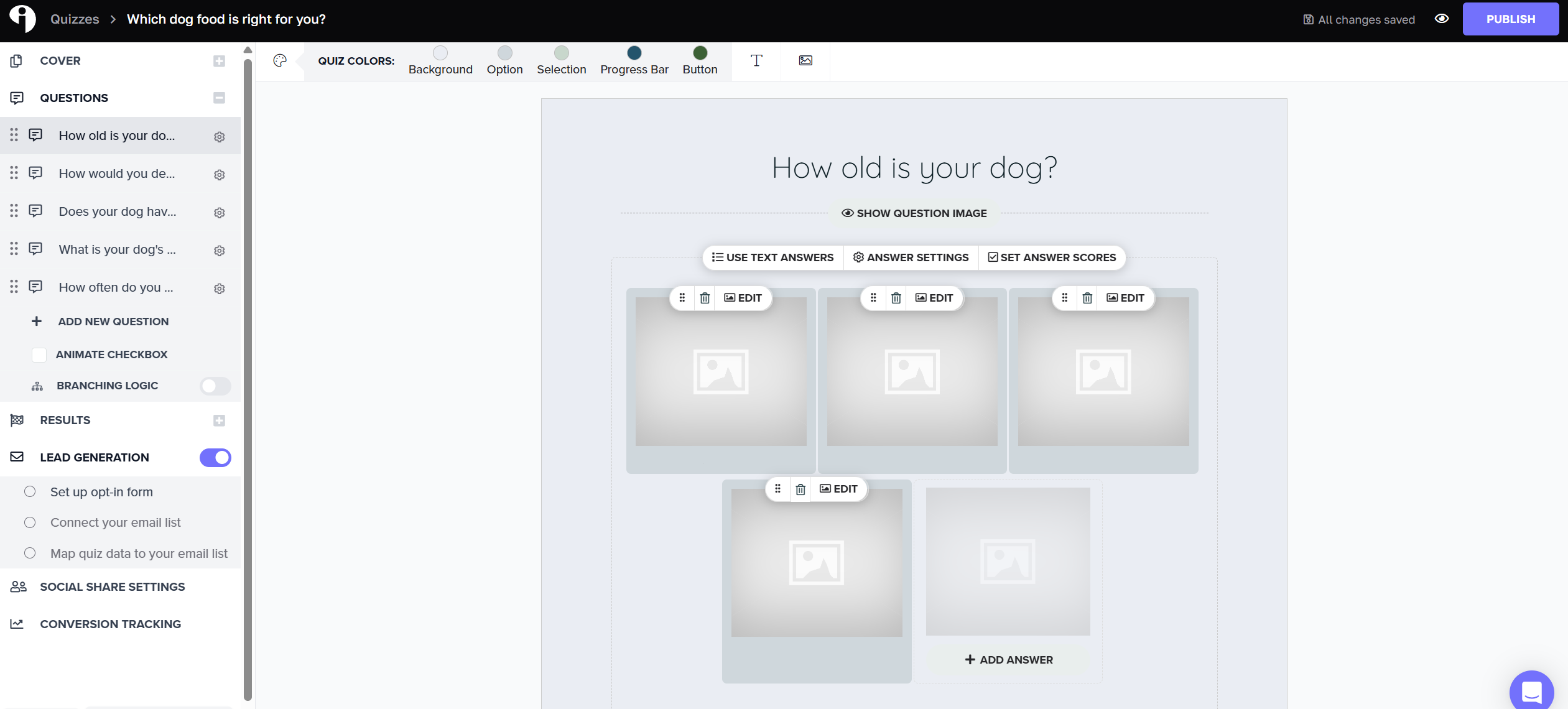
Interact is a quiz platform focused on helping businesses collect emails through quizzes. The builder offers advanced configuration options for setting up outcomes and lead capture. There are multiple settings involved, which may feel more natural if you already have experience with quiz funnels or email marketing tools.
The platform is also focused exclusively on quizzes, so you won’t find additional formats like surveys, polls, or standalone forms built in.
Some design flexibility is more limited compared to other interactive tools. For example, videos can only be added to result pages rather than within questions or answers, which may affect more media-heavy experiences.
Plans include caps on the number of quizzes and leads depending on tier, and there’s no ongoing free plan — only a limited trial.
If your main goal is building structured quizzes for email collection, Interact can be a solid fit. If you’re looking for a faster setup process, broader content formats, or fewer usage restrictions as you scale, other tools may offer more flexibility.
Want a deeper look at how Interact compares to Opinion Stage? We cover the details in our full Interact vs Opinion Stage comparison guide.
Pros:
✅ Ability to send quiz takers to custom landing pages after completion
✅ Easy access to stock images
✅ Detailed outcome controls
Cons:
❌ No free plan (only a limited free trial)
❌ Usage caps on quizzes and leads depending on plan
❌ Supports quizzes only (no surveys, polls, or standalone forms)
🛠️ Best Integrations: Google Analytics, HubSpot, Slack
⭐ Customer Ratings
- G2: 4.7/5⭐
- Capterra: N/A
💲 Pricing: 14-day free trial, paid plans start at $27/month.
3. Typeform – Best for Design-Led Forms & Surveys
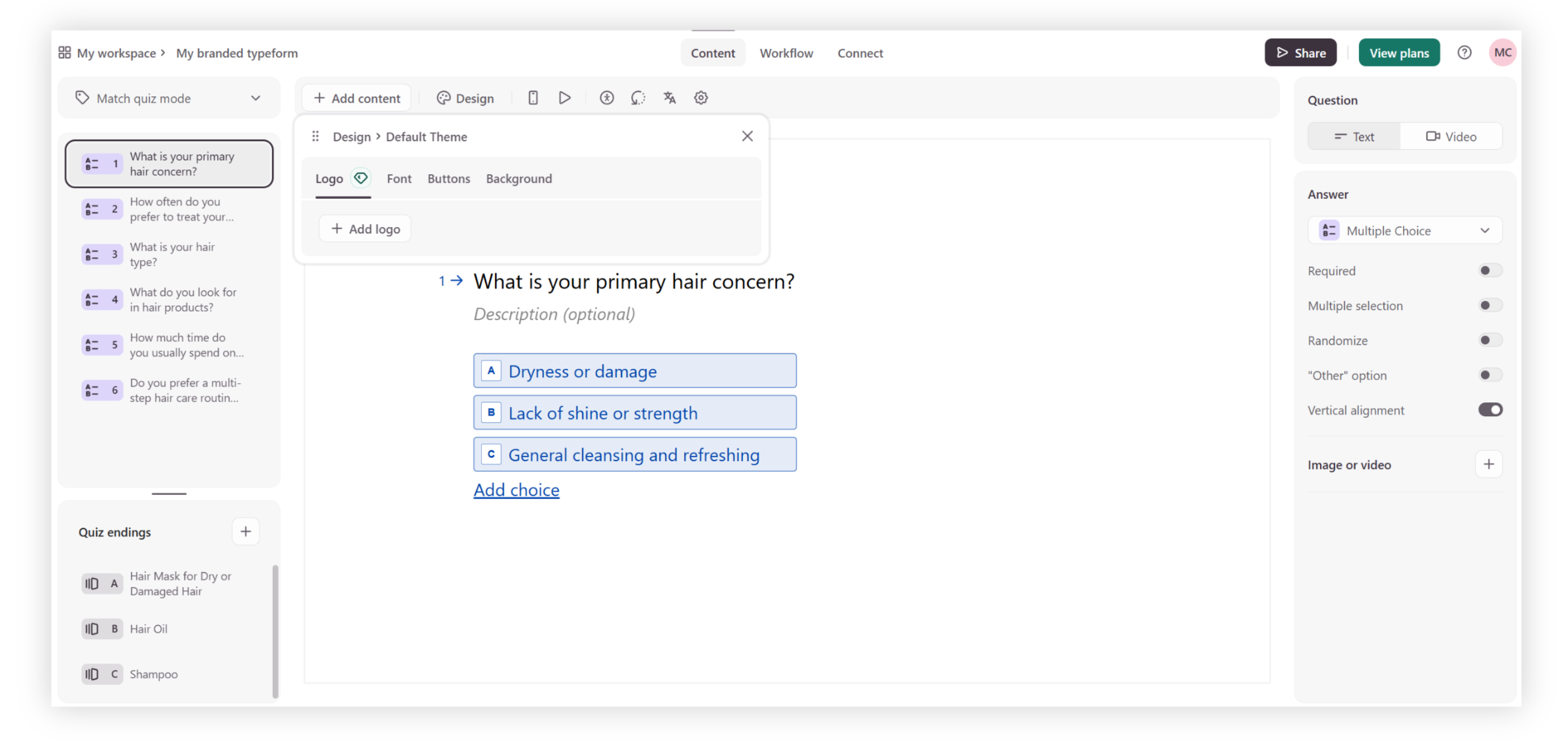
Typeform is known for its clean design and one-question-at-a-time format. It’s widely used for surveys, signup forms, and polished data collection where presentation and simplicity matter.
The interface is intuitive, and the templates make it easy to get something live quickly. Forms feel modern and conversational, which can help improve completion rates compared to traditional static forms. Typeform also integrates with a wide range of third-party tools, making it easy to connect responses to your existing workflows.
That said, Typeform is fundamentally a form builder. While you can create quizzes, advanced outcome logic, product recommendation flows, and deeper segmentation require more setup. Pricing can also increase as response volumes grow.
If your priority is beautifully designed surveys and forms, Typeform is a strong option. If you’re specifically looking to build quizzes centered around segmentation, personalization, and measurable marketing outcomes, you may want a more quiz-focused platform.
For a side-by-side breakdown, see our full Opinion Stage vs Typeform comparison.
Pros:
✅ Easy-to-use interface
✅ Easily share survey results
✅ Good AI creation option
Cons:
❌ Free plan is limited to 10 responses/month, & also has a high starting price for just 100 responses & 1,000 views/month
❌ Typeform uses one generic form builder for everything, whereas some quiz tools provide purpose-built builders for different quiz types (personality, recommendation, trivia, etc.).
🛠️ Best Integrations: Slack, Hubspot, Salesforce
⭐ Customer Ratings
- G2: 4.5/5⭐
- Capterra: 4.7/5⭐
💲 Pricing: Free plan, paid plans start at $25/month.
4. Google Forms – Best for Real-time Team Collaboration Within the Google Ecosystem
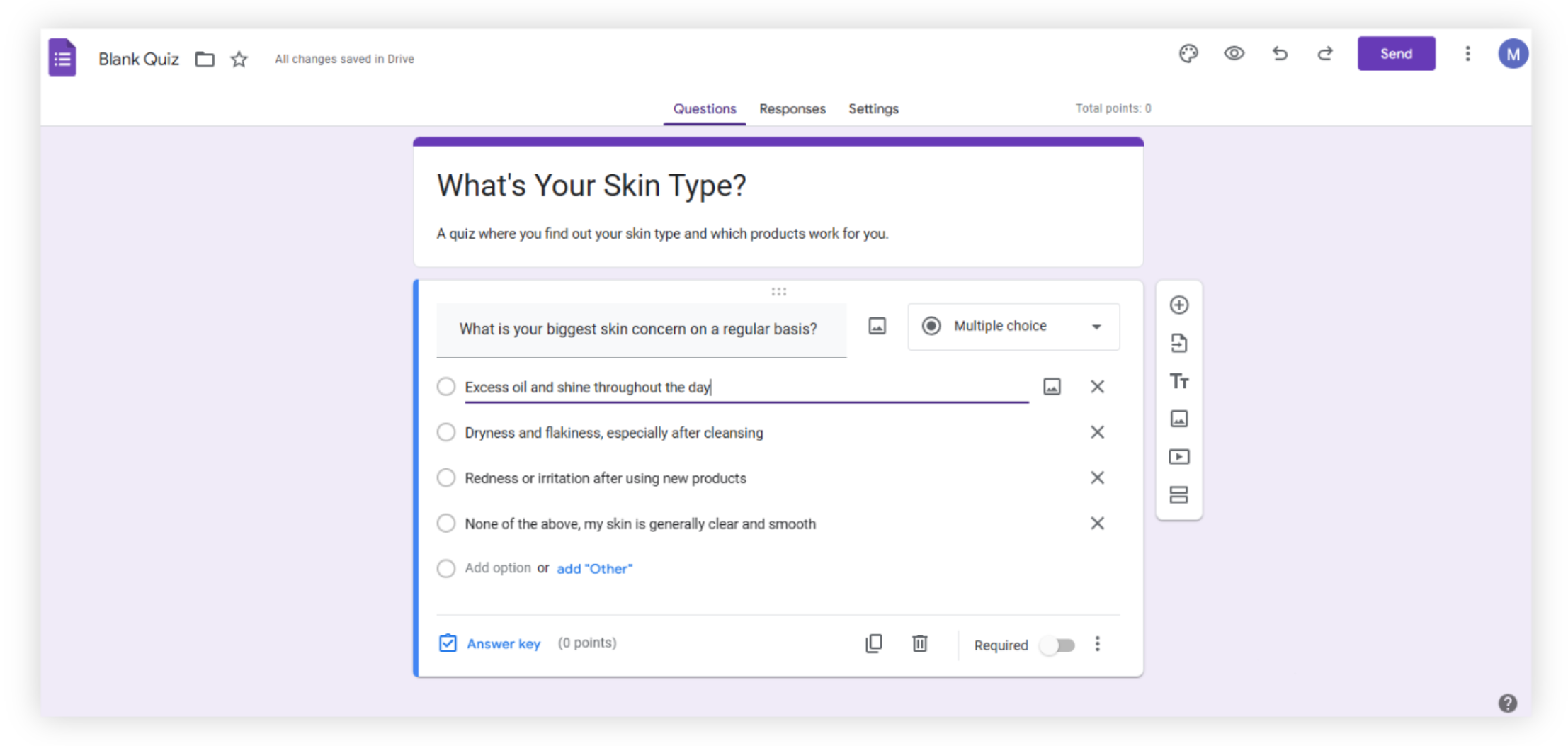
Google Forms is a simple, no-fuss interface for creating quizzes, surveys, and forms. It works best for internal training, collecting employee feedback, and quick polls where speed and collaboration matter more than design or advanced personalization. Putting together a quiz takes just a few minutes, and multiple people can collaborate on the same form in real time within the Google ecosystem.
Where Google Forms starts to feel limited is in marketing-focused use cases. You can collect email addresses, but lead capture isn’t built around conversion or segmentation. There’s no structured way to tie different answers to personalized results, product recommendations, or targeted follow-ups. If you’re trying to use quizzes as part of a lead generation or growth strategy, you’ll likely run into workarounds pretty quickly.
Google Forms supports basic section-based branching, but it doesn’t offer structured personality outcomes, product recommendation flows, or customizable result pages. For simple quizzes, it works well. For more engagement-driven or conversion-focused campaigns, it’s not really what it’s designed for.
Trying to decide between Google Forms and Opinion Stage? We take a closer look at how they compare in our Google Forms vs Opinion Stage comparison.
Pros:
✅ Allows multiple users to collaborate on forms in real time
✅ Unlimited quiz/form creation
✅ Free to use
Cons:
❌ Limited customization – you can’t change the layout, apply custom branding, or create custom color themes
❌ No skip logic or score-based outcomes – only supports right/wrong answers with static confirmations, so you can’t create personality quizzes or build a conversational experience
❌ No dynamic result pages – you can’t show different results based on answers or scores
🛠️ Best Integrations: Google Sheets, Google Drive, Google Classroom
⭐ Customer Ratings
- G2: 4.6/5⭐
- Capterra: 4.7/5⭐
💲 Pricing: Free
5. Kahoot – Best for Live, Game-Based Quizzes
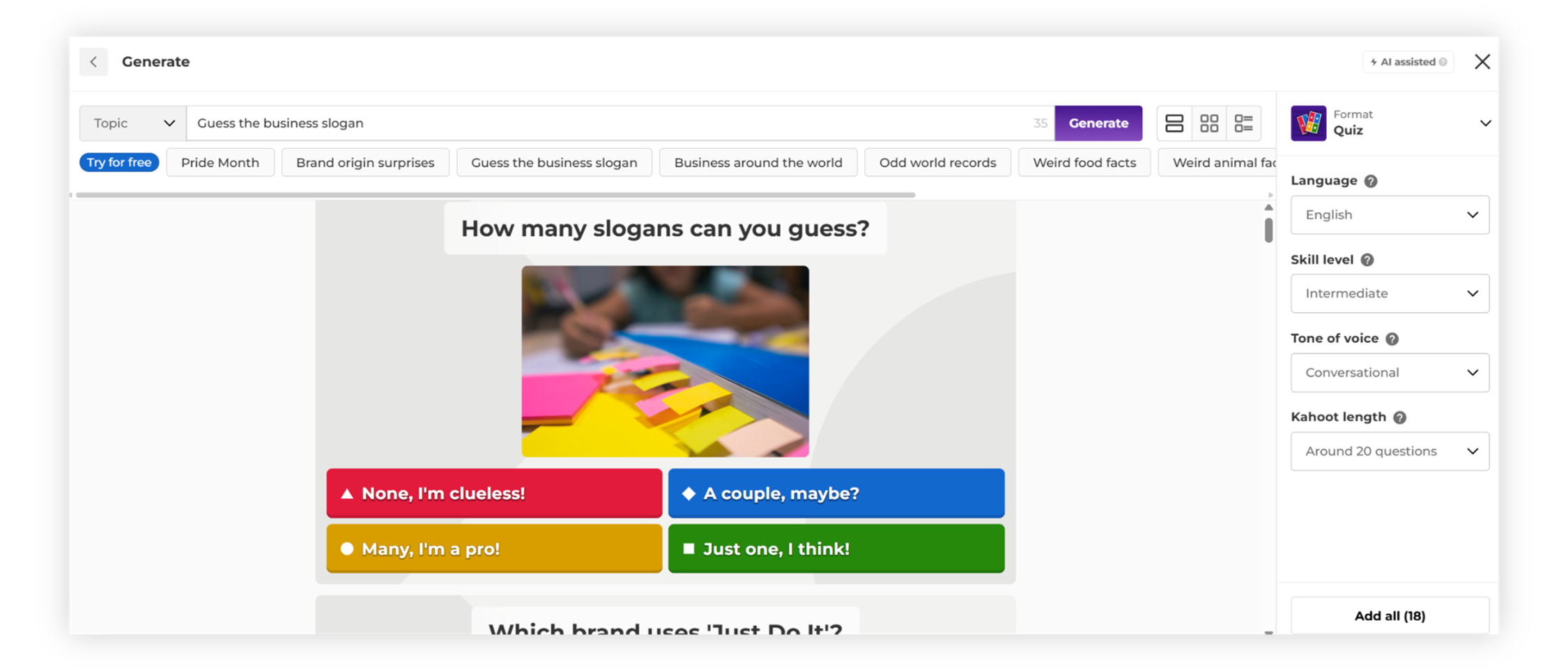
Kahoot is best known for its fast-paced, game-style quizzes that are played live. If you’ve ever been in a classroom or training session where everyone joins on their phone and competes in real time, you’ve probably seen it in action.
It’s especially strong for live events, workshops, team meetings, and classroom settings. You can launch a quiz quickly, and the built-in timers and leaderboard make it feel competitive and fun.
Where Kahoot becomes limiting is outside of live sessions. It’s designed for everyone to participate at the same time, so it’s not ideal for self-paced quizzes that people complete on their own schedule. The timed format can also make it less flexible for longer or more in-depth experiences.
Kahoot also isn’t built with marketing campaigns in mind. There’s no structured lead capture flow, personalized result pages, or built-in CRM integrations. If your goal is to grow an email list, segment leads, or guide someone toward a product or offer, it’s not really what Kahoot is designed for.
For live engagement and energy in a room, it’s great. For ongoing, conversion-focused quiz campaigns, it’s not the right fit.
Want to see more tools like Kahoot? We’ve broken down the best Kahoot alternatives in a separate guide.
Pros:
✅ Gamified quizzes make learning fun & engaging
✅ Pre-made game library makes it easy to find & launch games quickly
✅ Host games for up to 2,000 participants
Cons:
❌ Designed for live events with time limits – not ideal for self-paced quizzes
❌ No quiz logic or scoring outcomes – can’t build personality quizzes or custom result paths
❌ Not built for marketing use cases – no lead capture, result personalization, or CRM integrations
🛠️ Best Integrations: Microsoft Teams, Zoom, PowerPoint
⭐ Customer Ratings
- G2: 4.6/5⭐
- Capterra: 4.7/5⭐
💲 Pricing: Free plan, paid plans start at $3/month.
6. Quizlet – Best for Studying, Exam Prep, & Memorization
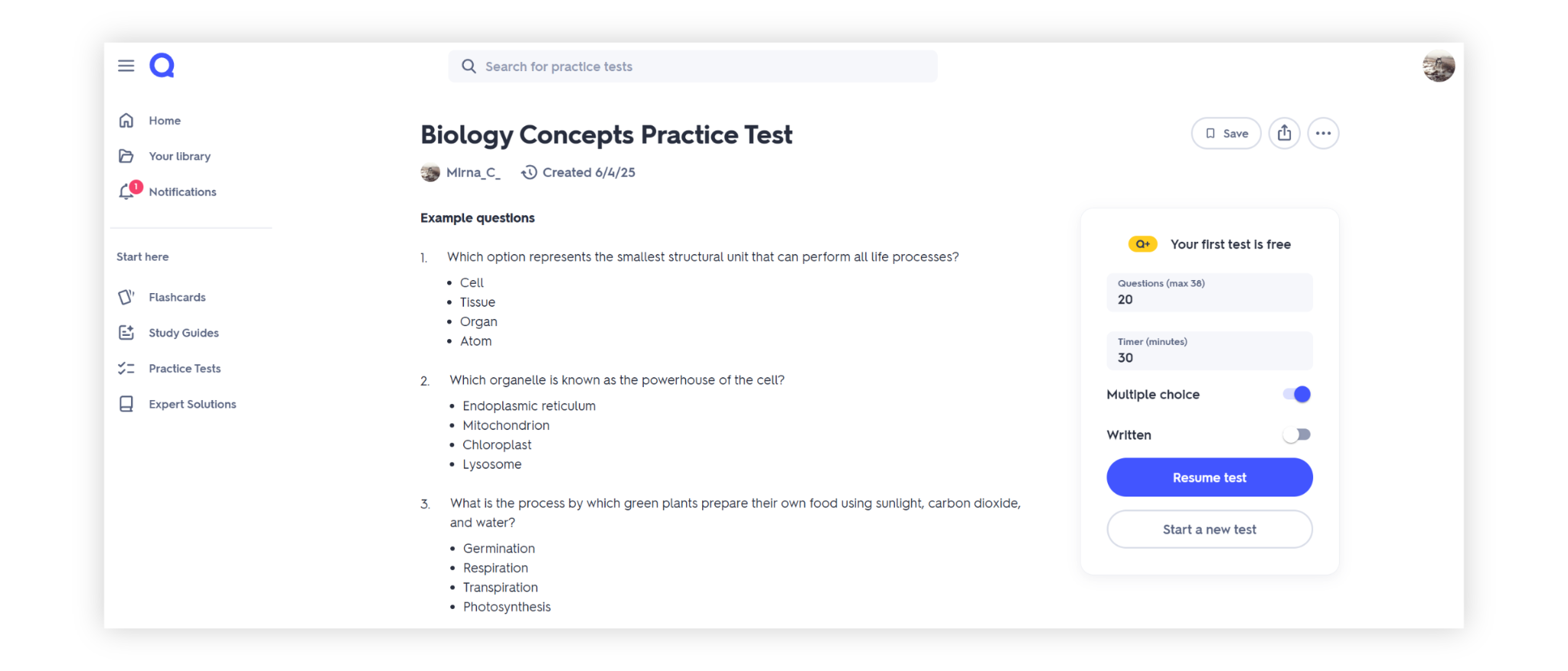
Quizlet is built primarily for students and educators. It’s designed to help people study, review material, and prepare for exams using flashcards, practice tests, and interactive learning modes.
If your goal is memorization or reinforcing classroom material, Quizlet does that really well. You can create study sets, use different learning modes, and even turn notes into quizzes using its AI-powered features. It’s especially popular for language learning, science terms, and standardized test prep.
That said, Quizlet is very much education-first. The interface can feel busy at first, and because much of the content is user-generated, quality can vary depending on the study set you’re using.
Where it doesn’t translate as well is business or marketing use. There’s no built-in lead capture system, no structured personality-style results, and no product recommendation flows. It’s built to help people learn and retain information — not to grow an email list or guide buyers toward offers.
For classrooms and studying, it’s a strong choice. For engagement-driven or conversion-oriented quiz campaigns, it’s not what it’s designed for.
Pros:
✅ The Magic Notes feature uses AI to turn your notes into study sets & quizzes
✅ Various question types such as multiple choice, true/false, written answer, & audio
✅ Audio features support auditory learners & improve accessibility for all users
Cons:
❌ Free version includes ads
❌ Interface feels busy & unintuitive
❌ Lacks marketing features like branching logic, custom result pages, & lead capture
🛠️ Best Integrations: Microsoft Teams, Google Classroom, Incident IQ
⭐ Customer Ratings
- G2: 4.5/5⭐
- Capterra: 4.6/5⭐
💲 Pricing: Free plan, paid plans start at $3/month.
7. ProProfs Quiz Maker – Best for Assessments & Training
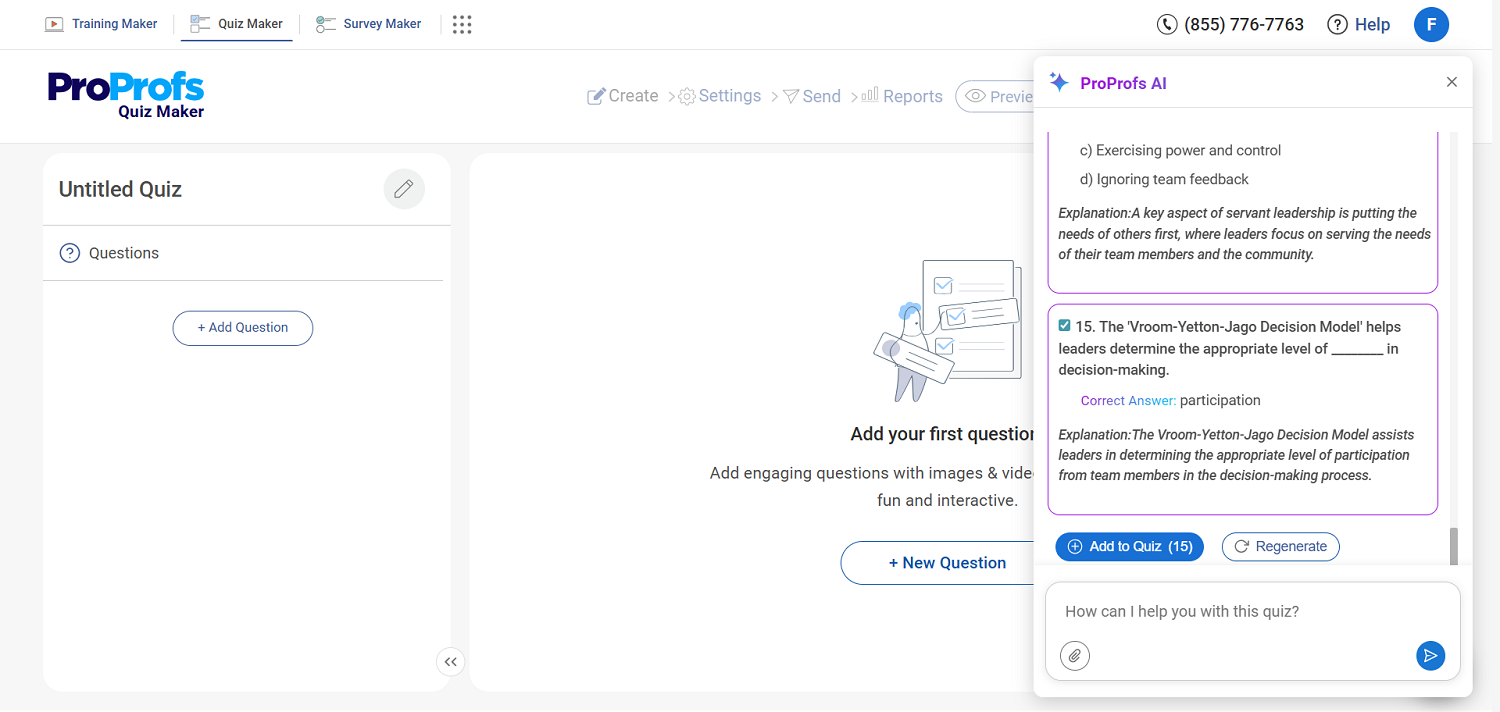
ProProfs Quiz Maker is designed for assessments, training programs, and hiring. You can create quizzes using AI, upload documents to turn into questions, or choose from a large template library. Features like automated grading, question randomization, proctoring, and certifications make it a strong fit for formal testing environments.
It also supports personality quizzes and integrates with CRM and email tools, so it can be used for lead collection. That said, the overall experience feels more like an assessment platform than a marketing campaign builder.
For employee training, compliance testing, or structured evaluations, it’s a solid choice. If you’re looking to build highly branded, engagement-driven quiz funnels designed to guide users toward products or offers, it may feel more test-oriented than campaign-oriented.
Pros:
✅ Custom branding & multimedia support for personalized quizzes
✅ Enterprise-grade security features: browser lockdown, proctoring, & randomization
✅ Seamless CRM & email marketing tool integrations
Cons:
❌ Lacks offline options; fully cloud-based
❌ No dark mode for long quiz-building sessions
🛠️ Best Integrations: HubSpot, Mailchimp
⭐ Customer Ratings
- G2: 4.4/5 ⭐
- Capterra: 4.5/5 ⭐
💲 Pricing: Free for short quizzes and essential features. Paid plans start at $19.99/month.
8. QuizMaker – Best for Courses & Certifications
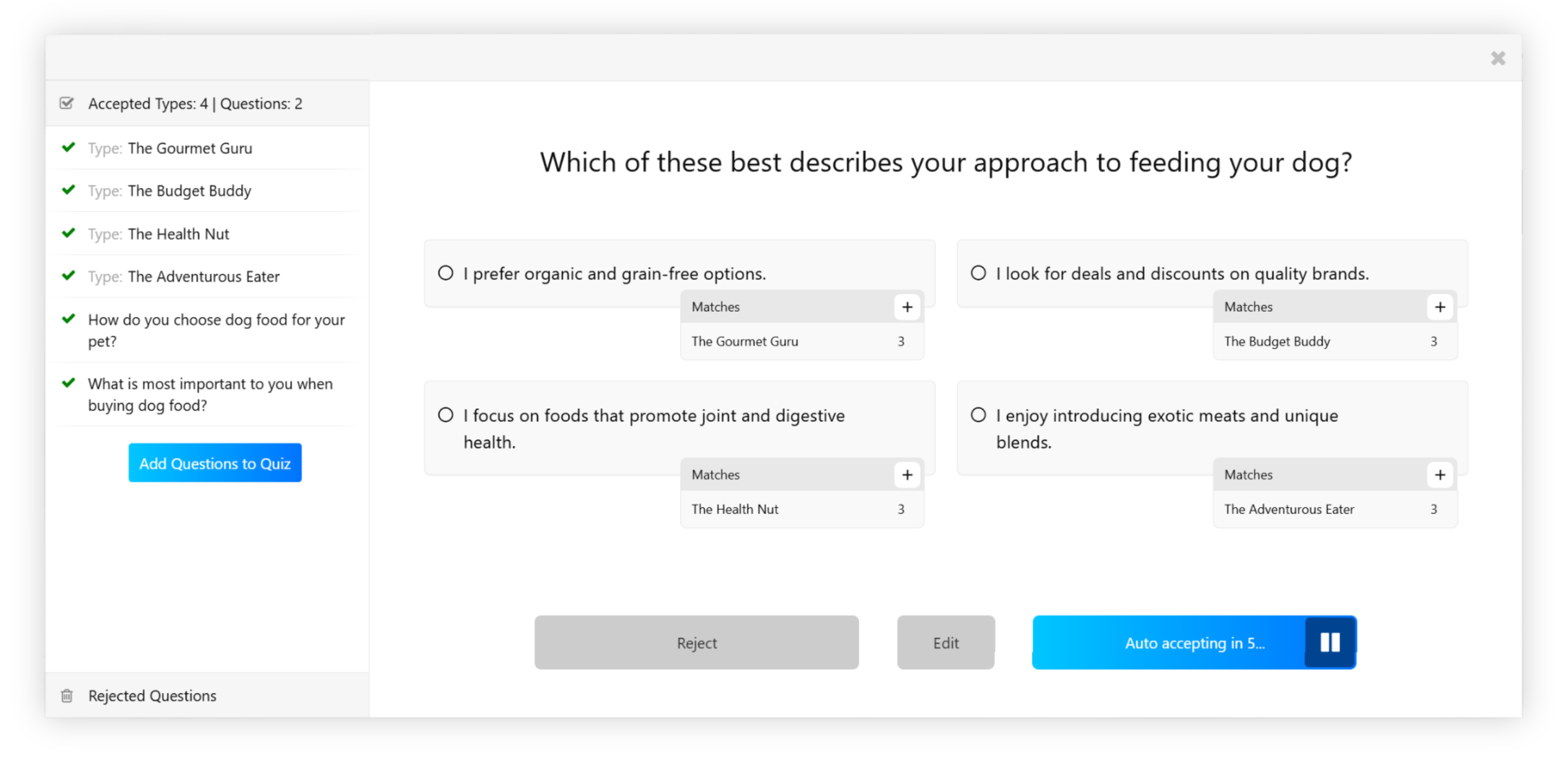
QuizMaker is more aligned with testing and coursework than with marketing-style quiz campaigns. It’s commonly used for exams, structured assessments, and linking quizzes together into simple online courses.
You can auto-grade quizzes, require logins, add leaderboards, and even issue certificates based on results. There’s also AI question generation and theme customization, but the overall setup leans toward classrooms and training environments.
It does include lead capture and personality quiz options. Still, most of the features are clearly built with assessments and formal learning in mind.
If you’re creating exams, certifications, or organized training programs, it makes sense. If you’re mainly looking to publish interactive quizzes as part of a marketing strategy, it may feel a bit more academic than promotional.
Pros:
✅ AI quiz creation
✅ Supports multiple language translations
✅ AI-based feedback suggests comments & streamlines response management
Cons:
❌ No free plan, free trial lasts for only 7 days
❌ Storage limits on lower plans restrict how much media you can upload, which can be frustrating for content-rich or data-heavy quizzes
❌ Advanced features are buried in a dated interface, making setup confusing & time-consuming for new users
🛠️ Best Integrations: Zapier, Google Sheets, Mailchimp
⭐ Customer Ratings
- G2: 4/5⭐
- Capterra: N/A
💲 Pricing: Free plan, paid plans start at $34/month.
Wrapping Up
So, which quiz maker is right for you?
The answer depends on what you’re trying to achieve. Some tools are built for classrooms and live events, others focus on assessments and certifications, and a few are designed specifically for marketing-driven engagement.
If your goal is to run live, competitive sessions, Kahoot is a natural fit. For studying and exam prep, Quizlet stands out. Teams focused on structured assessments or training programs may prefer tools like ProProfs or QuizMaker.
If you want quizzes to do more than collect answers — and instead drive leads, segment audiences, and move visitors toward offers — Opinion Stage is built specifically with those outcomes in mind.
Most of the tools listed here offer free plans, so you can test them firsthand and see which one aligns best with your workflow and goals.
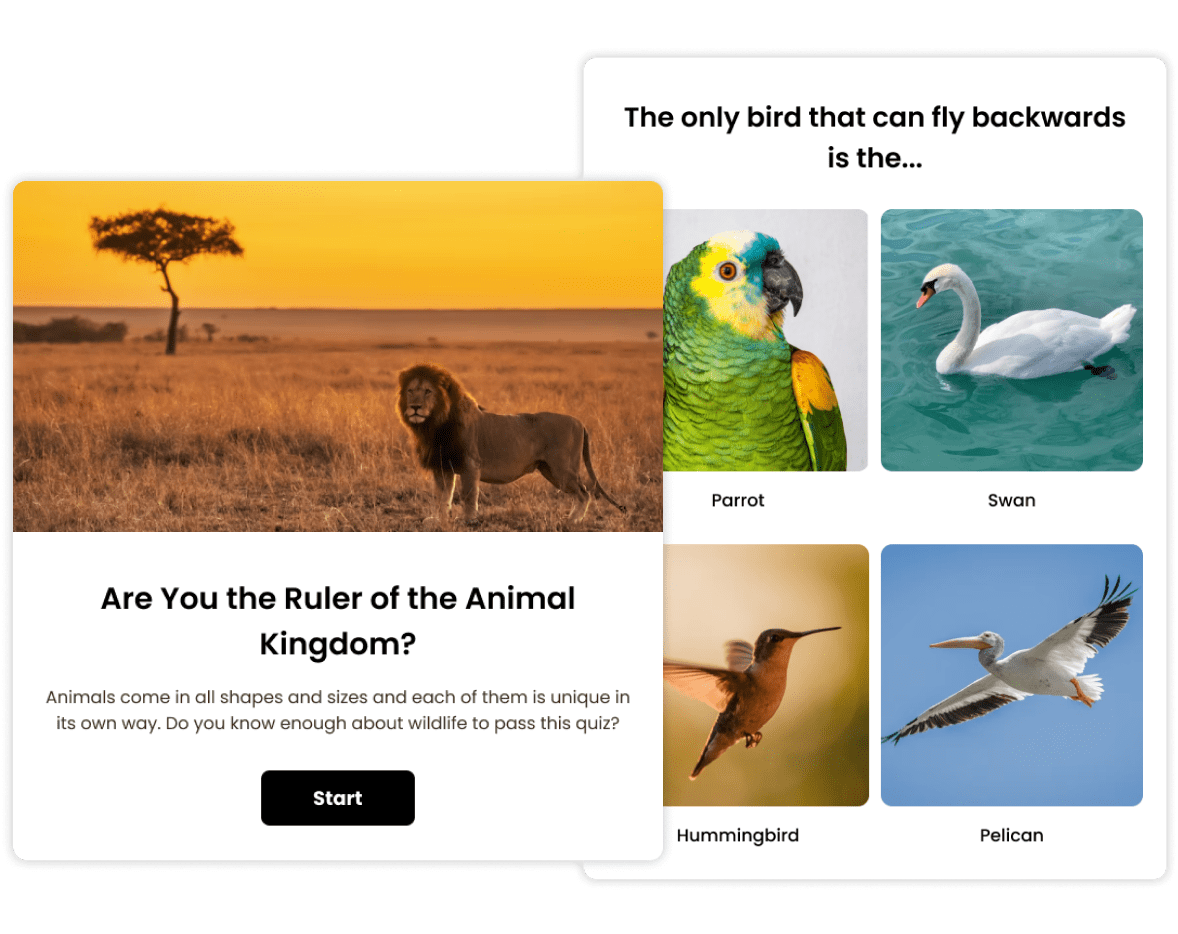
Want to see how it works? Here’s an example of an Opinion Stage knowledge quiz in action.
FAQ
What is the best free online quiz maker?
The best free online quiz maker depends on your goals. If you’re a marketer or business owner looking to generate leads and engage visitors, Opinion Stage is a strong choice thanks to its beginner-friendly setup and marketing-focused features.
For classroom learning, studying, live activities, or formal assessments, tools like Kahoot, Quizlet, ProProfs, or QuizMaker may be a better fit.
How do I create a free online quiz?
To create a free online quiz, choose a platform that offers a free plan. Most quiz tools let you sign up, add your questions, customize the design, and publish your quiz without technical skills. Many platforms also include AI-powered quiz creation to help you generate questions and results quickly.
Platforms like Opinion Stage offer a free plan along with templates and AI tools, making it easy to launch a quiz in minutes. Once your quiz is ready, you can share it via a direct link or embed it on your website.
What should I look for in a quiz maker tool?
When choosing a quiz maker tool, look for ease of use, flexible question types, customization options, and clear result or scoring logic. It’s also important to consider whether the platform offers a free plan, integrations with other tools you use, and analytics to track performance.
Most importantly, choose a tool that aligns with your goals — whether that’s education, engagement, assessments, or lead generation.
Which quiz tools are easiest for beginners?
Quiz tools that prioritize simplicity and fast setup are typically the easiest for beginners. Platforms like Opinion Stage are designed to let you create and publish a quiz quickly without technical skills. For classroom use, tools like Kahoot are also easy to get started with, especially for live activities.
In general, look for platforms with intuitive builders, templates, and AI-powered quiz creation to make the setup process faster.
What should marketers look for in a quiz tool?
Marketers should look for features like lead capture forms, segmentation logic, CRM and email integrations, branding control, analytics, and product recommendation flows. Not all quiz makers are built with marketing outcomes in mind, so choosing a platform designed for engagement and conversion can make a significant difference.
What is the best quiz maker for lead generation?
If your goal is to generate leads, look for a quiz tool that supports customizable opt-in forms, audience segmentation based on answers, CRM integrations, and personalized result pages. Tools built specifically for marketing campaigns — rather than classroom testing — typically offer stronger lead capture and follow-up capabilities.
Can quizzes help grow an email list?
Yes. Interactive quizzes often outperform static lead forms because they provide value first — such as personalized results or recommendations — before asking for contact details. When built strategically, quizzes can help segment subscribers and tailor follow-up campaigns more effectively.
Do these platforms offer customer support or onboarding help?
Most online quiz makers offer some level of customer support, such as help centers, documentation, or email assistance. The level of access often depends on the pricing plan, with more direct support typically available on higher tiers.
Opinion Stage provides chat support, onboarding assistance, and a regularly updated help center with step-by-step guides. This can be helpful if you’re launching campaigns and want guidance as you get started.
Get Up and Running in Minutes
Make a Quiz