
Squarespace Survey Maker: Embed in Minutes
Embed visual, interactive surveys on your Squarespace site in a few clicks. No code required.
- ✓ Free to use
- ✓ No credit card needed
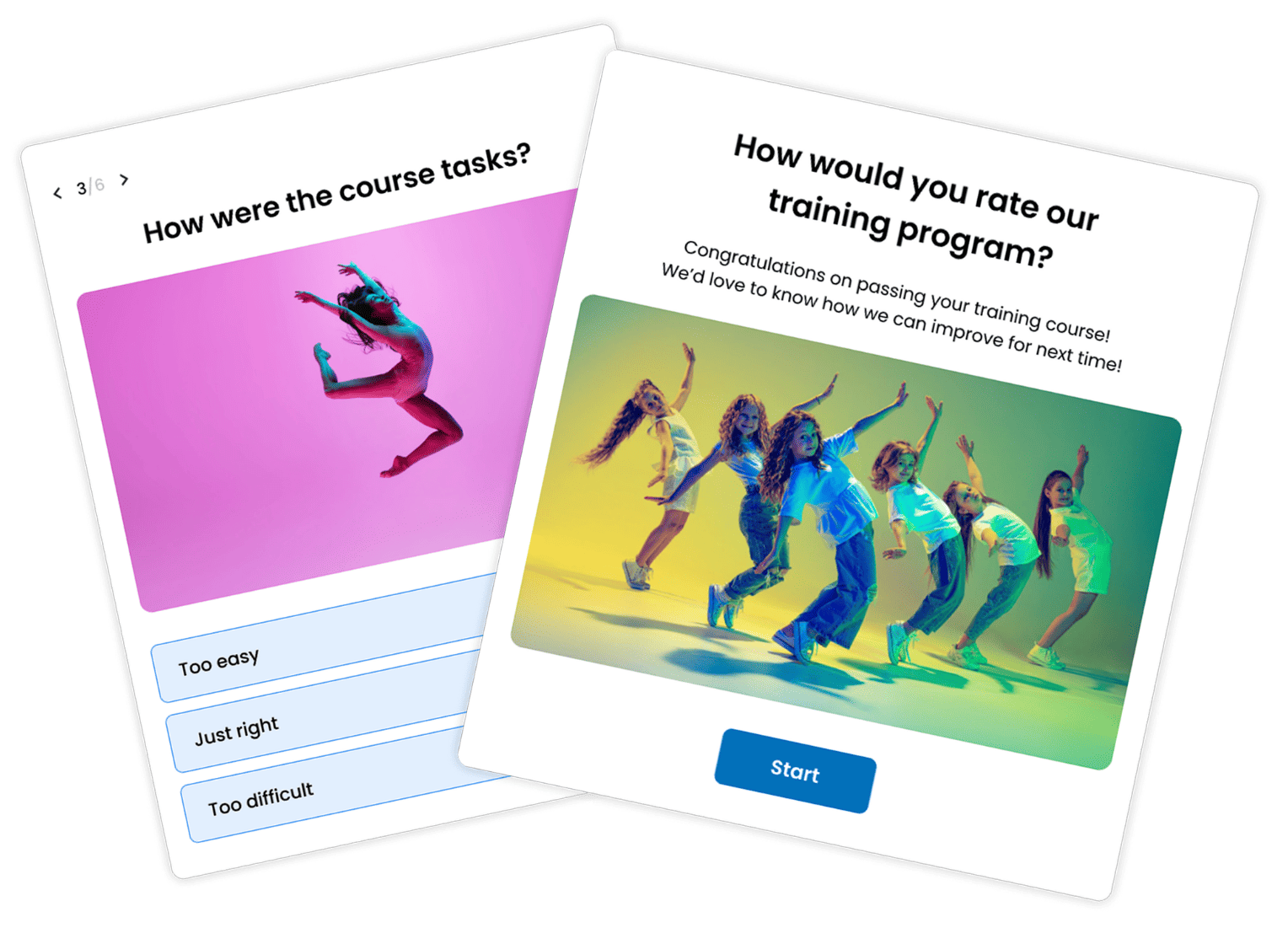
How to Add a Survey to Squarespace
Squarespace’s built-in form blocks are great for simple things like contact forms and signups. But when you want real feedback, NPS scores, customer insights, or any kind of research, you’ll need a dedicated survey maker.
Here’s how to add a Squarespace survey using Opinion Stage in four simple steps.
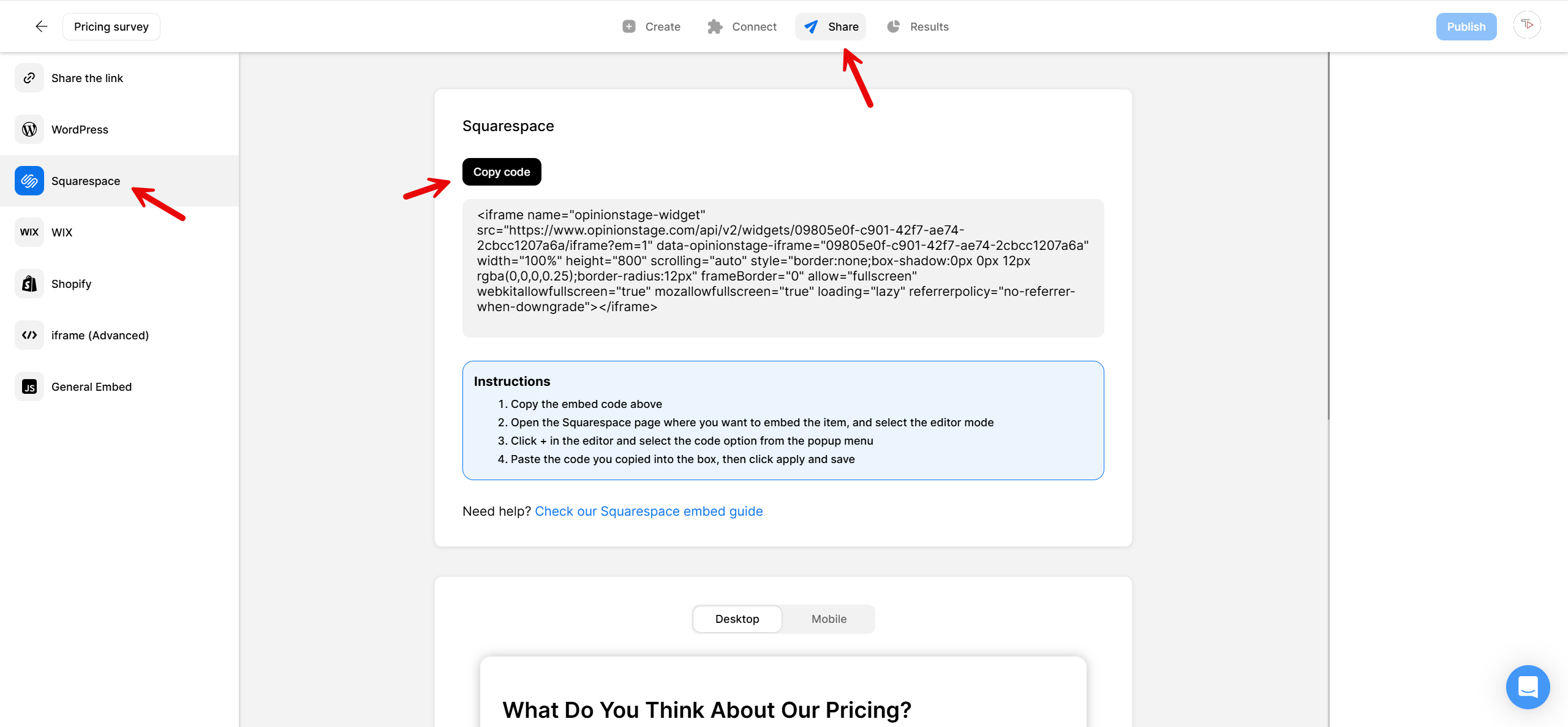
2. Copy the embed code
Click the Share button at the top of your screen, then click the Squarespace tab. Copy the embed code.
3. Add the survey to Squarespace
You have two options for embedding it on your Squarespace site. You can either add it to a new page or embed it on an existing page. If you’d like to add your survey to a new page, create the new page first, then follow the steps below to embed the survey.
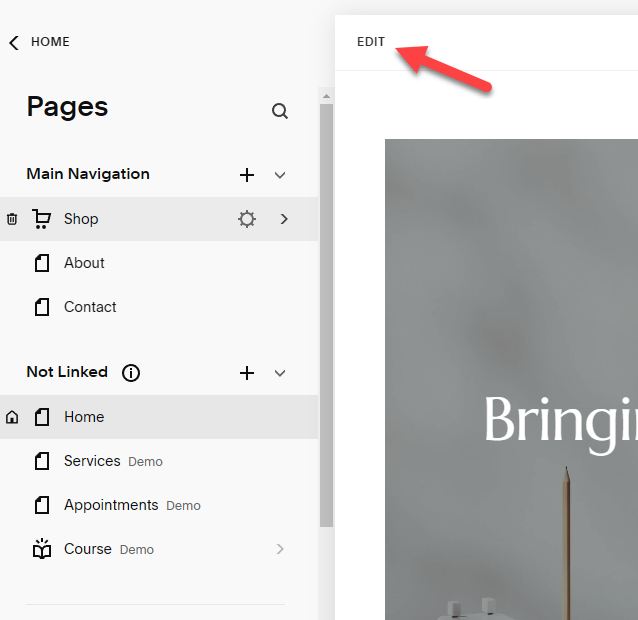
Start by clicking Edit at the top left-hand corner.
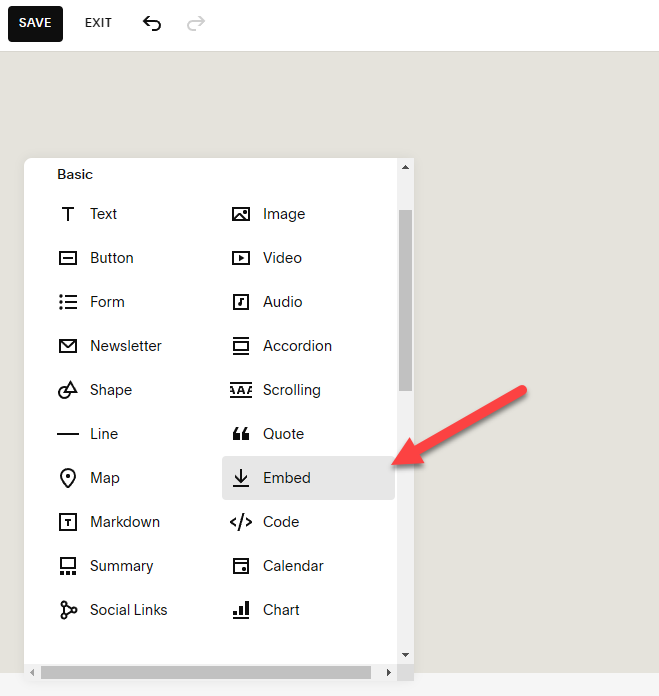
Then, click +Add Block on the left-hand side and scroll down to find the Embed button.
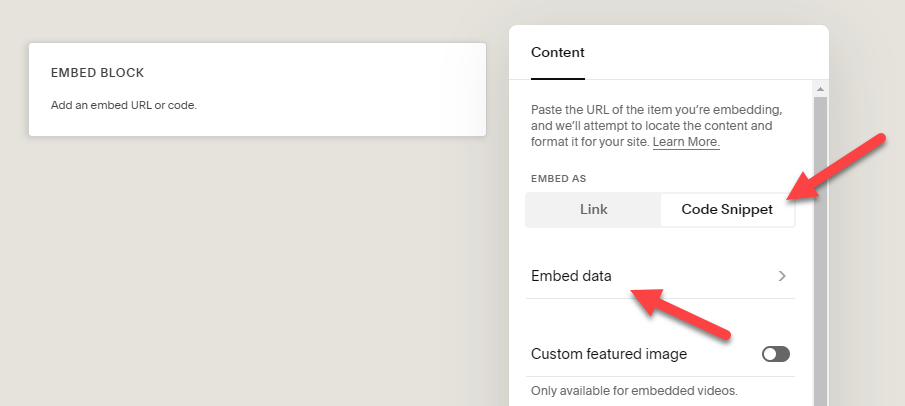
Squarespace will now add an embed block to the page. Double-click it to open up the Content menu. Next, click on Code Snippet and then Embed data.
Paste your survey’s Squarespace embed code into the box. If you want to reposition your survey, just click and hold, then drag it to where you want on the page. Don’t forget to click Save.
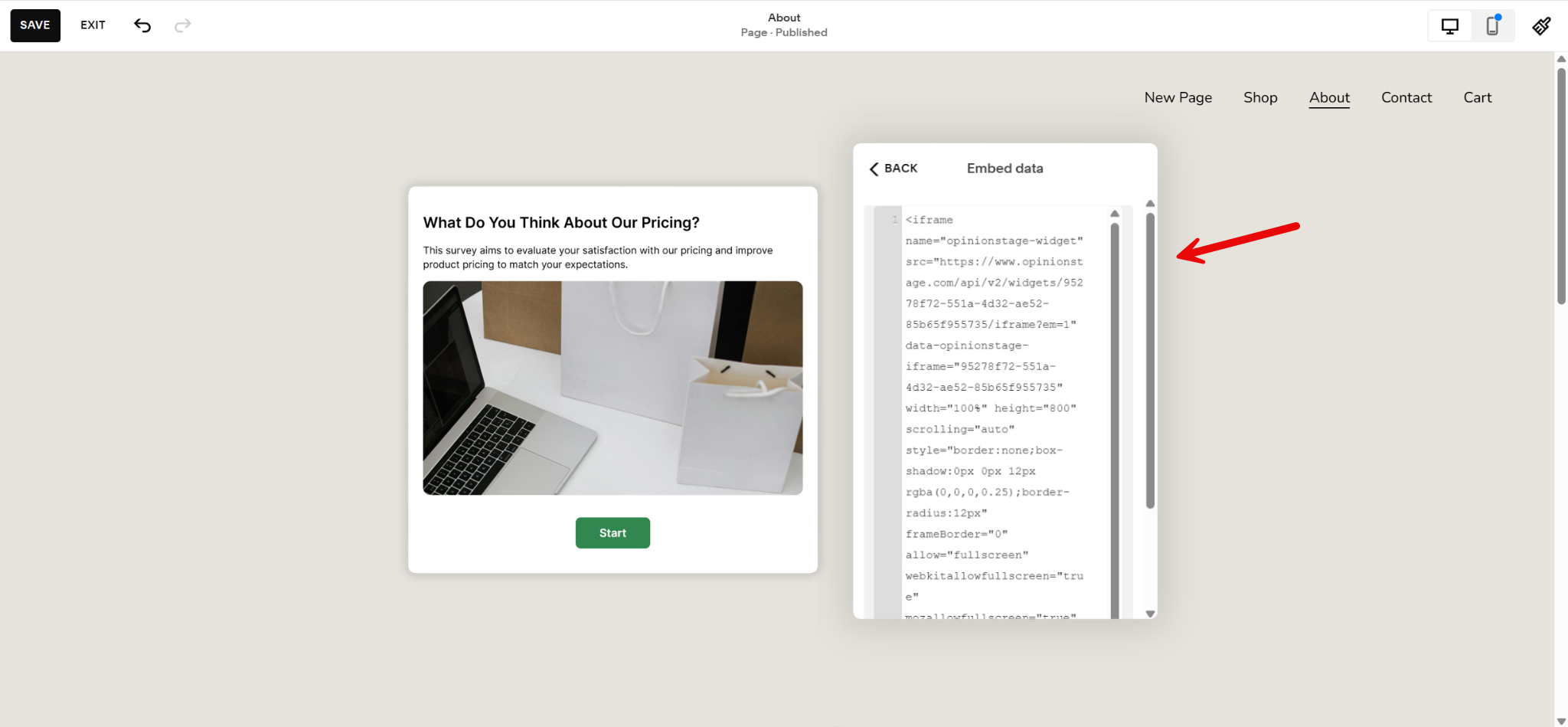
And now you’re done!
Why Use Opinion Stage’s Survey Maker on Squarespace
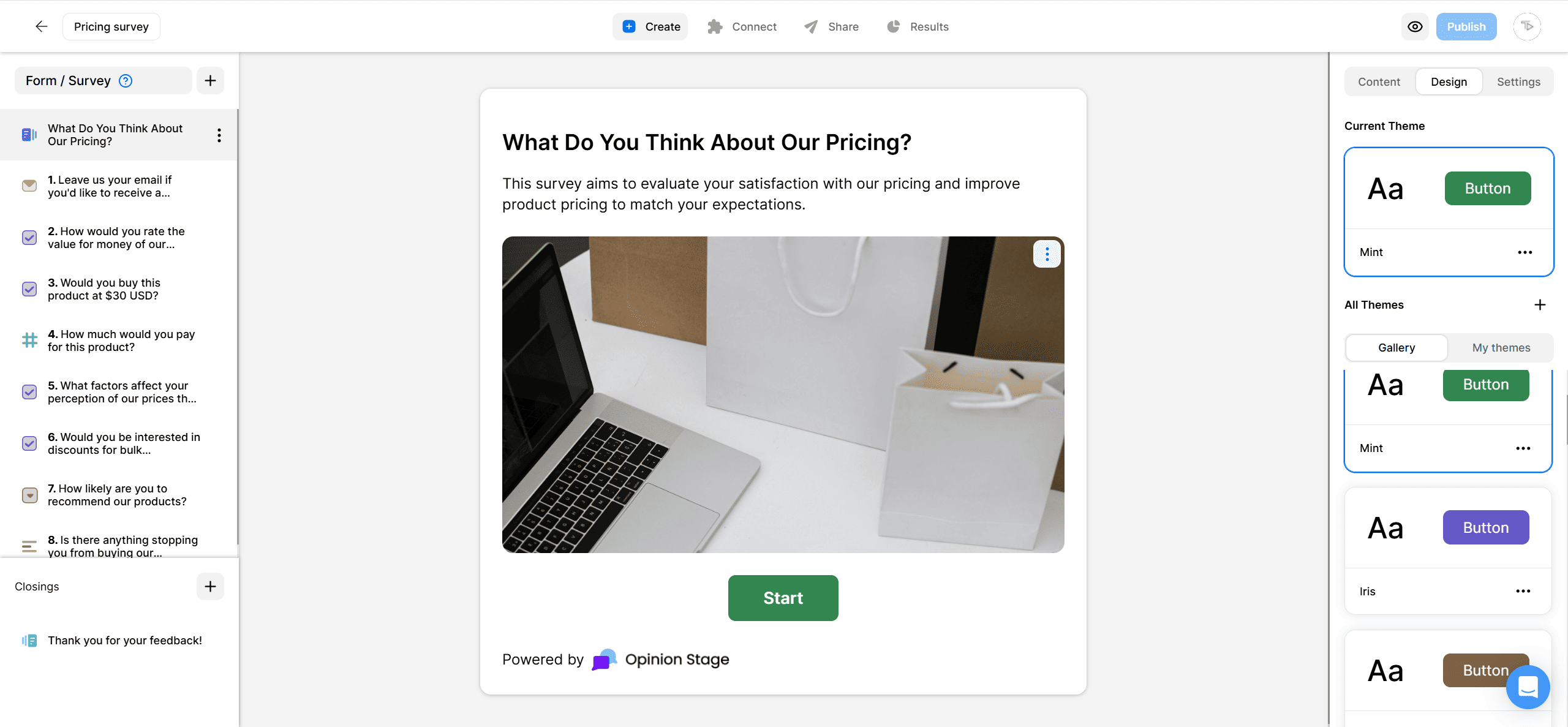
Opinion Stage’s survey maker is designed to feel more visual and interactive. You can use image-based answers, customizable color themes, branching logic, multi-step flows, NPS scoring, and live analytics, all without any code or developer help. Just style your survey to match your Squarespace site and embed it on any page.
- Question types for any survey: Build with multiple choice, short and long answer, dropdowns, star ratings, NPS, opinion scales, ranking, dates, numbers, and lead capture fields. Mix and match to fit whatever you’re trying to learn.
- Branching and skip logic rules: Show or hide questions based on previous answers so respondents never see questions that don’t apply to them. This helps boost completion rates and improve the quality of the data you collect.
- Multi-step pages with progress bars: Instead of one long page, the survey is split into smaller sections so respondents only see one question at a time. You can also add a progress bar so they’ll always know how much is left.
- Built-in analytics: Track completion rates, average ratings, and per-question breakdowns as responses come in. Export to CSV or connect to your CRM through Zapier.
See all Opinion Stage survey maker features.
Best Practices for Squarespace Surveys
A great survey doesn’t feel like a survey. Here’s how to keep yours engaging from the first question to the last.
Use Branching to Keep Surveys Short
A 12-question survey can feel like a 5-question one when people only see the questions that apply to them. Set up skip logic based on the first answer. This can be a role, audience segment, or simple yes/no qualifier.
Lead With the Easy Questions
Open with multiple-choice or rating-scale questions. Save open-text questions for later, when respondents are already invested. That one shift makes the biggest difference in how many people finish.
Show a Progress Bar
Surveys without progress indicators can feel endless. Turning on the progress bar in your survey settings can make the experience feel shorter and help improve completion rates.
Match Your Brand
Set the survey’s color theme and font to match your Squarespace theme. The survey should look like part of the page, not a third-party tool.
Squarespace Survey FAQs
Does Squarespace have a built-in survey tool?
No, there isn’t a Squarespace survey tool available. Squarespace’s form block can collect responses, but it doesn’t include survey-specific features like branching logic, NPS, rating scales, or per-question analytics. For real feedback collection, most Squarespace users use a dedicated survey maker like Opinion Stage.
Can I run an NPS survey on Squarespace?
Yes. Opinion Stage has a dedicated NPS field you can add to any survey. Embed the survey on Squarespace, and Opinion Stage automatically calculates the NPS score and breaks responses down into Promoters, Passives, and Detractors in your results.
Will the embedded survey work on mobile?
Yes. Surveys built in Opinion Stage are fully responsive. They resize to fit the screen and the layout works the same on phone, tablet, and desktop. No extra setup needed.
Can I send survey responses to Google Sheets, a CRM, or email?
Yes. Opinion Stage integrates with Zapier, Google Sheets, Mailchimp, HubSpot, and ActiveCampaign, plus webhooks for custom destinations. You can also export questionnaire responses to CSV from the analytics dashboard.
How is this different from embedding a Google Form or Typeform survey on Squarespace?
All three can be embedded on Squarespace, but they handle the experience differently. Google Forms is free, but the design options are limited. Typeform uses a full-screen format that works well as a standalone link, but it’s harder to fit naturally inside a Squarespace page. Opinion Stage embeds directly into your page and blends with your site’s design, so the survey feels like a natural part of your Squarespace site rather than a third-party tool.
Other Ways to Learn from Your Squarespace Audience
- Squarespace Quiz: Test knowledge, build personality quizzes, or recommend products to visitors.
- Squarespace Poll: Ask quick questions and gather opinions from your visitors.
- Squarespace Form: Collect registrations, signups, feedback, and more.