Create a Vocabulary Quiz in Minutes
Use our vocabulary quiz maker to build engaging vocab tests for students, language learners, and training teams. Easy to set up, share, and track.
- ✓ Free to use
- ✓ No credit card needed
Trusted by 100,000+ teams and brands, including








When to Use a Vocabulary Quiz
A vocabulary quiz tests words, definitions, and language through scored questions. Use them for classroom learning, training, and more with Opinion Stage’s quiz maker.
Classroom & Language Teaching
You’ve covered the material. But did it stick? A vocabulary quiz lets you check understanding quickly without interrupting the flow of your lesson.
Use them as warm-ups, checkpoints, or end-of-unit reviews. Results are available immediately, so you get a clear picture of where the class stands without waiting until the next test.


Online Courses & Self-Paced Learning
Keeping learners engaged across a full course isn’t always easy. Visual and interactive vocabulary quizzes give people a reason to stay focused and a clear way to measure their own progress.
They work especially well for language learning platforms, where consistent practice is the difference between words that land and words that get forgotten.
Corporate Training & Onboarding
New hires need to get up to speed on terminology fast – whether it’s industry jargon, compliance language, or product vocabulary.
Similar to a knowledge quiz, a vocabulary quiz after a training session quickly identifies who’s ready to move forward and who needs more support. This helps prevent small gaps from becoming costly mistakes.

Vocabulary Quiz Question Types
You can use multiple question formats in your vocabulary quiz to keep the experience varied and test vocabulary from different angles.
Multiple Choice
Present a word and ask participants to pick the correct definition, synonym, or usage from several options. This is the most familiar format, and still one of the most effective.
Fill in the Blank
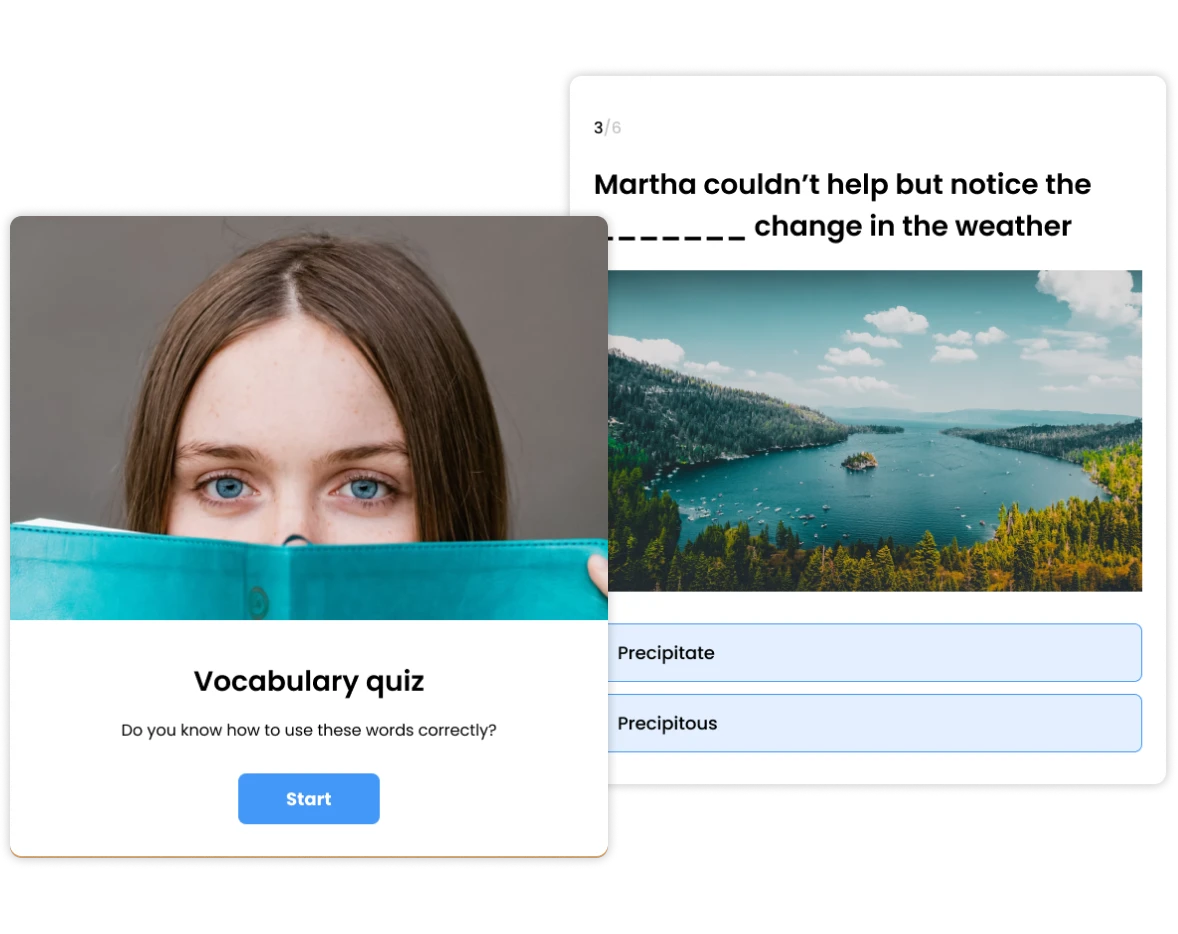
Show a sentence with a missing word and ask participants to choose or type the word that fits. Works well for testing vocabulary in context rather than in isolation.
Matching
Ask participants to connect words to their definitions, synonyms, or images. A good format for testing recognition across a larger set of vocabulary at once.
True or False
Present a statement about a word’s meaning or usage and ask participants to confirm or reject it. This question type is very effective for testing common misconceptions.
Image Questions
Add images to questions or answer options to test visual vocabulary. This can be matching a word to a picture, or identifying what an image shows. Especially useful for language learners and younger students.
How to Create a Vocabulary Quiz
1. Create
Click Create a new item in your dashboard and choose how you’d like to get started. You can start from scratch, with AI, or from a template. Add in your question and answer options, customize any way you like, and then click Publish.

2. Share
You can share your quiz via a direct link, post it in Google Classroom, embed it on your website, or send it via email or WhatsApp. Everything is optimized for mobile and desktop automatically.

3. Track
See results in real time as soon as participants start responding by checking your analytics dashboard. Track completion rates, see how people answered each question, and identify which words or concepts need more attention. You can also export results to CSV or XLS for deeper analysis or record keeping.

Hundreds of Customers Gave Us 5-Star Reviews



With Opinion Stage we can create beautiful and on-brand content in an easy, collaborative fashion.

Stasia Kehoe
Great for engagement and lead capture. I highly recommend Opinion Stage!

Mickey Bates
Opinion Stage is the best quiz tool I’ve used. It’s feature-rich, easy to use, and the content looks great.

John Dykstra
- 1.3M+ Experiences created
- 3B+ Questions answered
- 20M+ Leads captured
- 10+ Years of results
Vocabulary Quiz FAQs
Can I use a vocabulary quiz maker for free?
Yes. Opinion Stage has a free plan that lets you create and share vocabulary quizzes straight away without a credit card. Paid plans unlock additional features like white labelling, advanced customization, and higher response volumes.
Can I share a vocabulary quiz in Google Classroom?
Yes. You can share your vocabulary quiz via a direct link, which works in Google Classroom, Google Meet, email, WhatsApp, or any other platform. You can also embed it directly on your website or course page.
How many questions should a vocabulary quiz have?
For classroom or training use, 10 to 15 questions covers a solid unit of vocabulary without losing attention. For quick warm-ups or check-ins, 5 to 8 questions works well. Keep it focused on one topic or word set for the best results.
Can I make a multiple choice vocabulary quiz?
Yes. Multiple choice is one of the most popular formats for vocabulary quizzes and fully supported in Opinion Stage. You can set the correct answer, add as many options as you need, and combine multiple choice with other question types like true or false in the same quiz.