
WordPress Quiz Plugin: Add a Quiz to Your Site in Minutes
Want to add a quiz to your WordPress site? Using our quiz maker WordPress plugin, you can set one up in just a few minutes. Here’s how.
Not sure which WordPress quiz plugin to use? Compare the best WordPress quiz plugins before getting started.
How to Add a Quiz to WordPress
1. Create a quiz
Start by creating a quiz.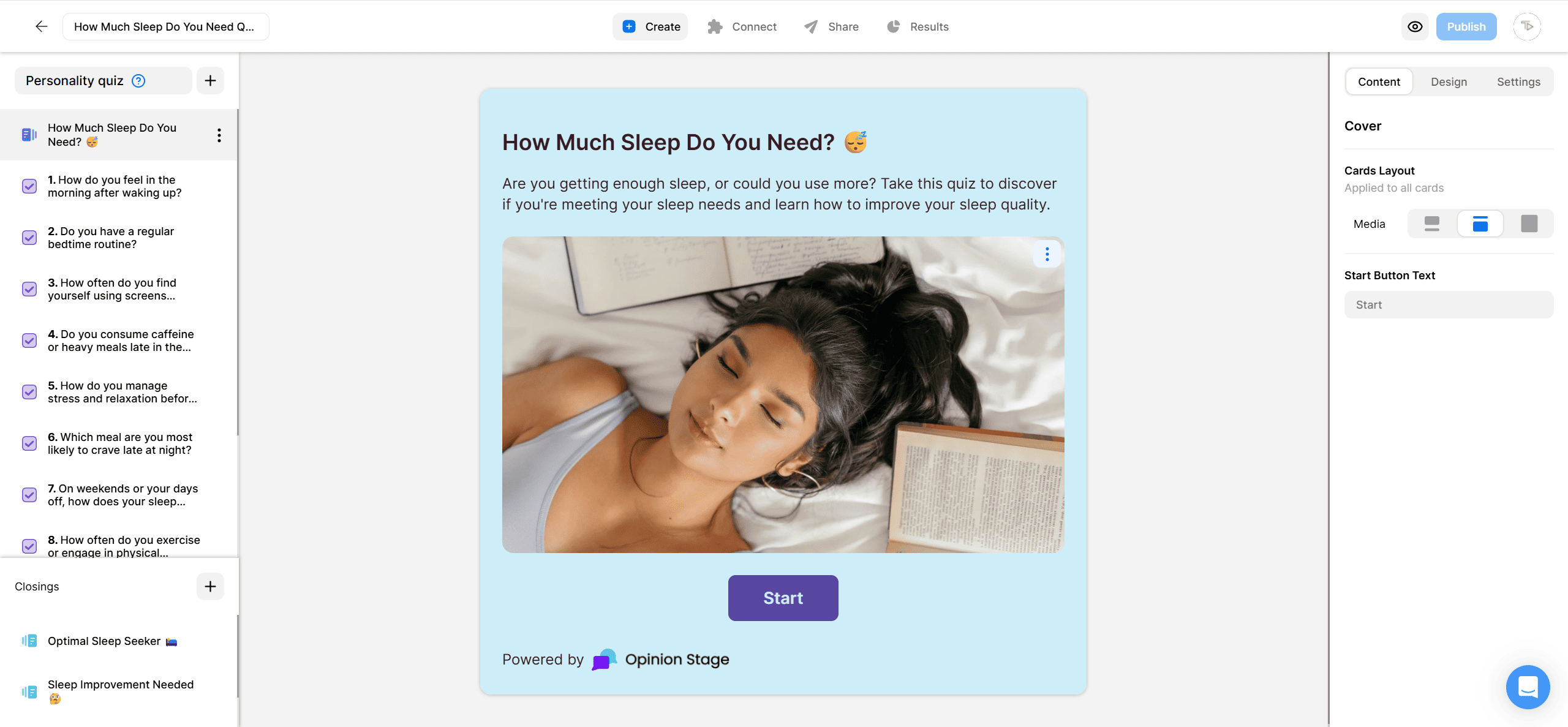
2. Install the Opinion Stage WordPress Quiz Plugin
Go to the WordPress plugin library and search for the search for the Poll, Survey, and Quiz Maker Plugin by Opinion Stage. Install the plugin.
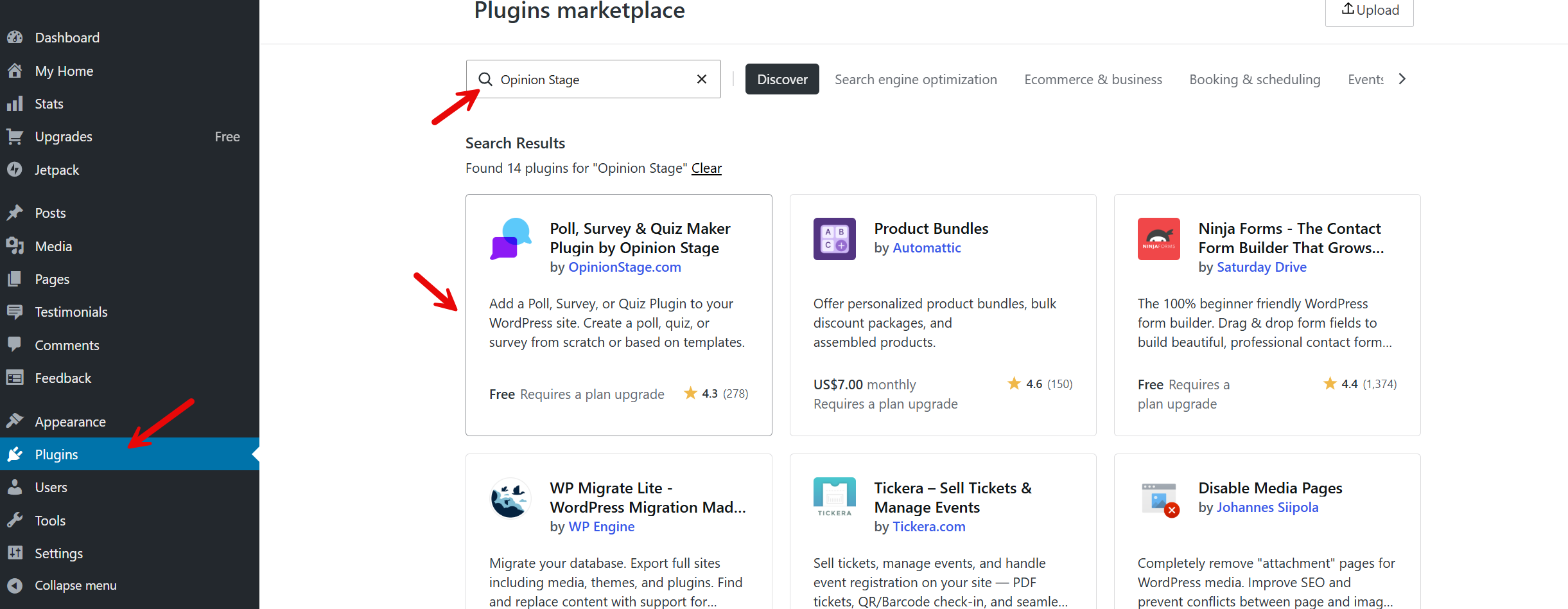
After you’ve installed the plugin, activate it.
Note: Instead of searching for the plugin, you can also download and upload it.
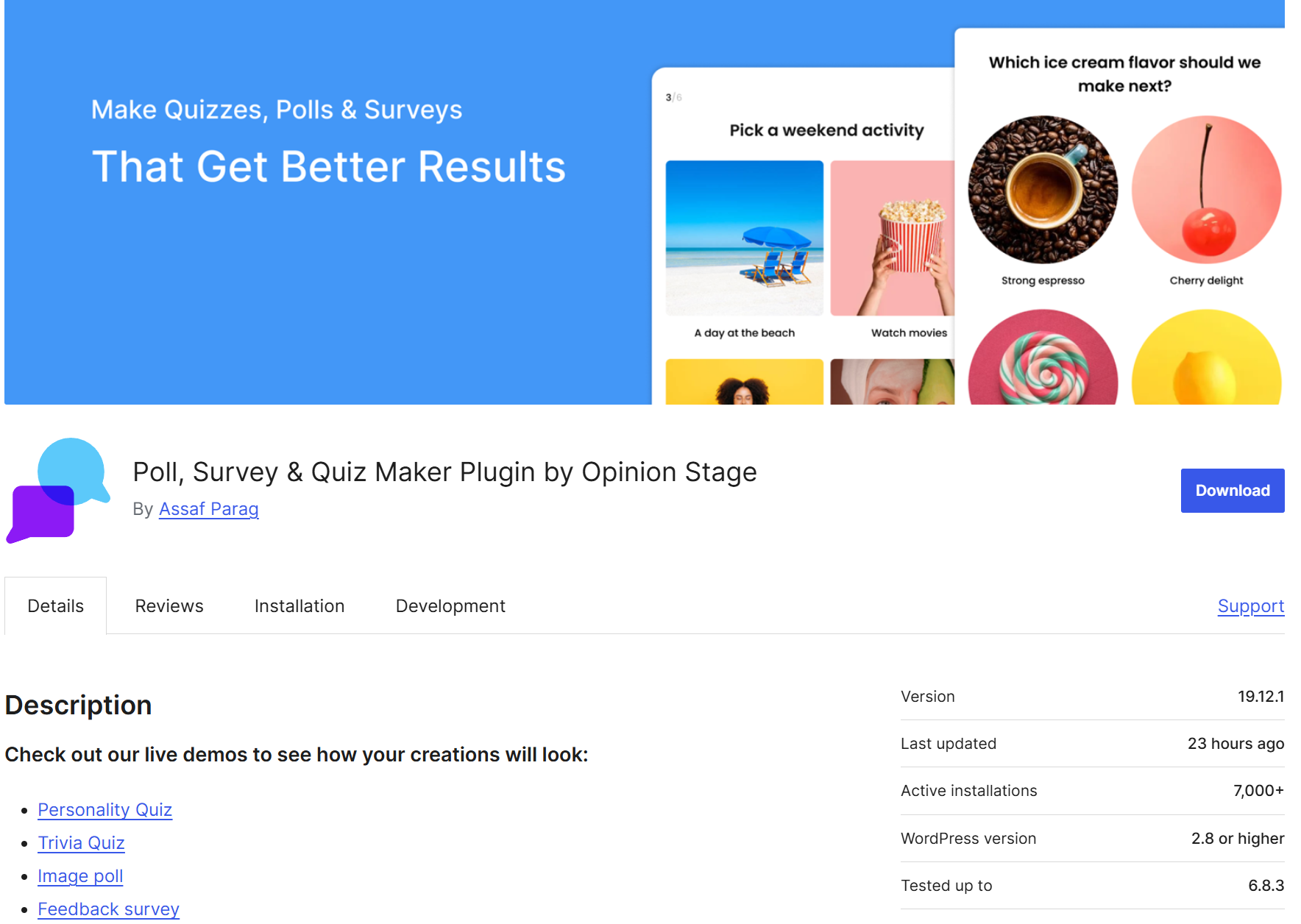
3. Connect Opinion Stage to the WordPress Plugin
In your WordPress dashboard, click on Opinion Stage. You can login if you have an account, or signup if you don’t have one already.
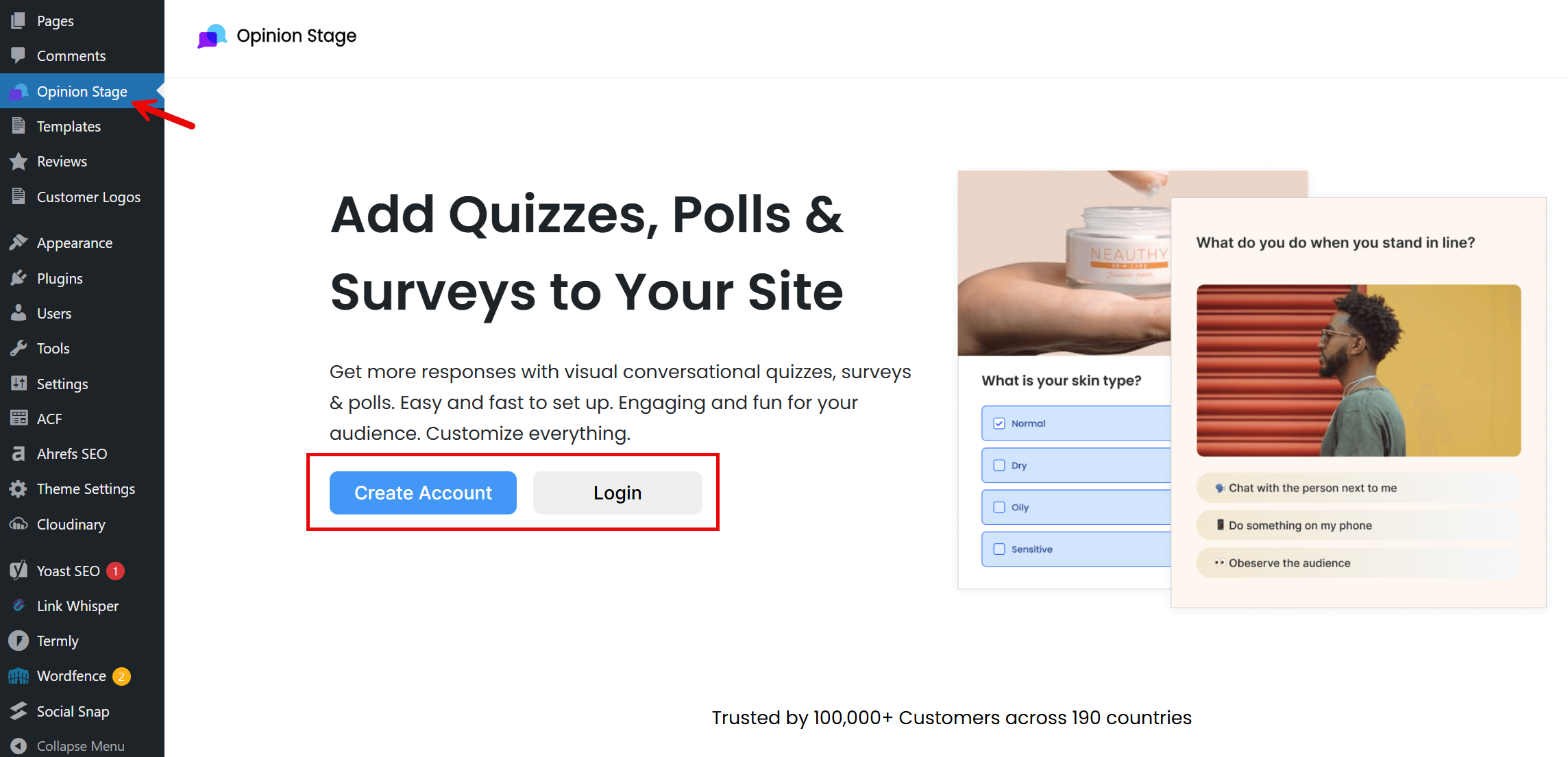
4. Embed your quiz on your WordPress site
Now it’s time to add your quiz to your site. If you’re using Gutenberg, click the + button to add a new block, then search for Quiz, Poll, & Survey by Opinion Stage.
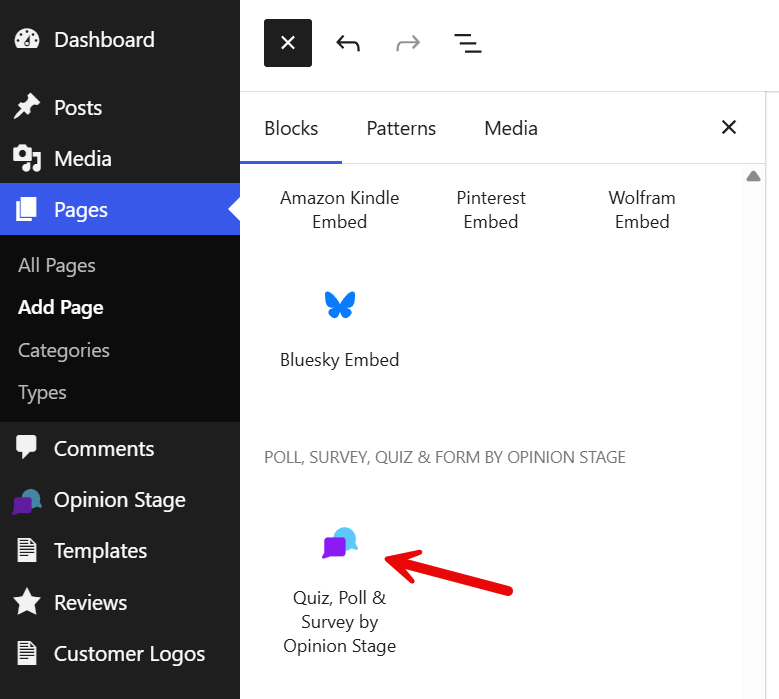
Click on Select Item to find your quiz in the Opinion Stage items library, where all the items you create are stored. If you haven’t created a quiz yet, you can do it by clicking on the Create a Quiz button.

If you’re using the classic editor, click the Add a Poll, Survey, Quiz, or Form button right above the editor interface to launch the quiz insertion window.

5. Save your work
Save your page/post to see how the live quiz will look on your site.
And now you’re done!
Opinion Stage Features for WordPress Quizzes
Build quizzes that fit your WordPress site, engage your audience, and capture useful leads. Opinion Stage gives you the tools to easily create, customize, share, and measure your quizzes.
🎨 Full design customization: Match your quiz to your WordPress theme with custom colors, fonts, and layouts. White-label your quiz and use custom CSS for even more control over its appearance.
🔀 Skip logic: Show each participant the questions most relevant to their previous answers, so the quiz feels personalized instead of one-size-fits-all.
📋 Ready-made templates: Choose from tonnes of templates for personality, knowledge, and product recommendation quizzes instead of starting from scratch.
📧 Lead forms and integrations: Add a lead form to collect emails and other details, then send responses straight to Mailchimp, HubSpot, Zapier, or your CRM.
📊 Real-time analytics: See views, completions, and drop-offs as responses come in, plus a full breakdown of answers, so you know what’s working.
See all Opinion Stage quiz maker features.
WordPress Quiz Plugin FAQ
How do I make a quiz in WordPress?
WordPress doesn’t include a built-in quiz builder, so you’ll need to use a plugin. Install the free Opinion Stage plugin, connect it to your Opinion Stage account, then create your quiz and insert it into any page or post using the Opinion Stage block in Gutenberg (or the toolbar button in Classic editor). There’s no coding required.
Is the Opinion Stage WordPress quiz plugin free?
Yes. The Opinion Stage WordPress plugin is free to install, and Opinion Stage’s free plan lets you create and embed a quiz on your site at no cost. Paid plans are available if you need more advanced features later.
Other Ways to Engage Your WordPress Audience
- WordPress Poll Plugin: Quick, one-question polls for instant visitor feedback.
- WordPress Survey Plugin: Longer-form surveys for structured audience research.