
Best Online Poll Makers Compared (2026): Find the Right Poll Tool
The best online poll maker depends on where you’ll share your poll and what should happen after the vote. We compared 10 tools, including Opinion Stage, our own poll maker for marketers and publishers, and show where each one fits best.
- ✓ Free to use
- ✓ No credit card needed
By Mirna Cacic · Updated October 2026 · Prices checked October 26, 2026
Quick Answer: Which Poll Maker Fits Your Use Case?
Short on time? Here’s the quick version. The full comparison is below.
- For polls that turn voters into leads and readers into regulars: Opinion Stage
- For design-led forms and surveys: Typeform
- For market research: SurveyMonkey
- For mini games, predictors, and other playable formats alongside polls: Riddle
- For live polls in presentations, classes, and events: Mentimeter, Slido, Poll Everywhere
- For simple free polls and internal feedback: StrawPoll, poll-maker.com, Google Forms
How We Compared the Top Poll Makers
We looked at each tool’s main audience, free plan, starting price, and what you can do with results after the vote. Prices are starting paid prices in USD per month, billed yearly, as of October 2026.
| Tool | Main Audience | Price (Oct/26) | Best for |
|---|---|---|---|
| Opinion Stage | Marketers and publishers | Free plan, paid plans start at $25/month | Polls embedded in your own content, where every vote can become a lead or a returning reader |
| Typeform | Teams that need forms and surveys | Free plan, paid plans start at about $28/month | Design-led forms and surveys, with polls as one template |
| Riddle | Teams that want games alongside polls | No free plan, paid plans start at $119/month | Mini games, predictors, and other playable formats alongside polls and quizzes |
| Mentimeter | Presenters and educators | Free plan, paid plans start at about $16/presenter/month | Live polls and word clouds in presentations, meetings, and classes |
| Slido | Meeting and event hosts | Free plan, paid plans start at $10/month | Live polls and upvotable Q&A in meetings and events |
| Poll Everywhere | Educators and presenters | Free plan, paid plans start at $10/month | Polling in classes and presentations, including by text message |
| StrawPoll | Creators and online communities | Free plan, paid plans start at about $9/month | Quick public votes with no account needed |
| poll-maker.com | Anyone | Free plan, paid plans start at $19/month | Quick free polls with embeddable live results |
| SurveyMonkey | Researchers and insights teams | Free plan, team plans start at about $34/month | Market research, concept testing, and in-depth survey analysis |
| Google Forms | Google Workspace users | Free | Simple internal polls and feedback, with responses synced to Google Sheets |
1. Opinion Stage – Built for Marketers & Publishers Who Want Polls & Quizzes Inside Their Own Content
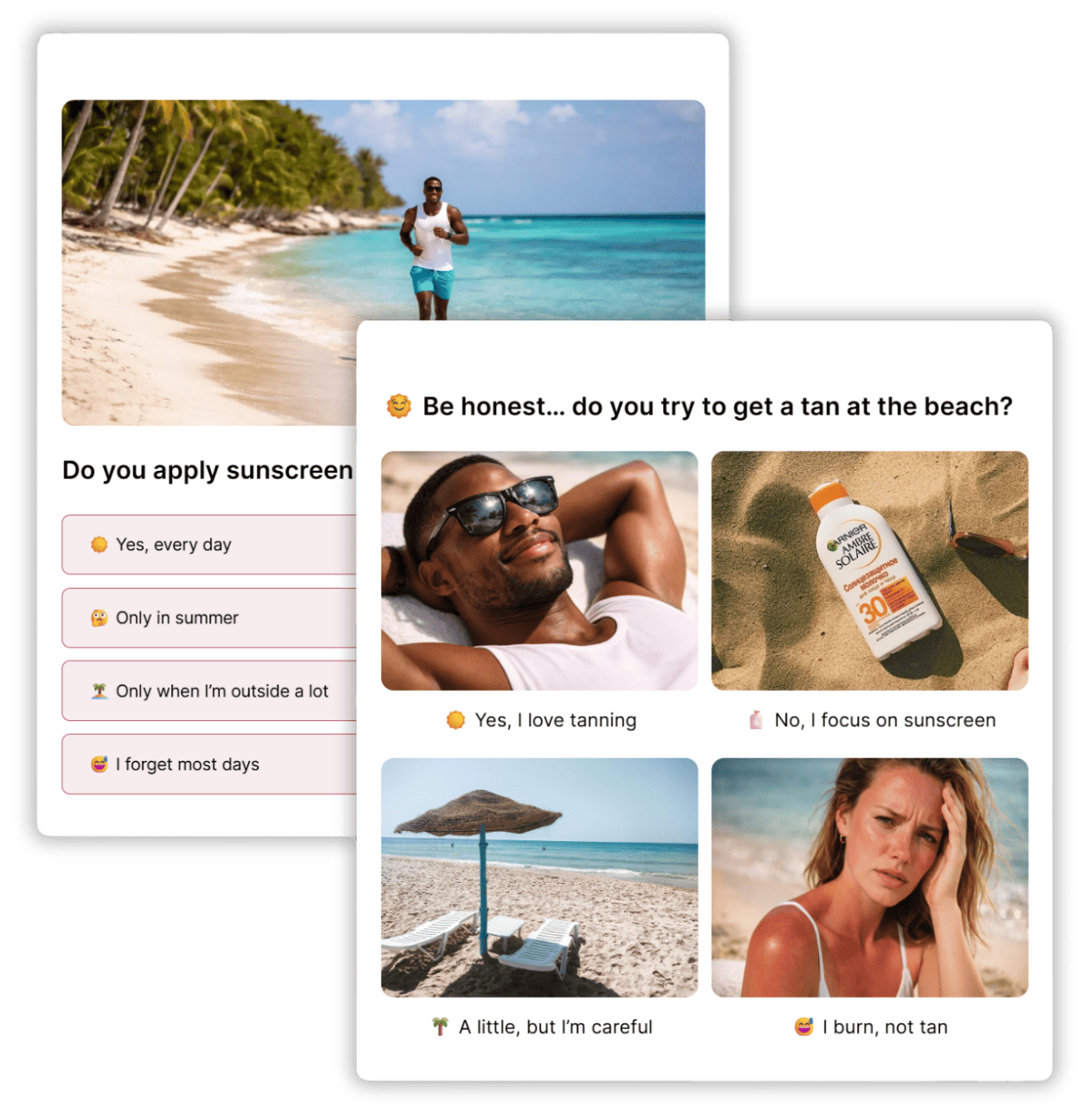
Opinion Stage helps marketers generate leads and publishers turn readers into active participants with interactive polls people want to answer. With 10+ years of experience, the platform has seen 3B+ questions answered and 20M+ leads captured through polls and quizzes.
Creating a poll takes seconds. Start with a template, build one from scratch, or use AI to draft it. Choose from multiple choice, single answer, image, head-to-head, and rating polls. You can also make things even more interactive by swapping images for videos or adding GIFs. When you’re ready, embed the poll on your WordPress, Wix, Squarespace, or Shopify website. To engage your followers, you can share the poll via a link on social media. If you need to ask more in-depth questions, Opinion Stage also supports personalized and conversational quizzes with skip logic and answer piping.
For marketers: Add a lead form after the vote, or redirect voters to an offer, and every vote can become a lead that arrives with the voter’s answer. Leads go straight to the email and CRM tools you already use.
For publishers: Create polls that match your site’s design and embed them in articles and newsletters to keep readers engaged. Opinion Stage polls can handle high vote volumes, and the Enterprise plan adds unlimited responses.
“Our go-to service for Bullion Dealer of the Year Vote. Ease of use and excellent capabilities. Handles huge traffic volume and I love that we can hide the vote results until the end of voting. We can also track votes and customize the voting forms so it looks like an integral part of our website.” – Mac Saxe, Senior Editor at Bullion Directory
Common use cases:
- Keep readers engaged and coming back with a poll in an article or newsletter
- Put polls in campaigns, product pages, and emails, then follow up with the people who vote
- Run contests and photo votes with image polls
- Learn what your audience wants, with results in real time
Pros:
✅ AI poll drafting and templates, so you can launch a poll in minutes without a developer
✅ Lead form or website redirect after the vote, turning voters into leads or sending them to your site
✅ Email, CRM, and analytics integrations for following up with voters
✅ Image, head-to-head, rating, and ranking polls that fit product pages, articles, and contests
✅ Match your polls to your brand by choosing from different color themes, layouts, or customize everything with custom CSS
✅ Real-time results that give readers a reason to come back
✅ Handles high vote volumes, with unlimited responses on the Enterprise plan
✅ Duplicate-vote protection and the option to hide results until voting ends, for contests and awards that stay fair
✅ GDPR and CCPA compliant, with accessible embeds (WCAG 2.1 AA) in 40+ languages
✅ Polls and quizzes in one account, so you can go from a quick poll to a full quiz funnel
✅ Free plan to test a poll on real traffic before you scale
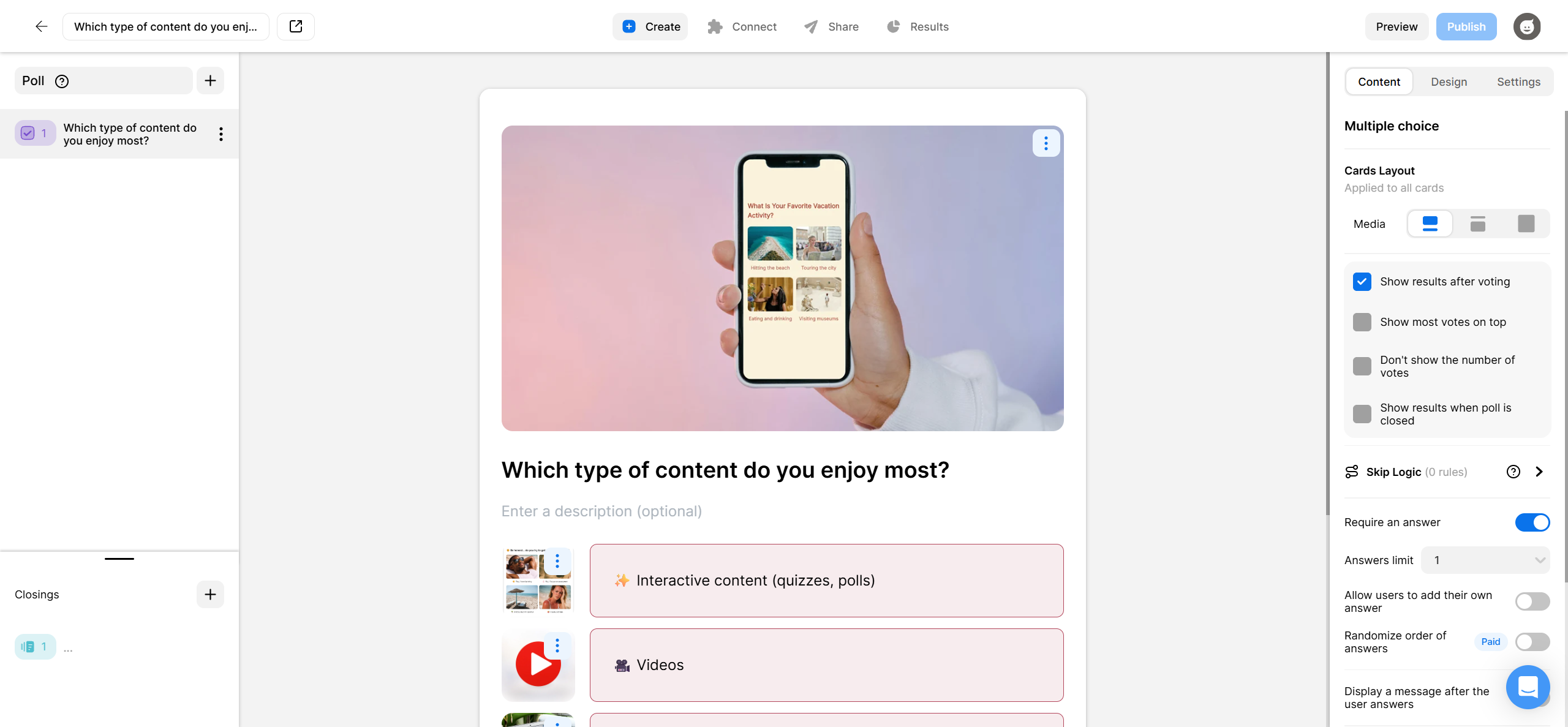
“We’ve found Opinion Stage really easy to use, and it’s been a great way to engage our customers and promote subscriptions.” – Harmony Wheeler, Social Media Marketer at Stand to Reason
Cons:
❌ Free plan is limited to 25 responses a month
❌ Signup is required for creating the polls
🛠️ Integrations: Mailchimp, Zapier, Webhooks, WordPress, Shopify, Wix, Squarespace.
💲 Pricing: Free forever plan; for paid plans see Opinion Stage pricing.
⭐ Customer Rating on G2: 4.8/5⭐
2. Typeform – Built for Design-Led Forms & Surveys
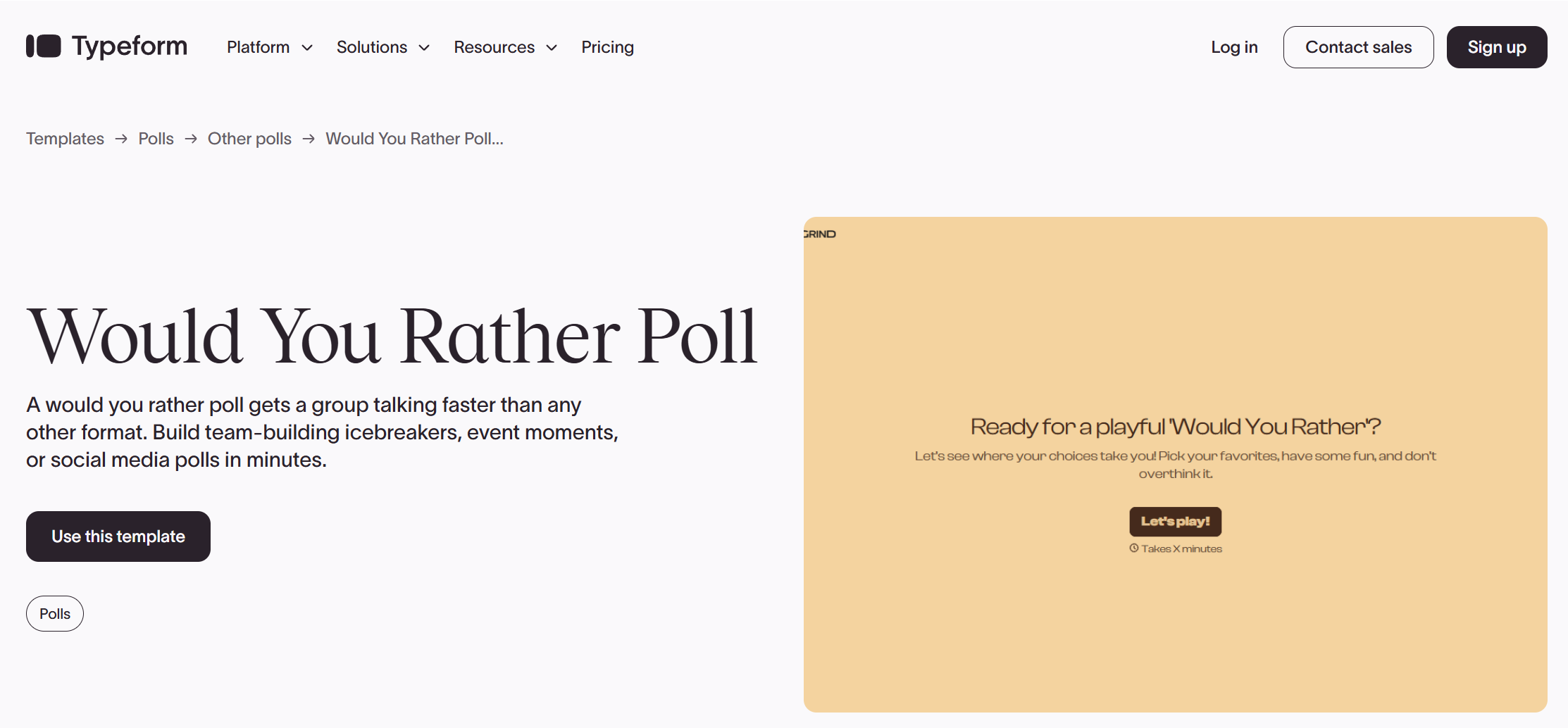
Typeform is known for its polished design and one-question-at-a-time format. It’s widely used for surveys, sign-up forms, and data collection, with ready-made templates that make it easy to create something professional quickly. It also offers poll templates, though its main focus is form building.
If you’re looking for a flexible form builder, Typeform is a strong option. If you want a tool specifically built for creating interactive polls, Opinion Stage may be a better fit. See our Opinion Stage vs. Typeform comparison for a closer look.
Pros:
✅ Easy-to-use interface
✅ Polished, design-led form experience
✅ Integrates with a wide range of tools
Cons:
❌ Free plan limited to 10 responses per month, with high starting prices for just 100 responses per month
❌ One general form builder, rather than a purpose-built poll tool
🛠️ Integrations: Slack, HubSpot, Salesforce.
⭐ Customer Rating on G2: 4.5/5⭐
3. Riddle – Built for Games Alongside Polls & Quizzes

Riddle is best known for game-like formats such as sports predictors, ranked lists, and leaderboards, alongside its polls and quizzes. It’s a good fit for sports and entertainment sites that want more playable content.
If you want polls and quizzes your whole team can publish in minutes, with a free plan to start, see our Opinion Stage vs Riddle comparison.
Pros:
✅ Mini games, predictors, and leaderboards
✅ Lots of formats, from polls and quizzes to game-style content
✅ No limits on content, views, or leads on paid plans
Cons:
❌ No free plan, only a 14-day trial
❌ The Pro plan allows 3 embed domains
🛠️ Integrations: Brevo, ActiveCampaign, Klaviyo
⭐ Customer Rating on G2: 4.6/5⭐
4. Mentimeter – Built for Interactive Presentations
Mentimeter is designed for live audience participation, with polls, word clouds, quizzes, and Q&A built into presentations. It’s a great fit for meetings, workshops, and classrooms where people can respond from their phones in real time. Keep in mind that Mentimeter’s free plan limits monthly participants, while paid plans are priced per presenter.
💲See Mentimeter’s pricing page.
5. Slido – Built for Meetings & Events
Slido is a live audience engagement tool designed for town halls, all-hands meetings, conferences, and virtual events. It helps presenters involve their audiences through live polls, quizzes, and Q&A sessions. Its standout feature is upvotable Q&A, which lets participants vote on the questions they most want answered, helping hosts prioritize topics and keep discussions focused on what matters most to the audience.
6. Poll Everywhere – Built for Classrooms & Presentations
Poll Everywhere is a veteran live polling platform widely used in higher education, corporate training, and large conference keynotes. It turns presentations into interactive sessions by allowing audiences to vote either via web browser or through SMS text messaging. With direct add-ins for PowerPoint, Keynote, and Google Slides, presenters can embed live-updating poll results straight into their existing slide decks.
💲See Poll Everywhere’s pricing page.
7. StrawPoll – Built for Quick Public Votes
StrawPoll is a lightweight poll maker designed for instant public voting. It is a favorite among creators, Reddit communities, Discord groups, and gaming teams because you can create and launch a poll in seconds without creating an account. Beyond basic multiple-choice questions, StrawPoll supports image-choice polls, real-time bar and pie chart displays, and a built-in meeting scheduler to coordinate event times.
💲See StrawPoll’s pricing page.
8. poll-maker.com – Built for Quick Free Polls
poll-maker.com is a classic web-based polling utility designed for webmasters and bloggers who need a fast, standalone embed widget. It allows you to create standard multiple-choice, rating, or media-based polls without code, generating simple HTML iframe or JavaScript snippet embed codes to drop directly onto any website. While effective for simple voting, its interface and visual styling feel dated compared to modern form builders.
💲See poll-maker.com’s pricing page.
9. SurveyMonkey – Built for Market Research
SurveyMonkey is a platform engineered for formal market research, concept testing, and multi-quarter customer feedback programs. While you can create a poll on the platform, SurveyMonkey treats polling as one component of structured data collection rather than a lightweight website voting widget. It excels when you need deep conditional routing and advanced trend analysis across survey waves.
💲See SurveyMonkey’s pricing page.
10. Google Forms – Built for Free, Simple Polls Inside Google Workspace
Google Forms is a free, straightforward option for creating questionnaires, collecting team feedback, and running internal surveys. It comes with your Google account. One of its biggest advantages is its direct integration with Google Sheets, where responses sync automatically without manual exports or extra setup. Google Workspace subscribers can also access Gemini AI features to summarize responses and identify common themes in open-ended answers.
Learn more about Google Forms.
Wrapping Up
So, which poll maker is right for you? It depends on where the poll will live and what should happen after the vote:
- Choose Opinion Stage if you want polls inside your own content that people want to answer. Marketers can turn votes into leads with a lead form or redirect after the vote, and publishers can keep readers engaged and coming back. AI drafting and templates get you live in minutes.
- Choose Typeform if a design-led form or survey matters more than a poll-specific tool. See our Typeform comparison.
- Choose SurveyMonkey for market research and in-depth survey analysis.
- Choose Riddle if you want mini games, predictors, and other playable formats alongside your polls. See our Riddle comparison.
- For polling a live audience, use Mentimeter, Slido, or Poll Everywhere.
- For quick public votes, use StrawPoll or poll-maker.com.
- For simple internal polls, use Google Forms.
Most of these tools have a free plan or a trial, so you can test one on a real poll before you commit.
FAQ
Who is the Opinion Stage poll maker for?
The Opinion Stage poll maker is for marketers and publishers who add polls to their own websites, articles, and emails. Marketers use it to turn votes into leads, with each voter’s answer attached. Publishers use it to keep readers engaged and coming back to see the results.
Which poll maker should I use for a website?
If you want the poll embedded on your own site, choose a tool built for embedding. Opinion Stage polls embed on WordPress, Squarespace, Wix, and Shopify, and can show a lead form or redirect after the vote. For a quick free poll, poll-maker.com and StrawPoll also give you embed codes.
Which poll tool lets you collect leads after someone votes?
Opinion Stage is built for this. Add a lead form after the vote, or redirect voters to a landing page or offer, and each lead arrives with the voter’s answer attached. Leads go straight to Mailchimp and other email and CRM tools, or anywhere through Zapier and webhooks. Typeform and SurveyMonkey can also collect contact details by adding fields to the form.
Which poll maker is right for marketers?
Look for a lead form or redirect after the vote, answers that pass to your email or CRM tool, branding control, and analytics that show participation and conversions. Opinion Stage is built around the lead step after the vote. Typeform suits teams that want a design-led form builder, and SurveyMonkey suits market research.
How is Opinion Stage different from Typeform for polls?
Typeform is a form builder, and a poll is one template on it. Opinion Stage is built for polls, with image, head-to-head, rating, and ranking formats, plus a lead form or redirect after the vote. At 1,000 responses a month, Opinion Stage Pro is 25 USD/month, and Typeform Plus, also with 1,000 responses, is about $55/month, both billed yearly. See our Typeform comparison.
Which poll maker is right for publishers?
Look for polls that match your site’s design, load fast on high-traffic pages, and give readers a reason to come back. Opinion Stage polls embed in articles and newsletters, show real-time results, and handle high vote volumes, with unlimited responses on the Enterprise plan. Riddle suits teams that want mini games and predictors.
Which poll makers work with WordPress?
Opinion Stage has a WordPress plugin, so you can add polls to posts and pages and show a lead form after the vote. For a quick poll without a plugin, poll-maker.com gives you an embed code you can paste into any page.
Can I make a poll for free?
Yes. Opinion Stage has a free plan with AI poll drafting and templates, and you can use it commercially. StrawPoll, poll-maker.com, and Google Forms are also free for simple polls. Most other tools in this list have a free plan or a trial.
Which tools are for polling a live audience?
Mentimeter, Slido, and Poll Everywhere are built for live polling in presentations, meetings, classes, and events. People vote from their phones, and the results appear on screen in real time.
How are poll makers priced?
Most poll makers meter responses, participants, or leads. Compare the free-plan limit, the unit each tool meters, and what higher tiers add, like branding removal and integrations.