Anonymous Poll Maker: Create a Free Anonymous Poll
Create a poll people can answer without signing in or giving their name. Opinion Stage polls are anonymous by default, so you get more honest answers. Embed it on your site or share a link in minutes.
- ✓ Free to use
- ✓ No credit card needed
What Is an Anonymous Poll?
An anonymous poll is a poll that collects votes without recording who cast them. Voters don’t sign in or share their name, so every answer counts toward the results without being tied to a person.
Polls made with Opinion Stage’s poll maker are anonymous by default. People vote from any device without an account, and no personal details are collected unless you choose to add a lead form, which voters can skip.
Why Anonymous Polls Get More Honest Answers
When people know their name isn’t attached to their vote, they’re more likely to say what they actually think, especially when one answer feels like the expected one.
Reader Polls on Sensitive Topics
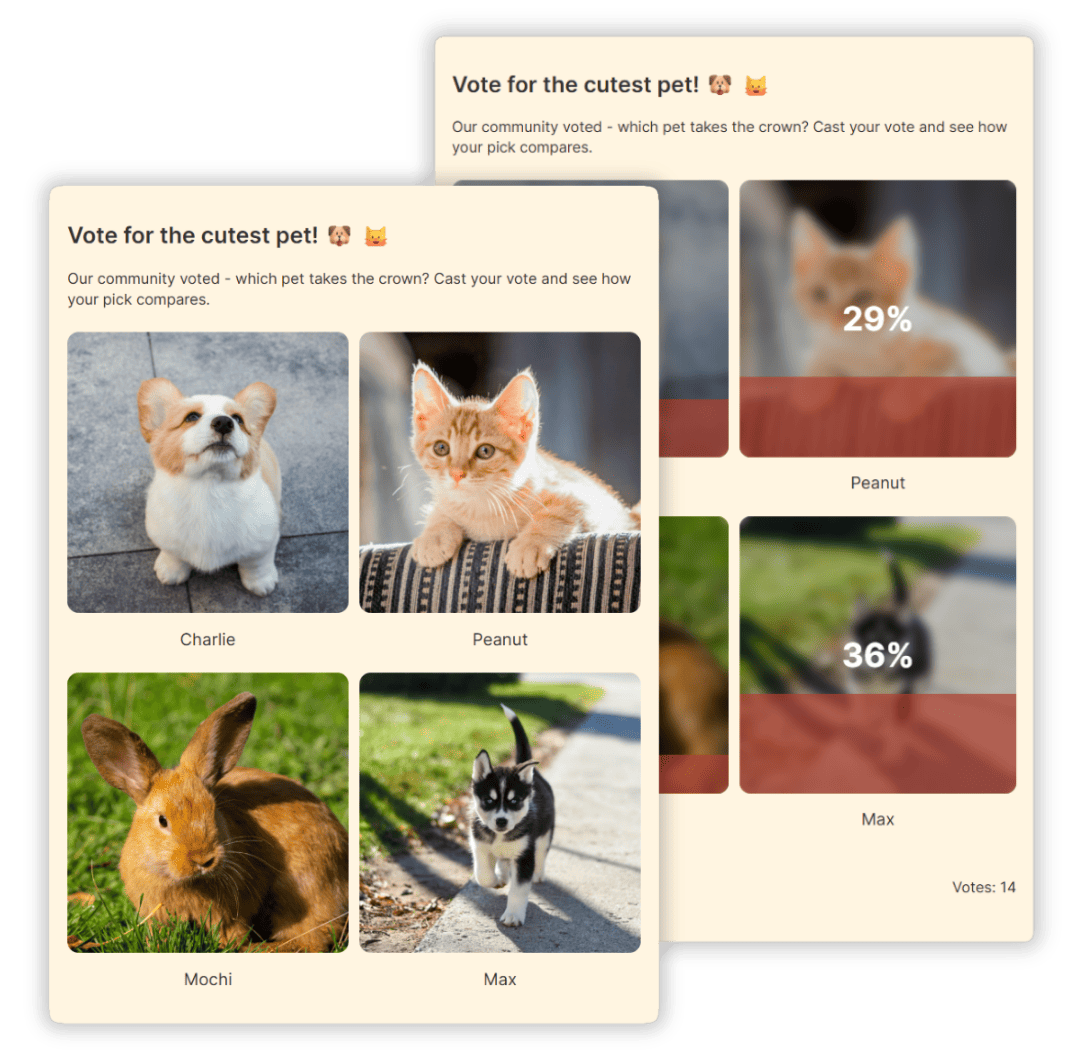
Ask readers where they stand on a divisive story, a personal habit, or a question they would never answer in the comments. An anonymous poll embedded in the article lets them weigh in without exposing themselves, and showing the results after they vote gives them a reason to stay on the page. Need a starting point? Browse these poll question ideas.


Honest Product & Brand Feedback
Customers tend to soften criticism when it comes with their name. Ask what almost stopped them from buying, which feature they would drop, or how your brand compares, and you hear what they really think. When you want to follow up, add an optional lead form after the vote: people who share their email become leads, and everyone else stays anonymous.
Community & Group Decisions
Clubs, communities, and online groups use anonymous votes to settle questions without anyone feeling watched, from picking an event date to changing a group rule. For contests and reader-choice awards, see our online voting tool.

Quick Team Check-Ins
Ask your team how a project is going or which idea to back next. Without names attached, people raise concerns they might otherwise keep to themselves.
See how marketers use polls → and how publishers use polls →
How to Create an Anonymous Poll
1. Create your poll
Start by creating a poll. Build it from scratch, pick a template, or let AI draft the question and answer options for you. Your poll is anonymous by default, so there is nothing extra to set up. Just leave out the lead form if you don’t want to collect any contact details.

2. Choose your voting options
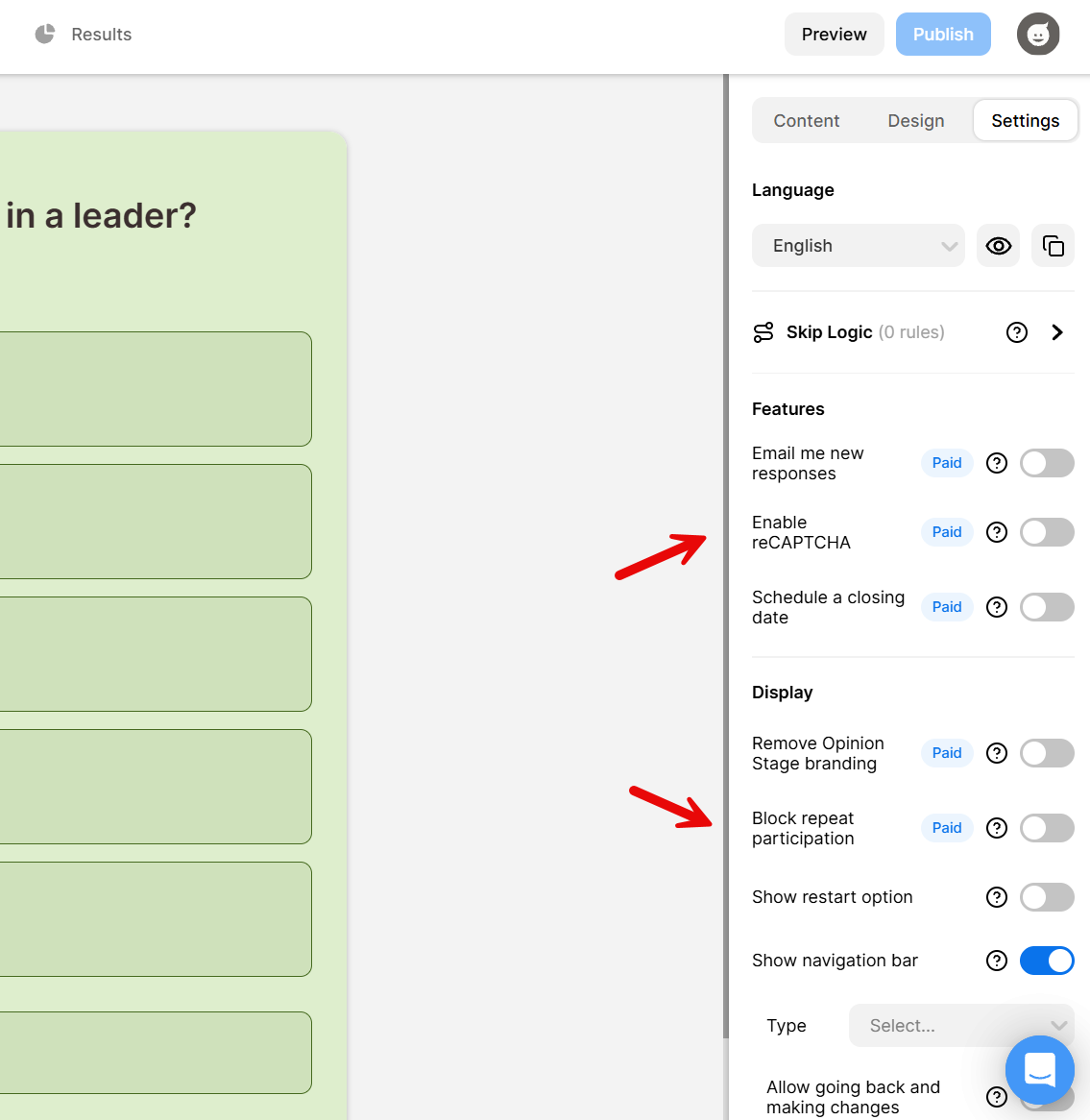
Decide how your poll runs. On paid plans, turn on Block repeat participation to limit repeat votes and enable reCAPTCHA to keep bots out. Both are off by default. You can also choose whether voters see the results after they vote. Want to grow your email list? Add an optional lead form after the vote. Anyone who skips it stays anonymous.
3. Share it with a link or embed it
Click Share to get a direct link or QR code, or copy the embed code to add the poll to your website. People vote from their phone, tablet, or computer without creating an account.

4. See the results
Watch votes come in from your dashboard and see how many people chose each answer. Export the results to CSV or Excel when you want a closer look.

What Marketers and Publishers Say About Opinion Stage


Opinion Stage is a great engagement tool with easy-to-use, great-looking polls.

David Coursey
Our go-to service for Bullion Dealer of the Year Vote. Ease of use and excellent capabilities. Handles huge traffic volume and I love that we can hide the vote results until the end of voting. We can also track votes and customize the voting forms so it looks like an integral part of our website.

Mac Saxe
We’ve found Opinion Stage really easy to use, and it’s been a great way to engage our customers and promote subscriptions.

Harmony Wheeler
- 3B+ Questions answered
- 20M+ Leads captured
- 10+ Years of results
- 40+ Languages
Anonymous Poll FAQ
Are Opinion Stage polls really anonymous?
Yes, by default. Voters don’t sign in or create an account, and the poll doesn’t ask for names or emails. Contact details are only collected if you add a lead form, and voters can skip it.
Can I see who voted in my poll?
No. Your results show how many people chose each answer, not who chose them. If you add a lead form, you see only the details that voters choose to share in it.
How are duplicate votes prevented?
Turn on Block repeat participation in your poll’s settings to limit repeat votes with browser and IP-based checks, and enable reCAPTCHA to keep bots out. Both are available on paid plans and are off by default. Voters still don’t need to sign in.
Can I add an optional form to an anonymous poll?
Yes. Add a lead form after the vote to collect emails from people who want to hear more or join your list. Voters can skip the form, and their vote still counts.
Is the anonymous poll maker free?
Yes. Opinion Stage has a free plan that lets you create anonymous polls, embed them on your site, and share them by link. Upgrade anytime for more customization and integrations.
Do voters need an account or an app?
No. Voters open the poll in their browser on any device and answer. There is nothing to install and no account to create.
Can I embed an anonymous poll on my website?
Yes. Copy the embed code and paste it into your page. Opinion Stage polls work with WordPress, Wix, Squarespace, Shopify, and other site builders.