Free Multiple Choice Quiz Maker & Test Maker
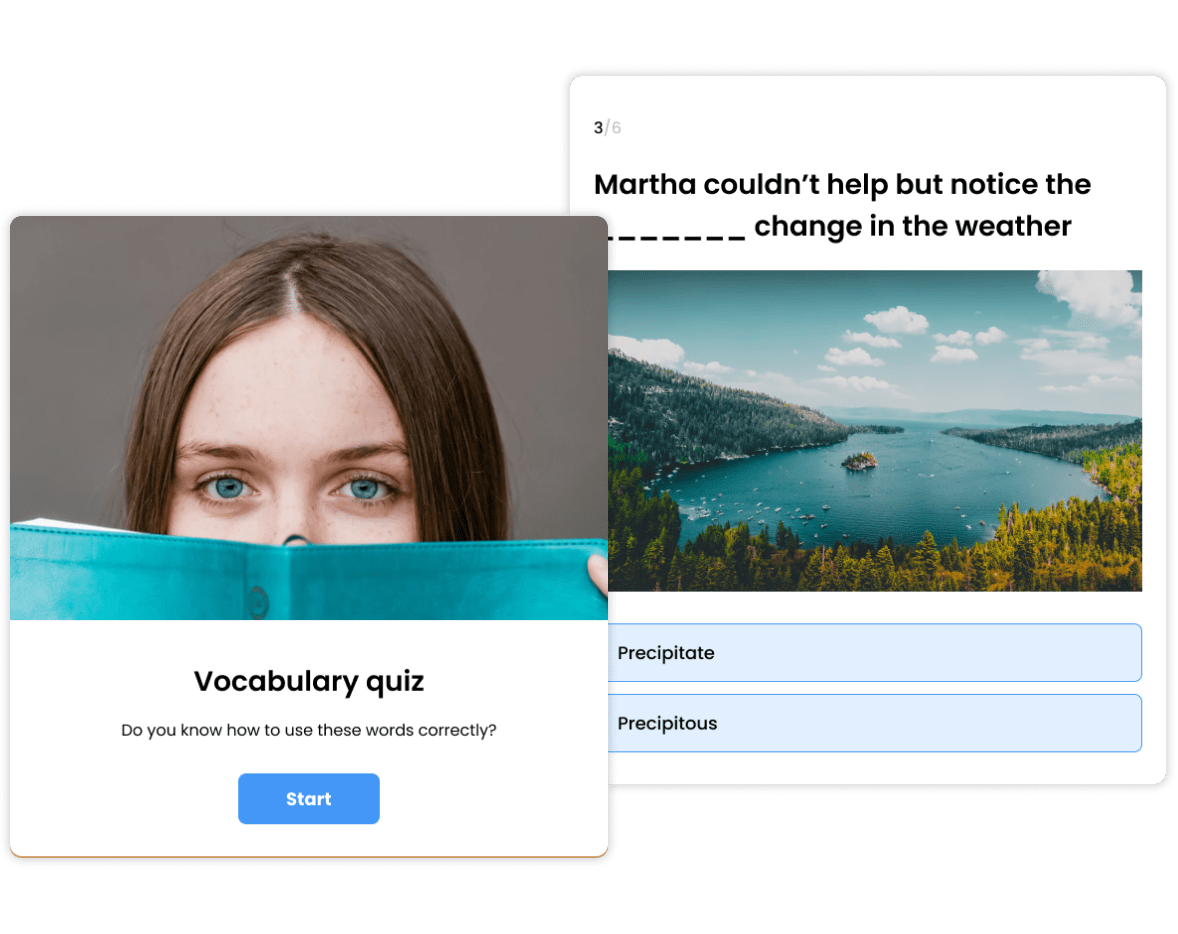
Build scored multiple choice quizzes and tests in minutes for classrooms, training sessions, or audience engagement. No coding, no manual grading.
- ✓ Free to use
- ✓ No credit card needed
Trusted by 100,000+ teams and brands, including








Classrooms & Student Assessment
Multiple choice quizzes give every student instant feedback on where they stand, so they can focus on what they need to work on before the exam, not after it.
And because scoring is automatic, you get a real-time view of how your class is performing without any manual work, helping you adjust your teaching based on the results.
Just like a knowledge quiz, you can use multiple choice quizzes for lesson reviews, quick skill checks, or end-of-unit assessments.


Employee Training & Onboarding
Give every employee the confidence to apply what they’ve learned.
Multiple choice quizzes reinforce key concepts during and after training, so information sticks instead of fading once the session ends. You can quickly check understanding at any stage and spot gaps before they turn into mistakes.
Use them throughout onboarding, compliance sessions, or internal training programs to guide learning and confirm readiness before it matters.
Audience Engagement & Brand Education
Most content is easy to skip. Quizzes stop the scroll.
Multiple choice quizzes turn passive browsing into real engagement. The interactive format keeps people interested, so they stay to see their result instead of dropping off.
From there, a clear CTA guides them to the next step, whether that’s exploring your site, viewing your products, or signing up.
The result? More time on page, stronger intent, and a clear path from engagement to action.

How to Make a Multiple Choice Quiz
1. Create
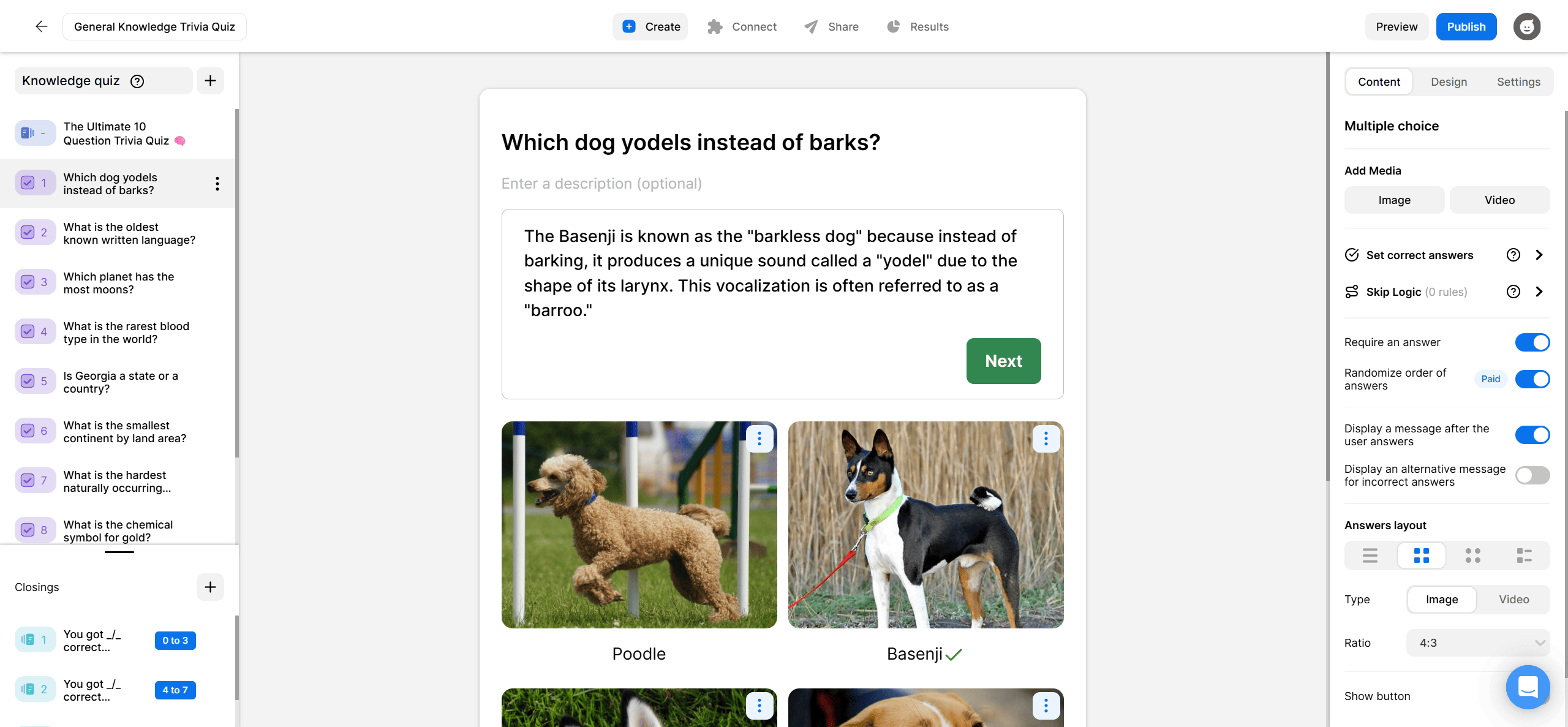
Click Create a new item in your dashboard and choose how you’d like to get started. You can start from scratch, with AI, or from a template. Add your questions, answer options, and correct answers. Then, set the correct/incorrect answers, add answer explanations, and upload images or videos to make the quiz more engaging.
2. Share
Once your quiz is ready, share it via a direct link or embed it on your website. The quizzes work on WordPress, Squarespace, Wix, or any HTML page. They’re also mobile-friendly and work on any device without extra setup.

3. Track
Monitor results in real time from your analytics dashboard. See completion rates, how people answered each question, and where they dropped off. You can export everything to CSV or XLS for further analysis.
What Marketers and Publishers Say About Opinion Stage



With Opinion Stage we can create beautiful and on-brand content in an easy, collaborative fashion.

Stasia Kehoe
Opinion Stage is the best quiz tool I’ve used. It’s feature-rich, easy to use, and the content looks great.

John Dykstra
These quizzes allow us to tackle a variety of topics in a fun and easily consumed way that is great to share on social media.

Jessica de Bruyn
- 3B+ Questions answered
- 20M+ Leads captured
- 10+ Years of results
- 40+ Languages
Multiple Choice Quiz FAQs
What is a multiple choice quiz maker?
A multiple choice quiz maker is an online tool that lets you build quizzes where participants select from several answer options and get scored automatically. With Opinion Stage’s multiple choice quiz maker, you can create engaging multiple choice quizzes without manual grading or coding.
Can I create MCQ questions for free?
Yes. Opinion Stage has a free plan that lets you build and publish multiple choice quizzes without a credit card. Paid plans unlock advanced features like custom branding and more responses.
Can I prevent students from cheating?
Yes. With Opinion Stage, you can randomise randomise answer order, set a closing date, and block repeat participation.
How do I see quiz results?
Results appear in your Opinion Stage analytics dashboard in real time. You can view individual responses, see overall scores, filter by question, and export to CSV for further analysis.
Can I add a multiple choice quiz to my website?
Yes. You can copy your quiz’s embed code and paste into any website, WordPress, Squarespace, Shopify, or other CMS.
What is an MCQ maker?
An MCQ maker is another name for a multiple choice quiz maker. MCQ stands for multiple choice question. You use it to build quizzes where each question has several answer options and one or more correct answers.
What is a multiple choice question generator?
A multiple choice question generator lets you create quiz questions automatically using AI. In Opinion Stage, you can use the AI quiz maker to generate multiple choice questions from a topic or text and then edit them before publishing.