Say Hello to Builder V2: A Faster, Smarter Way to Create

We’re excited to introduce Builder v2, our most intuitive and powerful creation experience yet. This major upgrade brings a smoother and smarter workflow to every step – from building your items, to sharing them with the world, to analyzing their performance. Creating with Opinion Stage has never been easier or more enjoyable.
Here’s a look at what’s new:
A Completely Redesigned Creation Experience
Opinion Stage’s Builder v2 introduces a modern, three-panel layout designed to help you create faster and stay focused. As a result, you spend less time learning the tool and more time bringing your ideas to life. We also improved the underlying tech across the board, so everything loads faster, feels smoother, and responds instantly to your edits.
Layout Designed for Speed
The new three-panel setup keeps everything right where you can see it:
- Your item structure on the left: Organize your Cover, Questions, and Results however you like. Pick the question types you need, add open questions, a lead form, and much more!
- Your live preview in the center
- Your editing and settings on the right
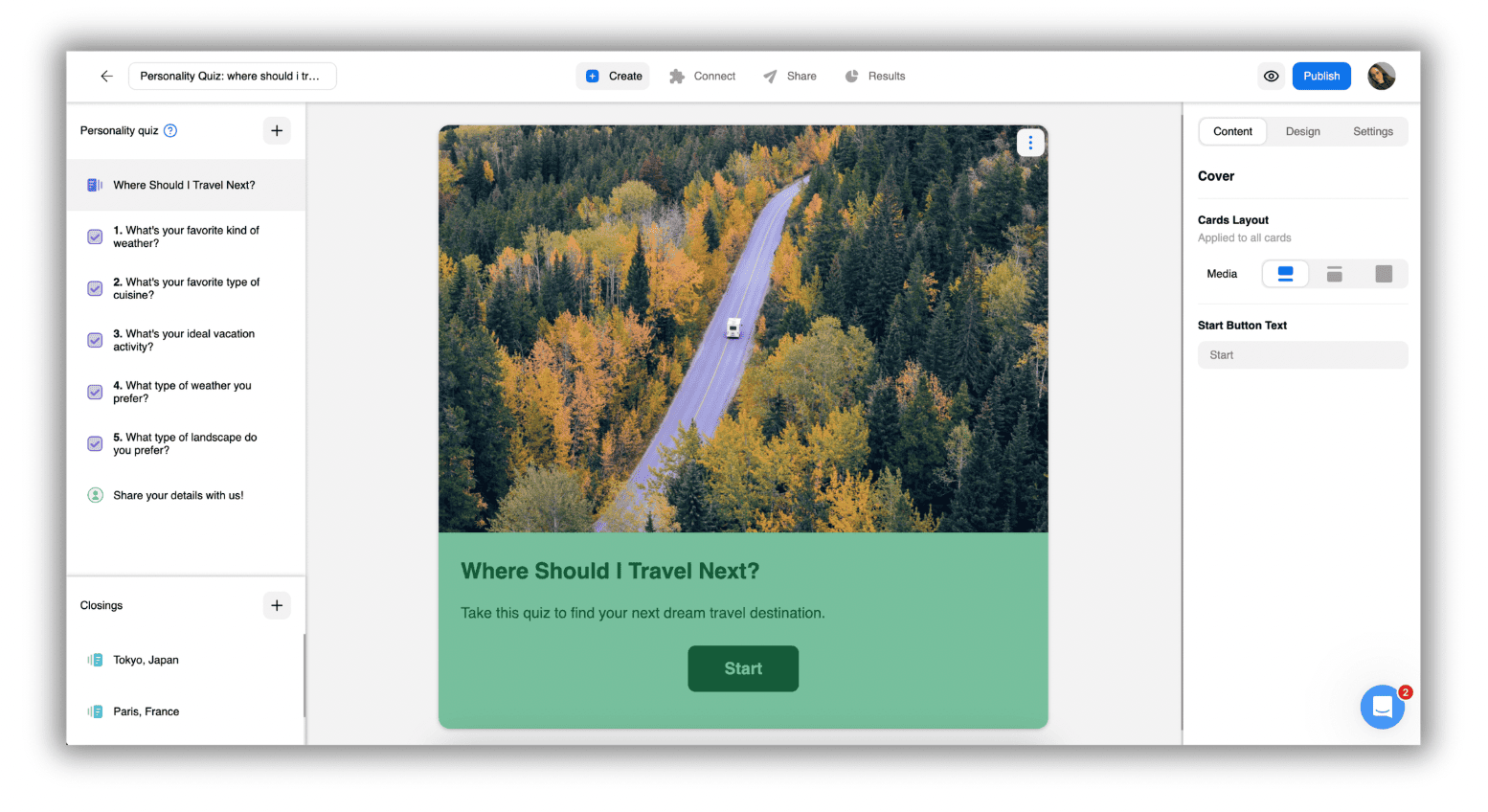
This reduces the extra clicks and makes every change immediate and intuitive. Even if you’ve never used a quiz, form/survey, or poll builder before, you’ll feel at home within minutes.
Real-Time Editing That Keeps You in Flow
As you edit, the center panel updates instantly. It’s a true WYSIWYG (What You See is What You Get) experience, so you always know exactly what your audience will see – no refreshing, no switching modes. This makes it easier to spot small issues early and test your choices quickly. And with built-in auto-save, you never have to worry about losing your edits or progress.
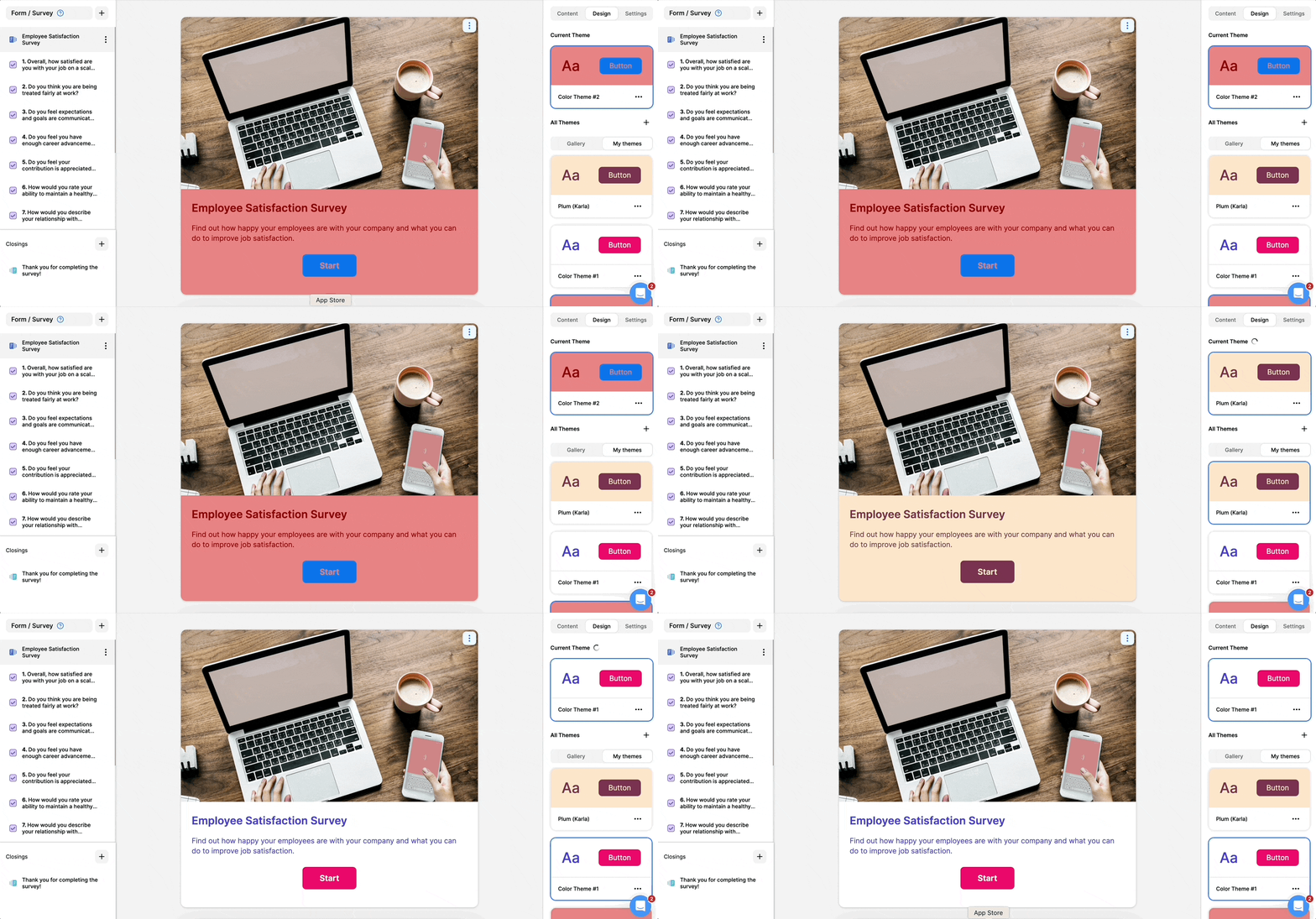
Customization That’s as Unique as Your Brand
Whether you want to match your brand’s palette, create a bold layout, or refine every detail, Builder v2 gives you full creative control. Adjust anything and everything, from the colors and fonts to the buttons and layouts. You can also add your logo and apply advanced settings or custom CSS to fine-tune every pixel.
It’s your story – Builder v2 just makes it easier to express it.
Ready to try Opinion Stage Builder V2?
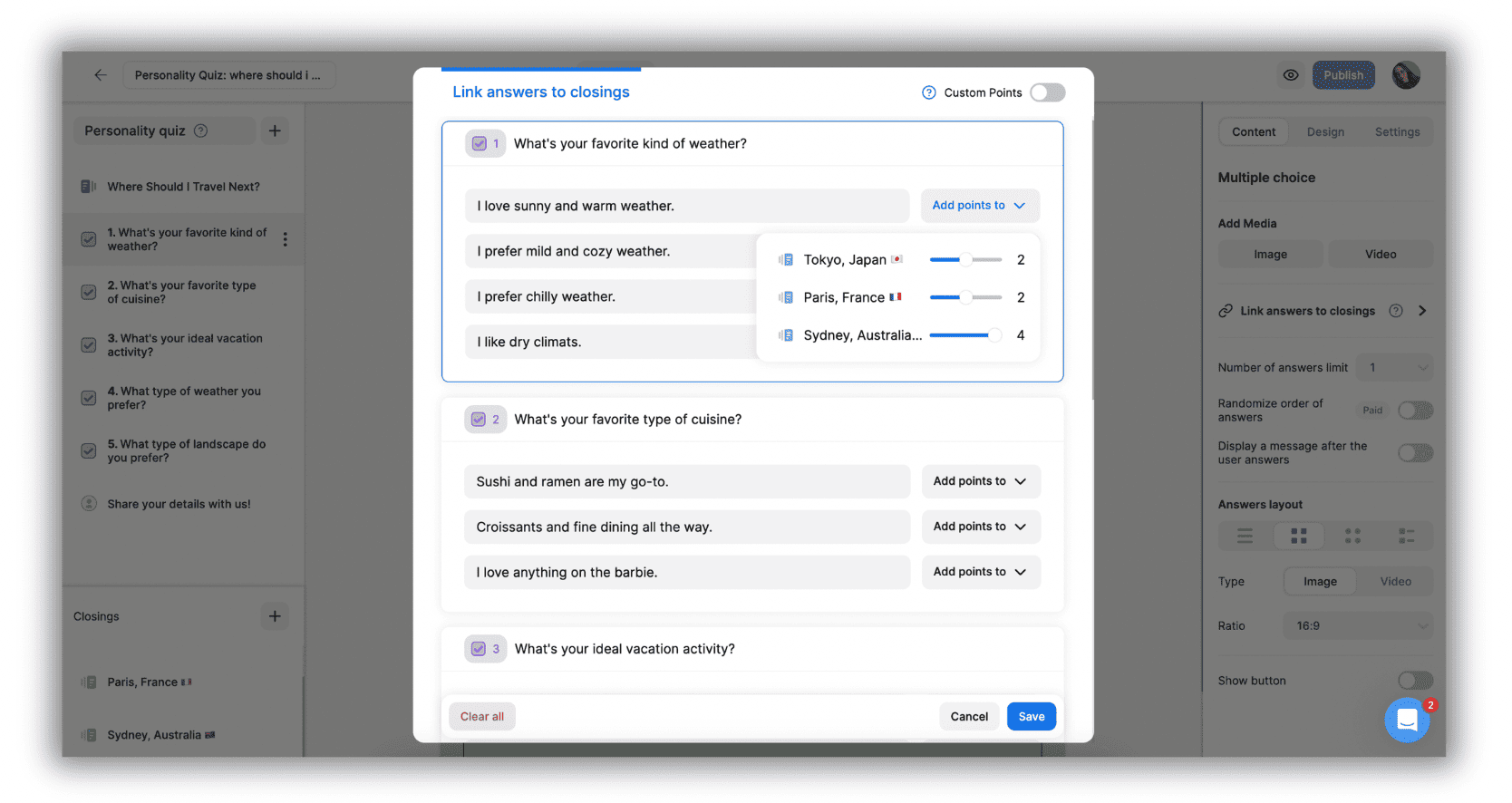
Smarter Logic and Mapping Tools
Link answers to results, define correct and incorrect answers, or create branching paths – all in one clear space. Builder v2 makes advanced interactions feel simple, even if you’re short on time.
A New Connect (Integrations) Experience
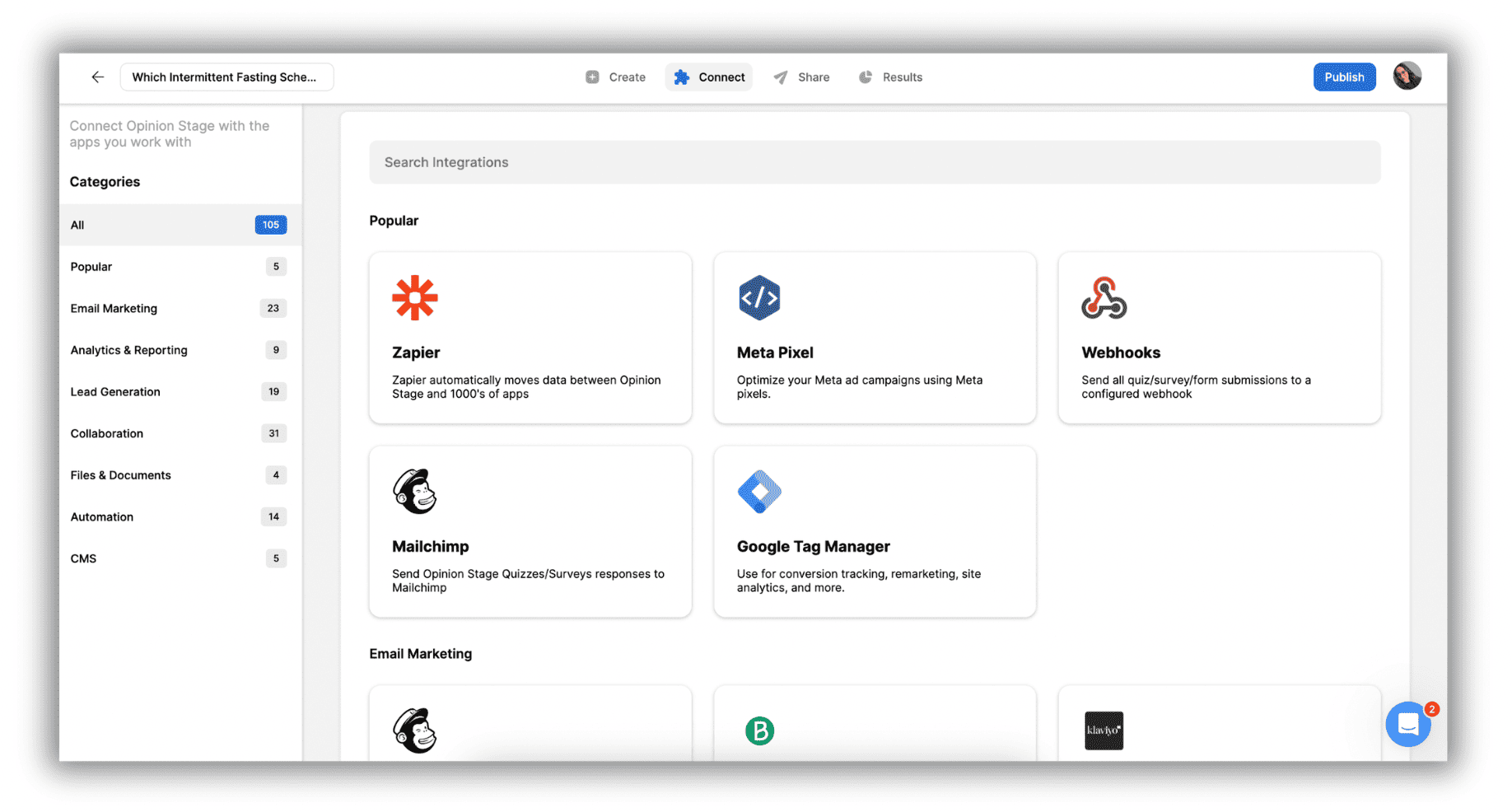
The Connect tab has been completely redesigned to help you hook your items into your marketing stack in a more streamlined and intuitive way.
All Integrations in One Clear Space
Instead of jumping between menus, all integration options are now located in one clean, unified interface. Whether you need to send leads to your CRM, push responses to spreadsheets, or trigger automation workflows, the new Connect experience helps you find the right match quickly. That way, you can move from idea to execution without slowing down. You can connect to platforms like Mailchimp, Zapier, Google Tag Manager, Meta Pixel, and many more!
A Smoother Sharing Experience
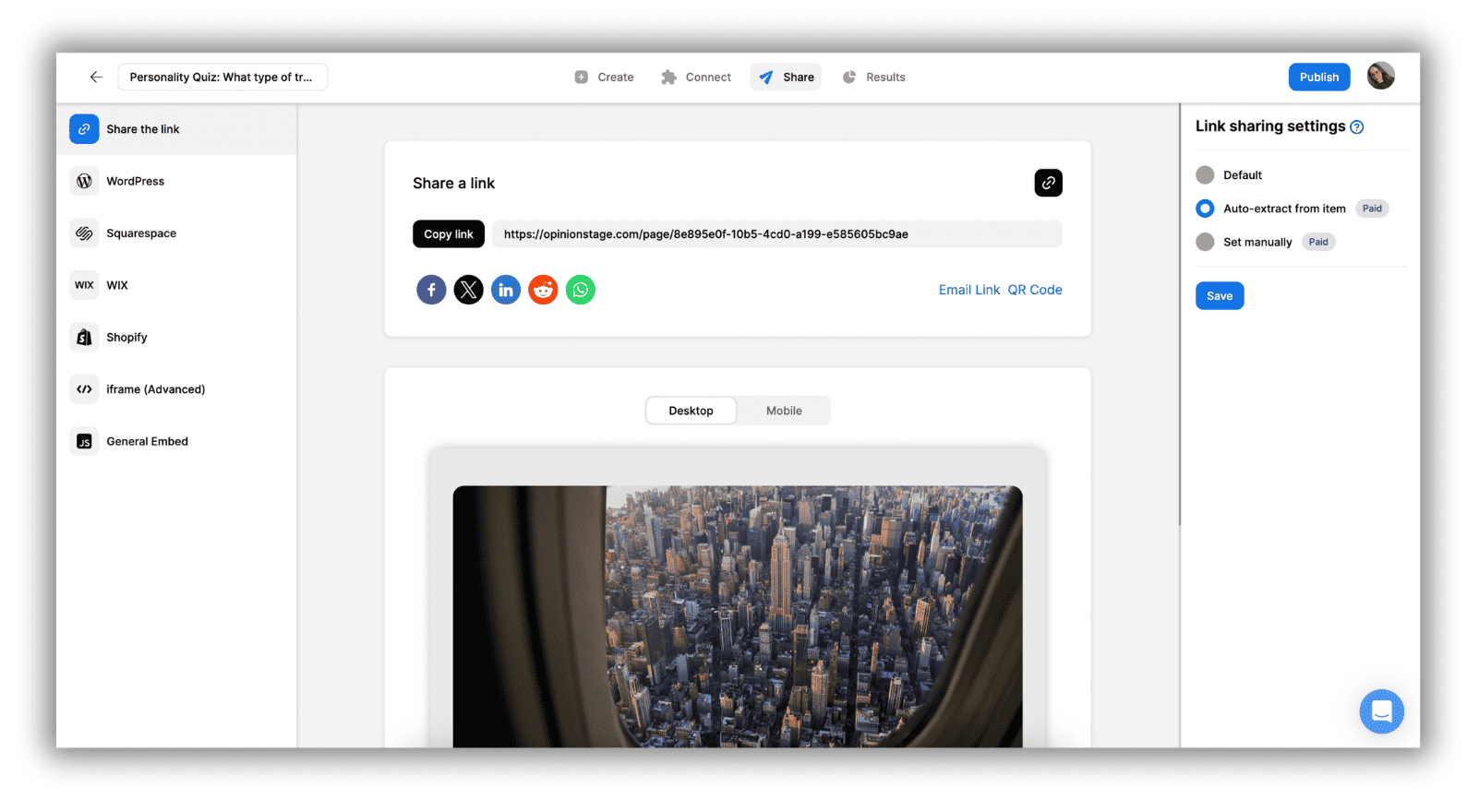
Your sharing options are now easier to find, easier to use, and easier to put in motion, whether you’re embedding on your site or posting on social media.
Clear Options for Every Channel
The redesigned Share tab is now located in the top bar, allowing you to access it at any time without leaving your creation flow. You can choose to:
- Share a direct link
- Post on social media
- Embed on your website or landing page
Everything is organized logically, so you can share in seconds.
Ready-to-Copy Embed Snippets
The center panel displays all embed codes clearly – no digging, no guessing. Just copy, paste, and publish.
A Better, Deeper Results Experience
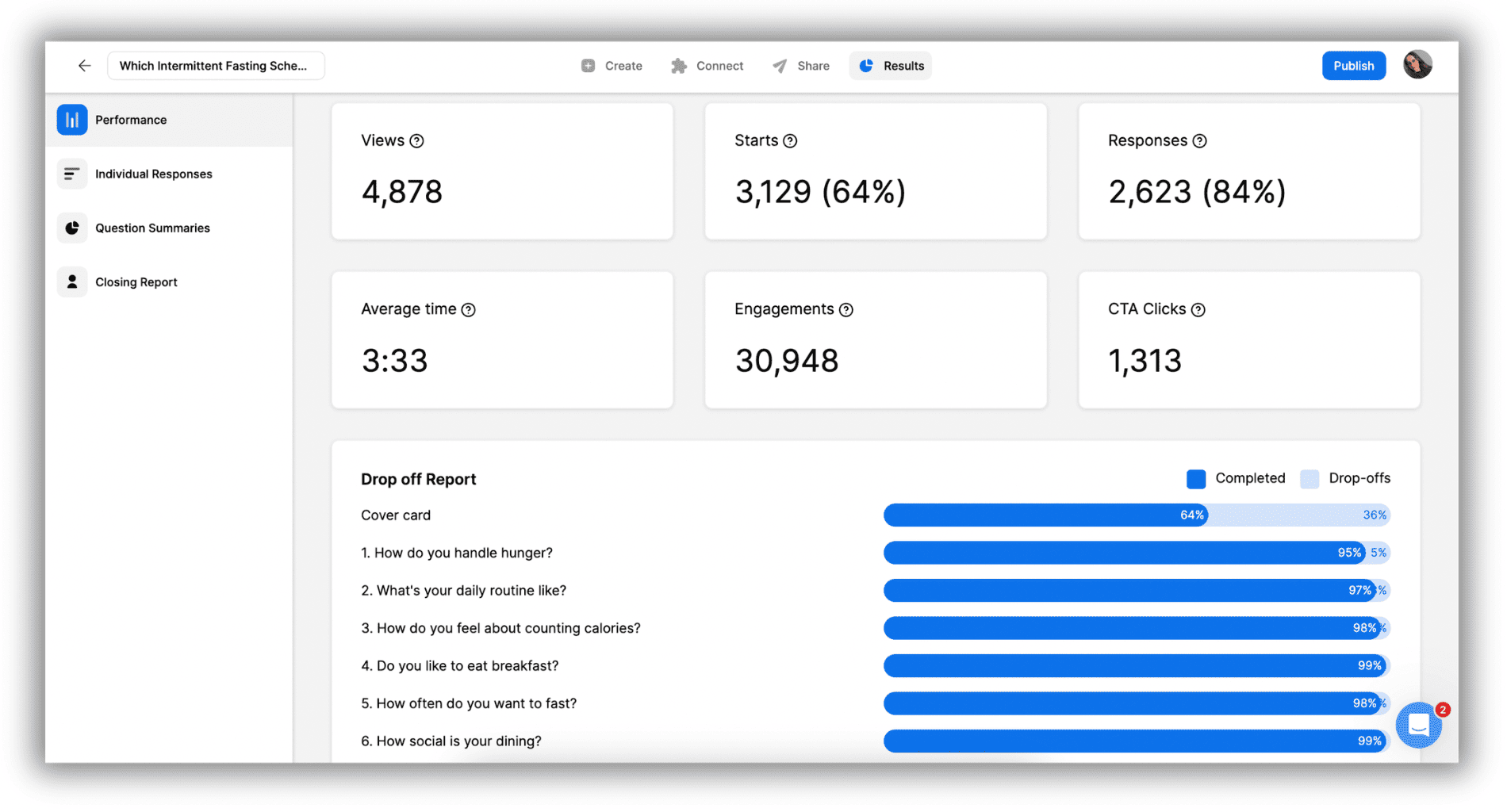
The new Results dashboard gives you more clarity, more context, and more control over your data. It will help you make smarter decisions, optimize your items, and better understand your audience.
Clear Performance Overview
At a glance, see views, responses, CTA clicks, and completion patterns. The new drop-off report shows exactly where people leave your item, making optimization faster and more precise.
Detailed Individual Responses
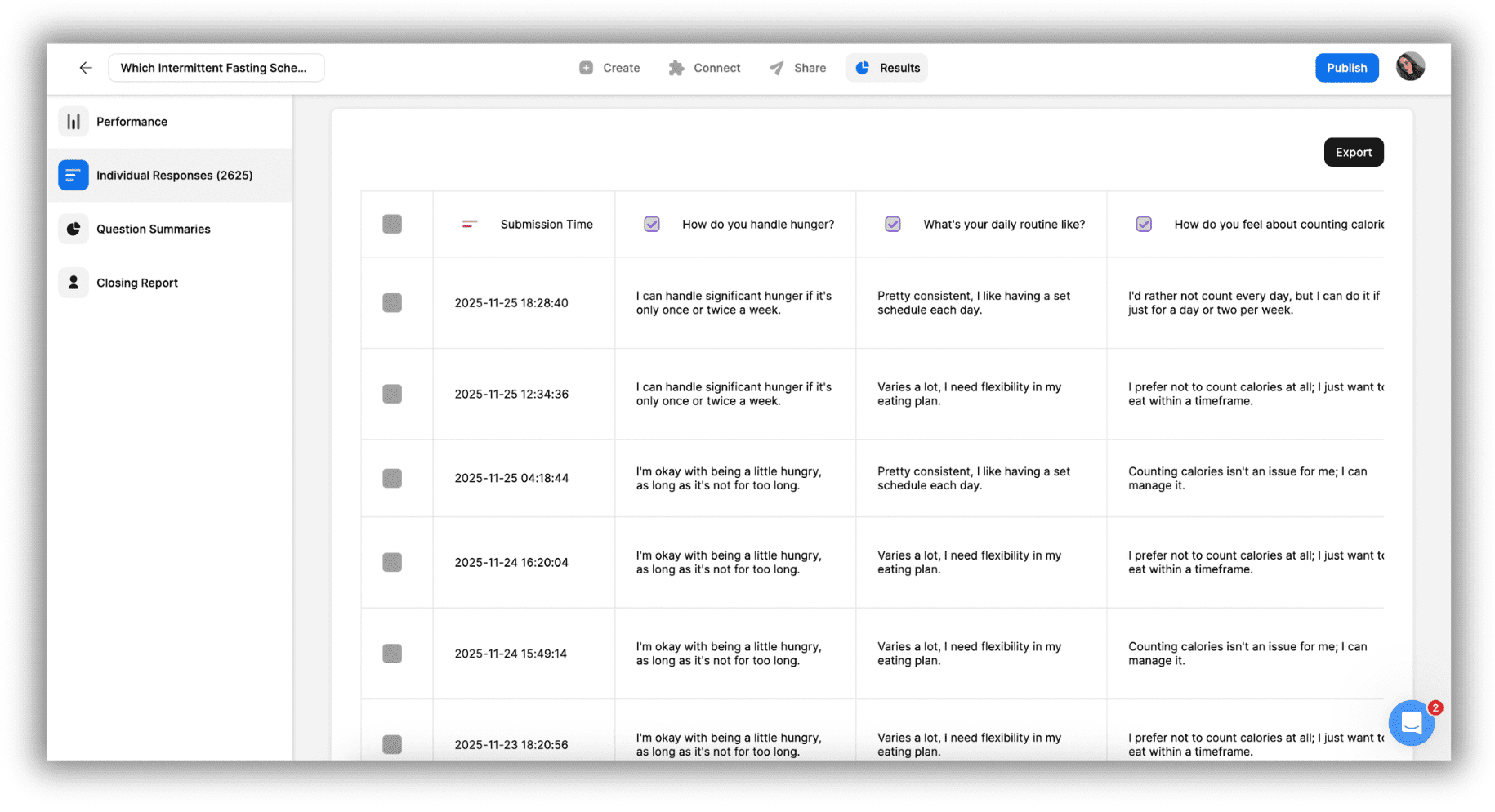
View responses individually, including helpful metadata like their total completion time and the page or URL where they finished. You can also export responses to Excel or CSV for reporting or deeper analysis.
Simple, Visual Question Summaries
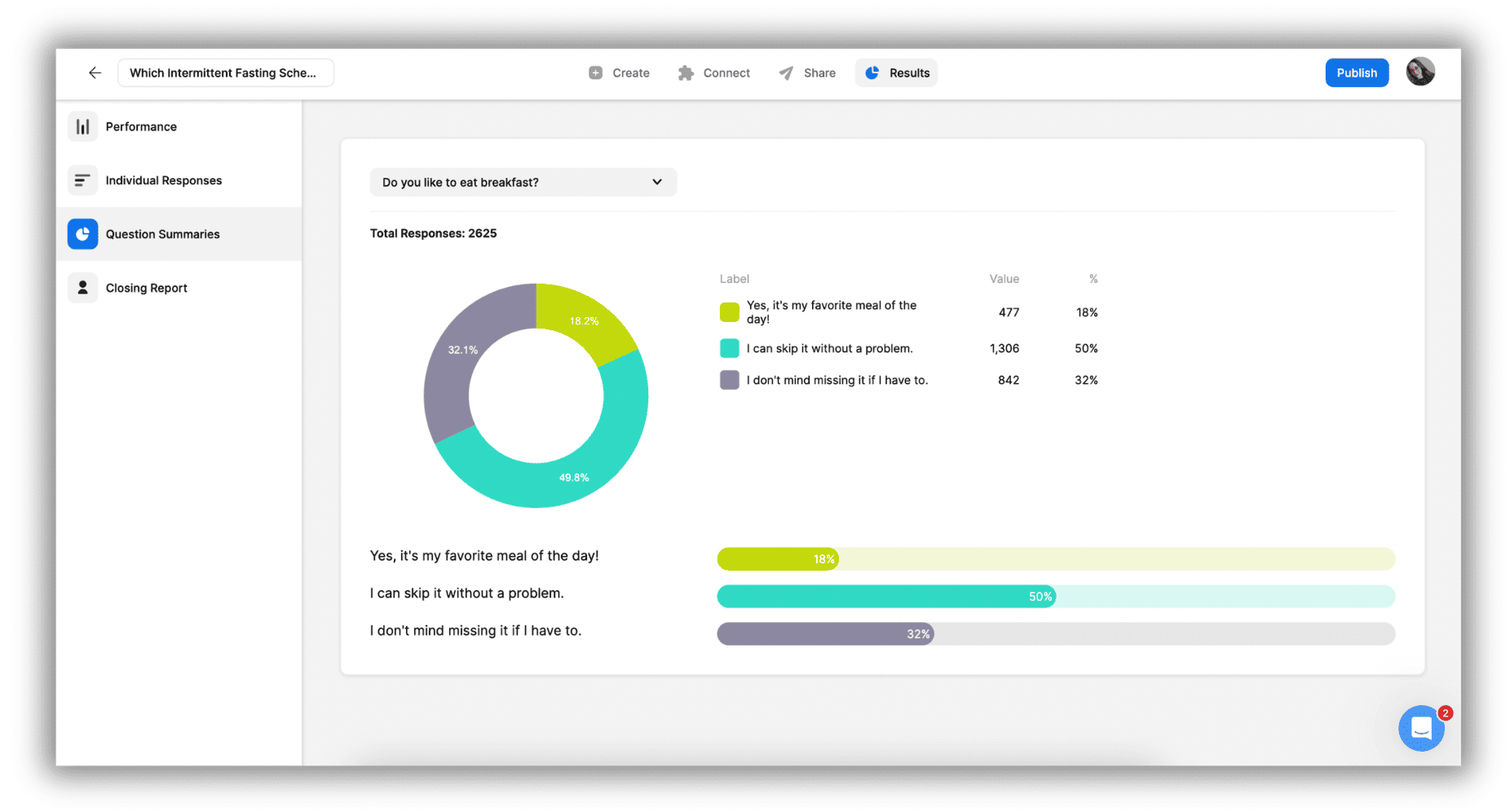
Each question gets its own clean breakdown: pie charts, bar charts, and clear data summaries. This helps you evaluate performance without needing extra analytics tools.
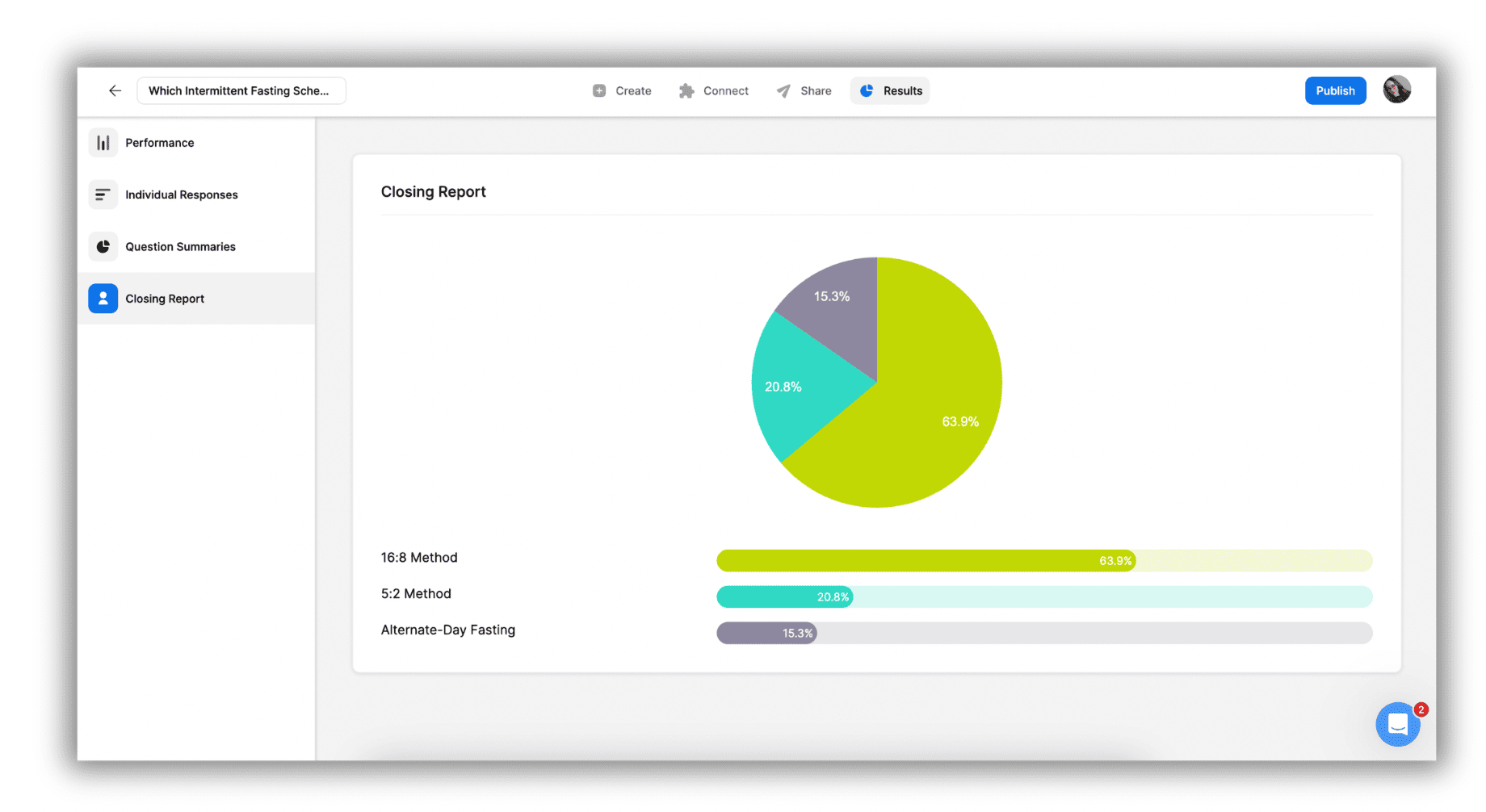
Smarter Closing Report
See how people reached specific results or end screens. This is especially useful for personality quizzes and product recommendations where you want to understand what drives people toward different outcomes.
Thanks for being part of the Opinion Stage community!
We can’t wait to see what you’ll create with Builder v2. If you have any questions or feedback, we’re always here to help.
Want to get started right away?