
Instagram Quiz Maker: Create in Minutes
Create interactive quizzes your followers will love to share. Build personality quizzes and trivia challenges, then share the link on Instagram in seconds.
- ✓ Free to use
- ✓ No credit card needed
How to Make a Quiz for Instagram
Instagram’s native sticker only supports one question and gives you no data beyond a reaction count. To run a real quiz – with multiple questions, results, and analytics – create with the Opinion Stage quiz maker and share the link on Instagram. Here’s how.
1. Create a quiz
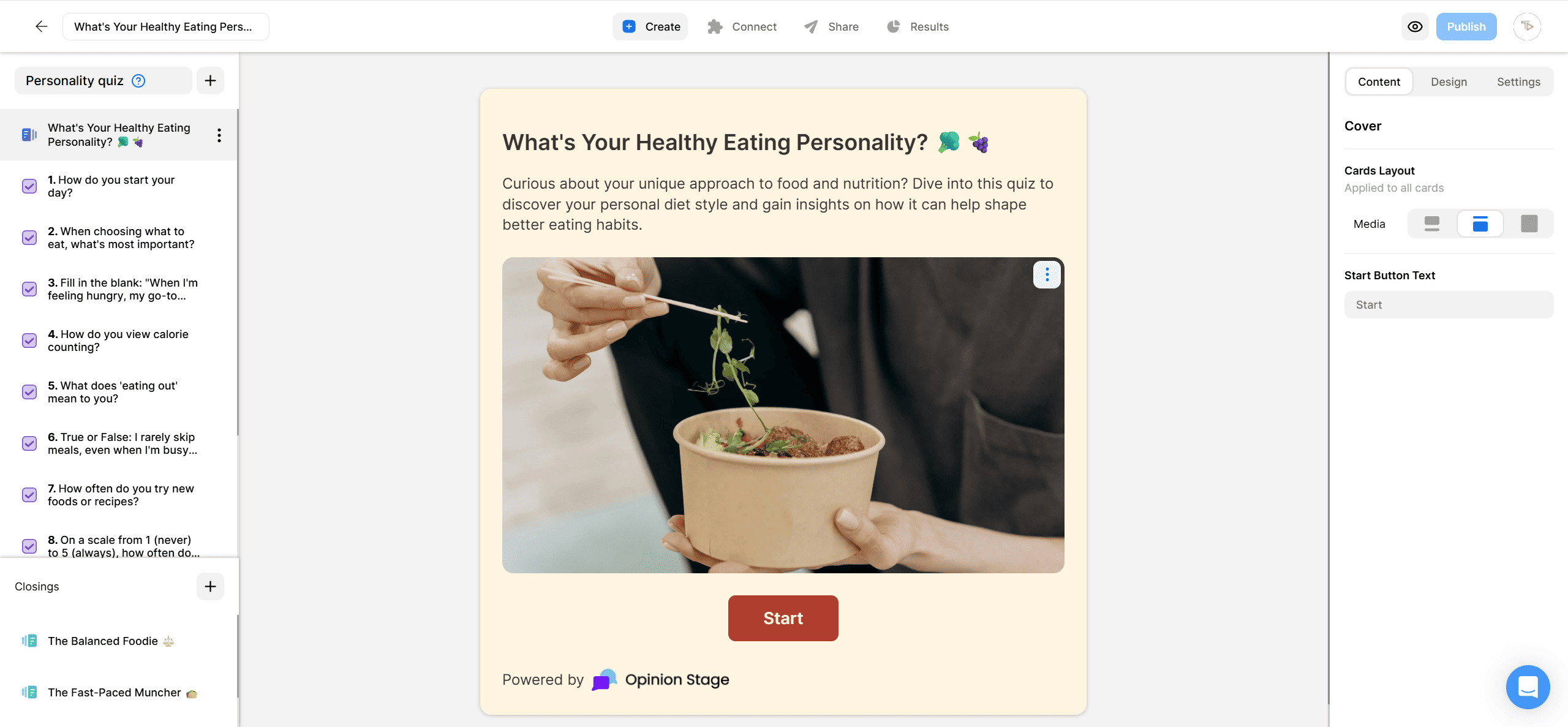
Start by creating an Instagram quiz. You can create a personality quiz, trivia quiz, lead generation quiz, or product recommendation quiz, depending on your goals.
2. Share your quiz on Instagram
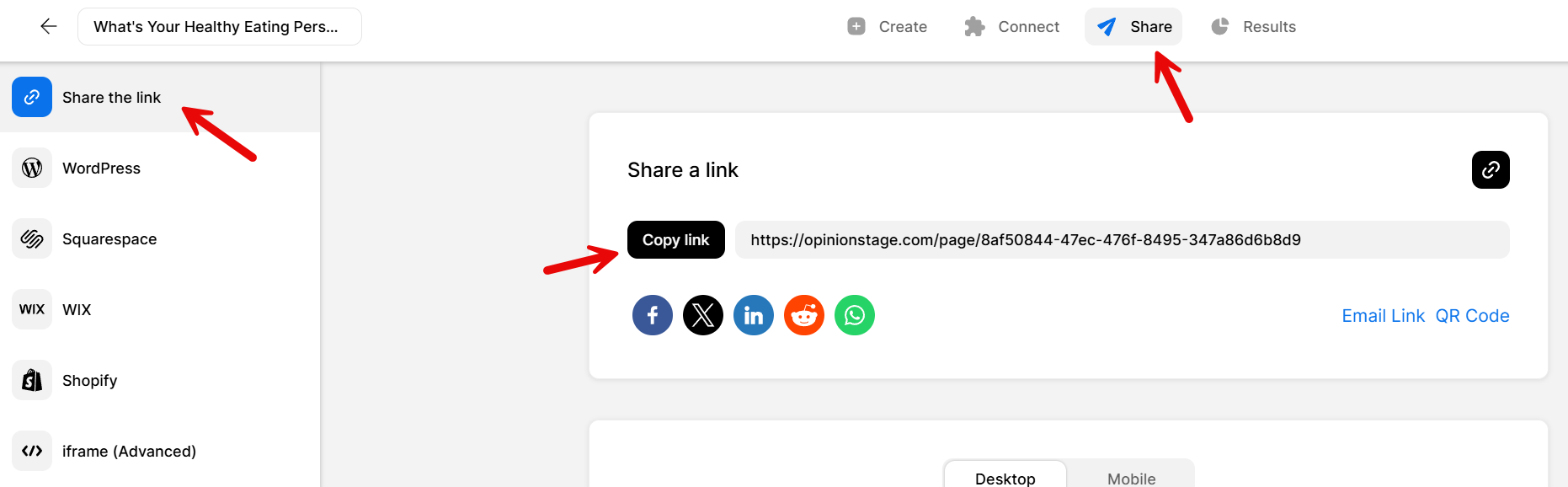
Click the Share button and select the Share the link tab. Copy the link. On Instagram, drop it in your bio, add a Link sticker to a Story, paste it into a feed-post caption, or send it in a DM. Every response is captured in your Opinion Stage analytics dashboard in real time.
And now you’re done!
Why Use Opinion Stage for Instagram Quizzes
Want more than a quick reaction from your audience? Here’s what Opinion Stage adds on top of what Instagram natively offers:
Multi-Question Quizzes With Personalized Results
Build quizzes with as many questions as you need and give each respondent a personalised result at the end – a personality type, a score, or a product recommendation. Results are shareable, which helps extend your reach without extra effort.
Lead Capture Built In
You can also add an optional lead form before the results if you’d like to stay connected with participants. Since Instagram’s native quiz stickers don’t offer email collection, this can be a useful way to turn quiz engagement into ongoing conversations.
Make Better Decisions With Real Data
See completion rates, per-question drop-off, answer distributions, and individual respondent data by checking your analytics dashboard. Know exactly which questions lose people and which results get shared most. Instagram’s sticker gives you a reaction count; Opinion Stage gives you data you can act on.
Share Anywhere on Instagram
Your quiz isn’t limited to a single placement. Share it in your bio, add it to Stories, mention it in feed posts, or send it directly through DMs.
Instagram Quiz Ideas Your Followers Will Love
Not sure what to make? Here are some ready-to-use quiz titles across the formats that work best on Instagram.
Personality Quizzes
The most shareable format. Followers get a result they want to share with their friends.
- What kind of traveler are you?
- What does your morning routine say about you?
- Are you more beach or mountains?
- What city should you actually live in?
Branded Trivia Quizzes
Good for rewarding loyal followers and building familiarity with your brand story.
- How well do you know us?
- Can you guess our bestseller?
- How much do you know about our industry?
Product Recommendation Quizzes
Helps followers find the right product for them while driving conversions.
- Which of our products is right for you?
- Find your perfect match
- What’s your style?
Instagram Quiz FAQs
Does Instagram have a quiz feature?
Sort of. Instagram has a quiz sticker for Stories that lets you post one multiple-choice question with a single correct answer. It’s closer to a poll than a quiz. There are no personalised results, no scoring, no multi-question flow, and no way to collect leads or export data. For a real quiz, you need a tool like Opinion Stage and share the link on Instagram.
How do you add a quiz to your Instagram story?
Create your quiz in Opinion Stage and copy the share link. In Instagram, start a new Story, tap the sticker tool, select the Link sticker, and paste the URL. Followers tap the sticker and land directly on your quiz, with full results, scoring, and lead capture if you’ve set it up.
What's the difference between Instagram's quiz sticker and an Opinion Stage quiz?
Instagram’s sticker is one question, one correct answer, no data beyond a reaction count. An Opinion Stage quiz supports unlimited questions, multiple quiz types (personality, trivia, product recommendation), custom results pages, email capture, and a full analytics dashboard. You share it as a link rather than a native sticker.
What are good Instagram quiz questions?
The best questions are specific to your audience and have clear answers. For personality quizzes, give options that feel recognisable. For branded trivia quizzes, weave in product or company facts.
What are the best quiz types for Instagram?
Personality quizzes tend to perform well because they’re fun and personal. Trivia quizzes are a great way to engage an existing community around a shared interest, while product recommendation quizzes help followers discover the products, services, or content that are most relevant to them.
Can I create an Instagram quiz for free?
Yes. Opinion Stage has a free plan that includes unlimited quizzes, unlimited questions, quiz templates, and lead capture. Paid plans add advanced customisation and higher response volumes.
Quiz Maker Platforms & Integrations
Prefer Data Over Engagement? Try an Instagram Survey
Not every goal calls for a quiz. If you need to collect feedback or perform market research, an Instagram survey might be a better fit.