
Instagram Survey Maker: Share in Minutes
Create interactive surveys for Instagram in just a few clicks. Gather audience insights, test content ideas, measure NPS, and collect brand feedback in a format designed to encourage participation and completion.
- ✓ Free to use
- ✓ No credit card needed
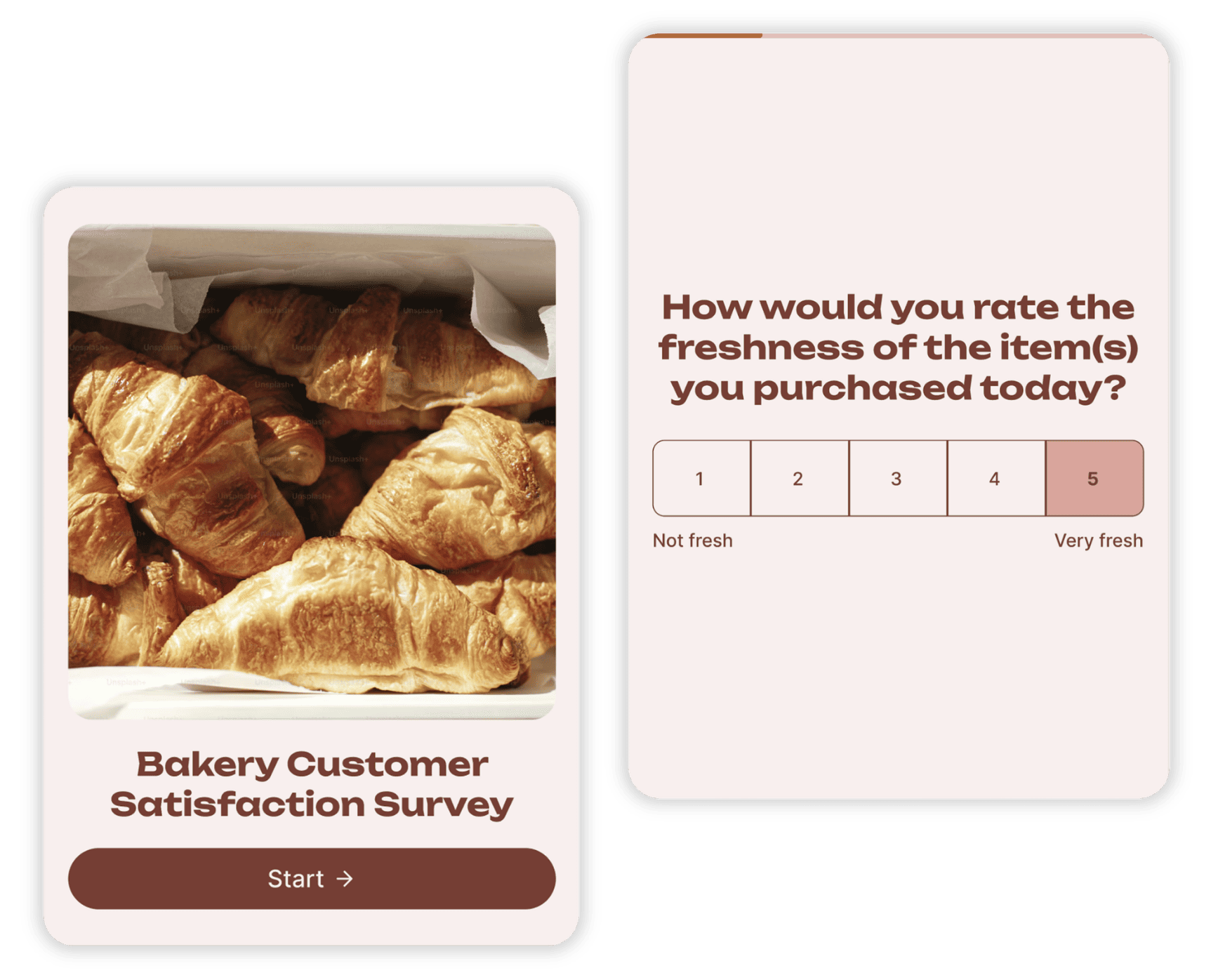
How to Create a Survey on Instagram
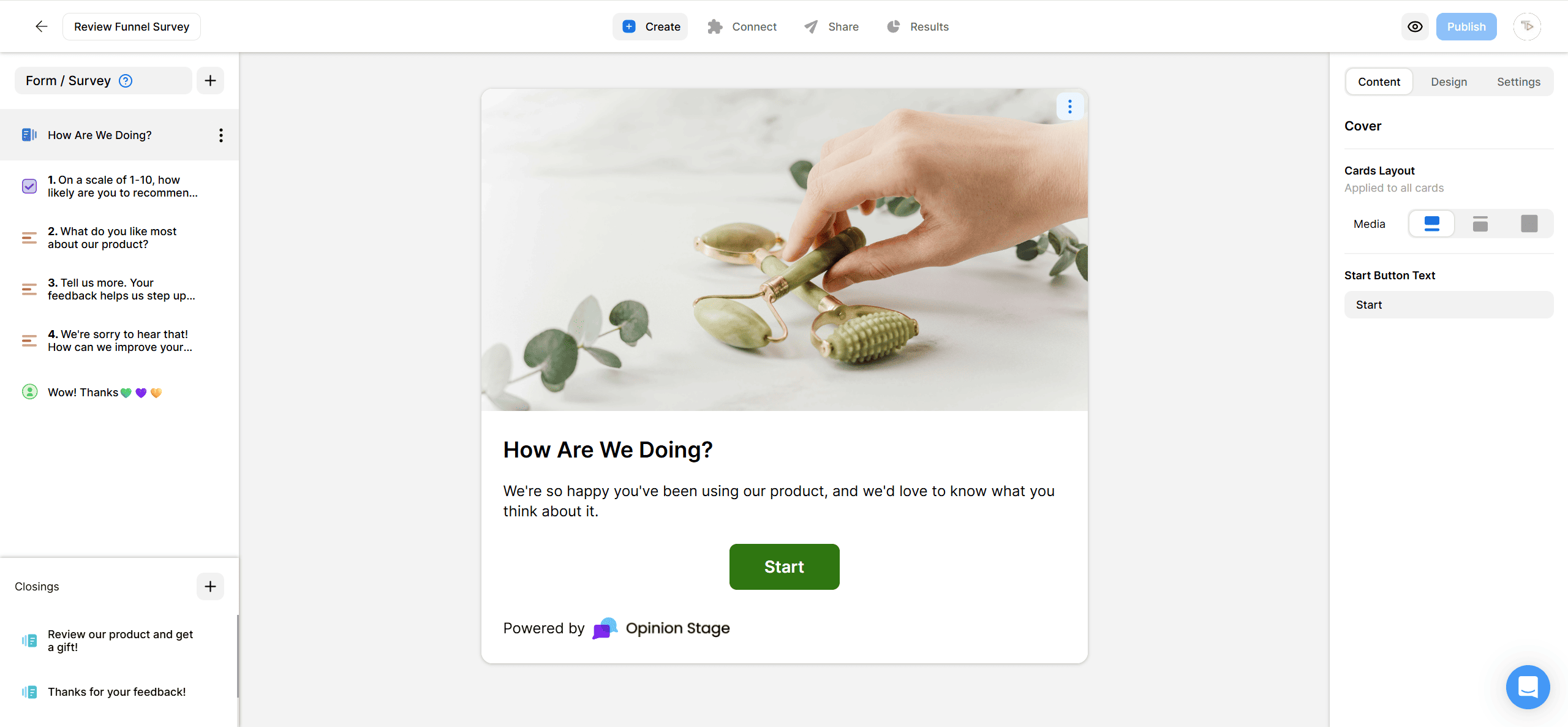
Instagram doesn’t have a native survey tool, but you can run one in a few minutes by creating your survey in Opinion Stage and sharing the link on Instagram. Here’s how.
2. Share your survey on Instagram
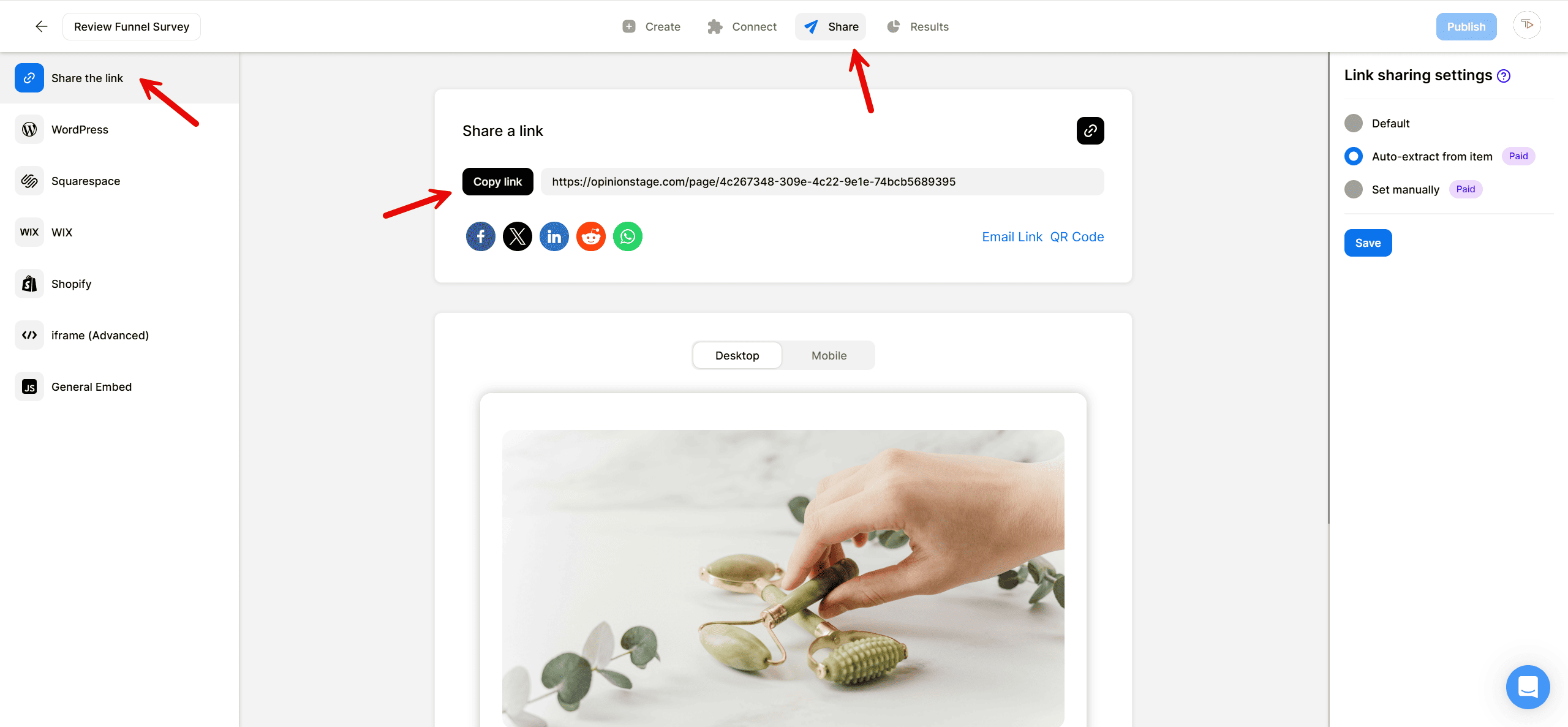
Click on the Share button and select the Share the link tab. Copy the link. On Instagram, drop the link in your bio, add a Link sticker to a Story, paste it into a feed-post caption, or send it in a DM. All the responses you collect will go to your Opinion Stage analytics dashboard where you can view them in real time.
And now you’re done!
Why Run Surveys on Instagram With Opinion Stage
Instagram’s built-in poll and question stickers are useful for quick engagement, but they’re limited if you want deeper feedback, lead generation, or actionable data. For a real survey, you’ll need a survey tool you can share through Instagram.
Here’s why your Instagram page needs an Opinion Stage survey:
Designed to Improve Completion Rates
Most people won’t finish a long survey unless the experience feels easy, interactive, and relevant to them. Opinion Stage surveys use one-question-at-a-time flows, visual layouts, and branching logic to personalize the experience based on each response. The result is a smoother mobile experience that keeps Instagram users moving through the survey instead of dropping off halfway through.
Collect Leads Alongside Responses
You can add an optional lead form to your survey to capture emails, preferences, or other contact details before users see their results. At this point, they’ve already committed time and are more likely to complete the step, without it feeling like a separate gate. Responses can also be segmented based on answers, making it easier to tailor follow-up emails, offers, or recommendations.
Get Usable Data, Not Just Reactions
Every response is stored in your Opinion Stage dashboard in a structured, easy-to-analyze format. You get per-question charts, full respondent data including email and completion time, and clear drop-off points so you can see where users lose interest and improve your survey.
From there, you can export everything to CSV or Excel, or send it directly to Mailchimp, HubSpot, Google Sheets, or Zapier to segment audiences and automate follow-ups without manual work.
See more Opinion Stage survey maker features.
Instagram Survey Question Examples
The right question depends on what you’re trying to learn. Here are starting points for the four use cases Instagram surveys handle best.
Audience Insights Questions
- What type of content do you want to see more of from us?
- How did you first discover us on Instagram?
- Which of our recent Stories was most useful to you?
- What topic should we cover in our next post?
Content Ideas Questions
- Which of these post ideas should we publish first?
- What’s a question you wish we’d answered already?
- Would you rather see [option A] or [option B] next week?
- What format do you prefer: Reels, carousels, or single posts?
NPS & Customer Satisfaction Questions
- How likely are you to recommend us to a friend? (0–10)
- What’s the main reason for your score?
- Which of these features matters most to you?
- What almost stopped you from buying?
Brand Feedback Questions
- In one word, how would you describe our brand?
- What three brands do you compare us against?
- What would make you trust us more?
- What’s one thing you’d change about working with us?
Instagram Survey FAQs
Can you do a survey on Instagram?
Not directly. Instagram’s built-in Story stickers (poll, quiz, question) only handle one-question reactions and not surveys with multiple questions. To run a real survey, you create it in a survey tool like Opinion Stage and share the link on Instagram: in your bio, in a Story link sticker, in a feed-post caption, or in DMs. Surveys shared this way support unlimited questions, branching logic, and lead capture, which native stickers don’t.
How do you add a survey to your Instagram story?
Create your survey in Opinion Stage and copy the share link. In Instagram, start a new Story, tap the sticker tool, choose the link sticker, and paste the URL. When viewers tap the sticker, they’re taken straight to your survey.
What's the difference between an Instagram poll and an Instagram survey?
A poll is a single question with two answer options, designed for quick reactions inside a Story. A survey is a longer set of questions – multiple choice, rating, open text – usually shared via a link and used for deeper feedback like product research, NPS, or content planning. Polls work for fast engagement; surveys work when you need actionable data.
Can I capture emails through an Instagram survey?
Yes, with a survey tool. Native Instagram stickers don’t capture contact info, but an Opinion Stage survey can include a lead form. Use it to send the respondent their discount code, or a follow-up resource, and segment leads by the answers they gave.
What questions should I ask in an Instagram survey?
Start with what you want to do with the answers. For audience research, ask about content preferences and discovery channels. For product feedback, ask NPS-style questions and “what almost stopped you” prompts. For content ideation, give two or three concrete options and let your audience decide. The “Instagram Survey Question Examples” section above has 12+ ready-to-use prompts.
Is the Instagram survey maker free?
Yes. Opinion Stage has a free plan with unlimited surveys, unlimited questions, an AI survey maker, and lead capture. Paid plans add advanced customization and more responses.
Prefer Engagement Over Data? Try an Instagram Quiz
Surveys are built for structured answers you can act on. If you’re after viral reach and shares, an Instagram quiz fits better.