
Lead Generation for Marketing Agencies: A Quiz-First Playbook

Your agency site is probably already doing a lot right. People find your case studies, browse your services, and get a feel for how you work. The opportunity is in what happens next: many of those visitors are interested, just not quite ready to book a call.
That’s where a quiz comes in. Marketing agencies typically get leads from referrals, outbound, content, partnerships, and their own website. The website is the one you fully control, and a quiz is one of the quickest ways to make it work harder. Instead of “Contact us”, you offer a short assessment like “How healthy is your paid social funnel?” and ask for an email right before the result. A quiz can bring up to 5X more leads than a regular lead form, and every lead comes with answers that help you start the right conversation.
Here’s how to set that up for your own agency, how to sell the same thing to clients, and where your other lead generation channels fit in.
Why a Contact Form Isn’t Enough for an Agency Site
Think about it from your prospect’s side. They’re comparing three or four agencies and still figuring out what they need. Your contact form asks them to commit to a sales call before they know if you understand their problem. Most of them won’t.
And the ones who do? They send a name, an email, and “we’d like to grow”. You only find out their budget, industry, and timeline on the discovery call, which is why so many of those calls end with “this isn’t a fit”.
A quiz fixes both sides. Your prospect gets something useful right away, a score or a recommendation about their own business. You get the answers you’d normally spend half a call collecting.
How to Generate More Agency Leads With Quizzes
Here’s the playbook in five steps. Start with a quiz on your own site, use the answers to qualify leads, connect it to your CRM, then offer the same setup to your clients and promote it with the traffic you already have.
1. Put a Quiz Lead Magnet on Your Agency Site
Start with the question your ideal client is already asking themselves. If you hear it on every sales call, it’s a good quiz. Three formats work especially well for agencies:
- The maturity assessment. “How ready is your marketing to scale?” Prospects get a level, like Getting started, Growing, or Ready to scale, plus what to do next. Great for full-service agencies.
- The channel recommendation. “Which marketing channel should you invest in next?” Based on budget, sales cycle, and audience, the quiz points to SEO, paid social, email, or something else, and each result links to the matching service.
- The specialist scorecard. “How strong is your local SEO?” or “Is your online store losing sales at checkout?” Perfect for niche agencies, because the result shows exactly where you can help.
Not sure where to start? You don’t have to build it from scratch. With the Opinion Stage quiz maker, you can pick a lead generation quiz template or let AI draft the quiz from your idea (included on the free plan), then add a lead form before the results and embed it on your WordPress, Squarespace, or Wix site. It’s live in minutes, no developer needed. If the format is new to you, here’s how lead generation quizzes work.
Example: A Lead Quiz for a Paid Social Agency
Here’s a quiz you could adapt this week. Title: “How healthy is your paid social funnel?”
- Which platforms are you running ads on today?
- Where do your ads send people: your homepage, a product page, or a dedicated landing page?
- How often do you refresh your ad creative?
- Do you retarget people who visited but didn’t buy?
- Roughly how much do you spend on ads each month?
- What’s your main goal for the next three months?
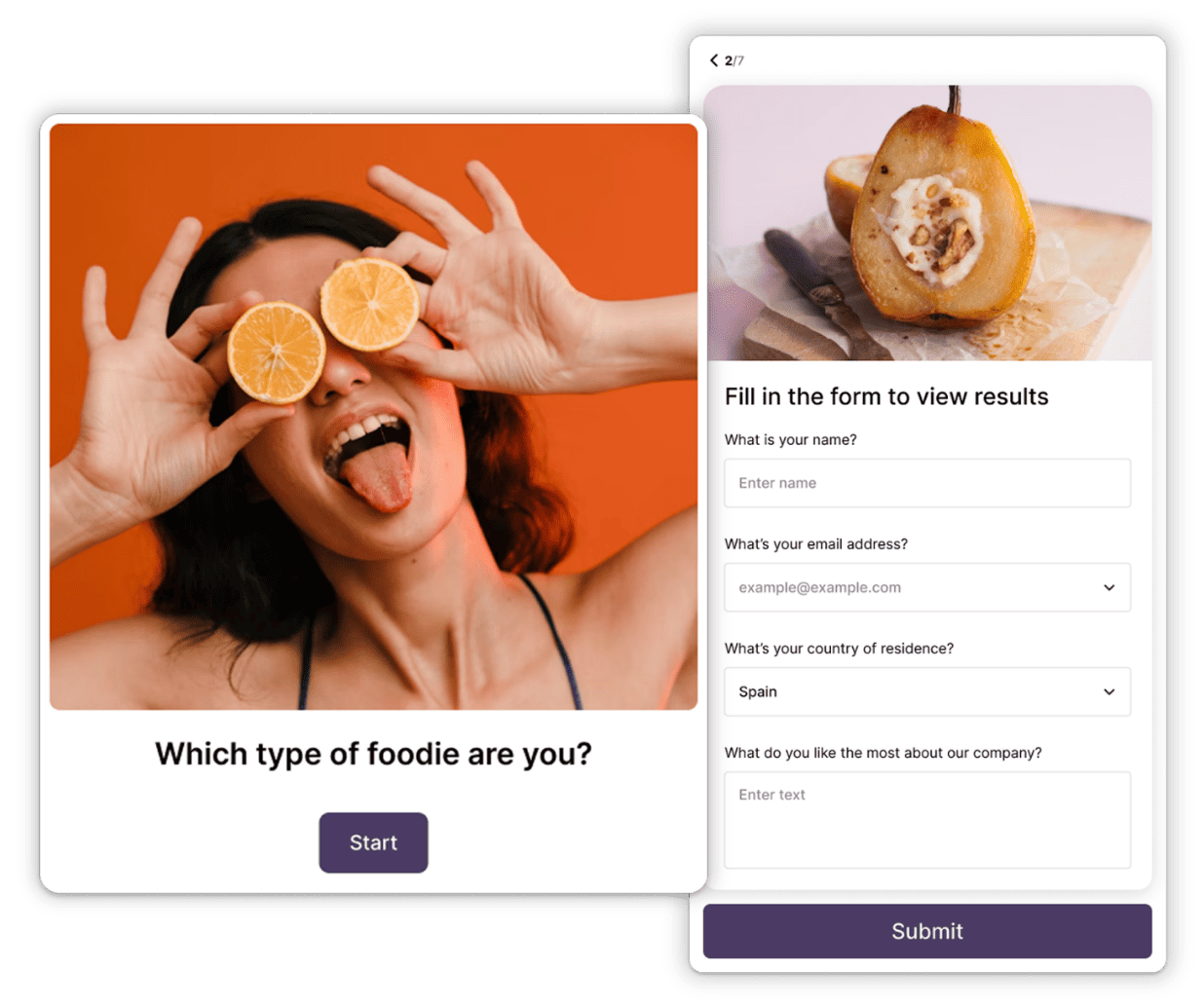
Then the lead form: “Where should we send your funnel score?” Name and email is enough.
Three results, each with its own next step:
- Leaky funnel: the three fixes to make first, plus a link to a relevant case study.
- Solid, but plateaued: where to find the next round of growth, plus an invite to a free ad account review.
- Ready to scale: what scaling spend safely looks like, plus a “Book a strategy call” button.
Notice that questions 5 and 6 are qualifying questions in disguise. That’s the next step.
2. Use Quiz Answers to Qualify & Segment Leads
Your quiz can do the first ten minutes of every discovery call for you. Pick two or three of the questions your team always asks:
- Industry or business type, so you know which case study to send.
- Monthly marketing budget, in ranges, so nobody has to name an exact number.
- Main goal, like more leads, more online sales, or a product launch.
- Timeline: this month, this quarter, or just researching.
- Who runs marketing today: an in-house team, a freelancer, or another agency.
The trick is to make each question feel like it shapes the result, because it does. “Your budget helps us recommend the right channels” gets an answer. A required “Budget” field on a contact form gets a bounce.
Then let the answers decide what happens next. A lead with a healthy budget and a short timeline sees “Book a strategy call” on their result. Someone who’s just researching gets a helpful guide and a nurture email sequence instead. Each result gets its own list or tag, so when you do get on a call, you already know who you’re talking to.
3. Send Leads to Your CRM Automatically
A lead sitting in a spreadsheet nobody checks isn’t a lead. Opinion Stage sends each one, together with their quiz answers, straight to the tools your team already uses:
- Native integrations such as Mailchimp, so new leads land on your email list automatically.
- Zapier, to connect HubSpot and thousands of other CRM and email marketing tools.
- Webhooks, if you’d rather send leads to your own systems.
One tip that pays off later: map the quiz answers to real CRM fields, not a notes field. Then you can filter by budget or industry, follow up with the best-fit leads first, and, after a few months, see which kinds of leads actually become clients.
4. Run Lead Quizzes for Clients Under Their Brand
Once you’ve seen it work on your own site, you have something to sell. Almost every client wants more leads from the traffic they already have, and a lead quiz is a concrete, visible way to deliver them.
- Package it. Offer a lead quiz as a one-off project, or add it to a conversion or retainer package: build, launch, then a monthly report with what to test next.
- Keep it in the client’s brand. A white label quiz maker lets you remove Opinion Stage branding and add the client’s logo, colors, and images. Their audience only ever sees their brand. White labeling is available on the Business plan.
- Plug it into their stack. Embed the quiz on the client’s site and send leads to their email tool or CRM, not yours.
- Show the numbers. Quiz starts, leads, and the lead rate for each result are easy to report on and easy for a client to understand.
- Reuse what works. A quiz that performs for one dentist, gym, or online store is a head start for the next client in the same industry.
Curious how marketers use quizzes and polls to turn the traffic they already have into leads and sales? Learn more about Opinion Stage for marketers.
5. Promote the Quiz With the Traffic You Already Have
Good news: you don’t need new traffic to start. Put the quiz in front of the people who already read and follow you:
- Blog posts: swap the generic newsletter box or “Contact us” link at the end of each article for the quiz.
- Case studies: end with “Curious how your marketing compares? Take the 2-minute quiz.”
- LinkedIn: post about the quiz, and pin it in your profile’s Featured section.
- Email: add it to your team’s signatures, and send it to old leads who never booked a call. Some of them are ready now.
- Paid social: send ad traffic to the quiz instead of a demo form. A few questions feel like much less of a commitment than a sales call.
Where the Other Lead Generation Channels Fit
A quiz turns attention into leads, but you still need the attention. Your other channels bring it in, and each one gets better when it points to the quiz:
- Referrals and past clients. For many agencies, still the biggest source of new business. Ask right after you deliver a win, while the results are fresh.
- Outbound. Cold email and LinkedIn outreach to a narrow ideal client profile. When a prospect isn’t ready for a call, the quiz is an easy “yes” in your follow-up.
- Content and SEO. Write the answers to the questions clients ask you every week, and end each article with the quiz.
- Partnerships. Team up with agencies and software tools that serve the same clients without competing with you. A co-branded quiz gives both of you something to promote.
- A clear niche. Specialist agencies are easier to refer, easier to find in search, and easier to write a sharp quiz for.
What to Measure
Four numbers tell you almost everything, for your own quiz and for every client quiz:
- Start rate. How many visitors begin the quiz. Low? Rework the title and where it sits on the page.
- Lead rate. How many people who reach the end share their email. Low? The result doesn’t feel worth it yet, so make it more specific.
- Lead-to-call rate by result. Which results actually turn into booked calls.
- New clients by segment. Which industries and budgets sign. This one tells you where to focus your outreach, content, and ads.
Change one thing at a time, and give each change enough traffic before you decide it worked.
FAQ
One that gives prospects a personalized result about their own business, like a marketing maturity assessment or a scorecard for your specialty. A quiz like this can bring up to 5X more leads than a regular lead form, and the answers help you qualify each lead before the first call. With Opinion Stage, you can build one in minutes from a template or let AI draft it from your idea, and the free plan lets you try it out.
By asking the qualifying questions up front, in a way that feels useful to the prospect. A lead quiz can ask about industry, budget range, goals, and timeline, then show high-fit leads a button to book a call and send everyone else to a nurture sequence.
Yes. Opinion Stage sends leads and their quiz answers to HubSpot through Zapier. It also has native integrations such as Mailchimp, and webhooks for sending leads to your own systems.
Yes. With white labeling, you remove Opinion Stage branding and add the client’s logo, colors, and images, then embed the quiz on the client’s site and send leads to the client’s own tools. White labeling is available on the Business plan.
A few minutes for a first version. Start from a template or let AI draft the quiz from your idea (included on the free plan), add a lead form before the results, and embed it or share a link. No developer needed.
Turn Your Agency Site Into a Lead Source