
Calculator Maker: Create & Share in Minutes
Help users estimate costs, calculate savings, and make confident decisions using your own custom formula. Free to use, easy to build with Opinion Stage.
- ✓ Free to use
- ✓ No credit card needed

Trusted by 100,000+ teams and brands, including








Why Use a Calculator?
Opinion Stage’s calculator maker helps marketers and business owners calculate costs, estimate ROI, and deliver recommendations based on a custom formula.
Turn Questions Into Clear Answers
Most people don’t reach out right away; they want to figure things out first.
What will this cost?
What do I actually need?
What makes the most sense for me?
A calculator gives them a simple way to explore those questions on their own and get a clear answer based on their inputs.
So when they do reach out, they already know what they need. No introductory call needed.

Capture Leads With Real Context
When someone completes a calculator, they’ve already told you a lot – what they chose, what matters to them, and what kind of result they’re expecting.
So when they leave their email, you’re not just getting a contact, you’re getting context. You can see exactly what they need and follow up in a way that actually makes sense.
That means better conversations, more relevant follow-ups, and leads you can actually use.

Guide People to the Right Choice
Getting a number is helpful, but it’s not always enough to make a decision.
A calculator can take that result and turn it into a clear next step. Based on what someone entered, you can show the plan that fits, recommend a service, or point them toward the right option with confidence.

Types of Interactive Calculators You Can Create
With Opinion Stage, you can build a wide range of formula-based calculators designed to deliver accurate results.
Cost & Pricing Calculators
Help users estimate what a product, service, or project will cost based on their specific inputs.
ROI Calculators
Show users the potential return on investment from a product, tool, or strategy.
Savings Calculators
Estimate how much a user could save by switching products, changing behaviors, or optimizing a process.
Budget Planners
Guide users through inputs to produce a recommended budget or spending allocation.
Lead Qualification Calculators
Collect contact details from prospects so you can follow up and take the next step.
Readiness & Fit Calculators
Score a user’s situation across multiple inputs and route them to the right outcome or recommendation.
Opinion Stage Calculator Maker Features
Everything you need to build, share, and learn from every calculator.
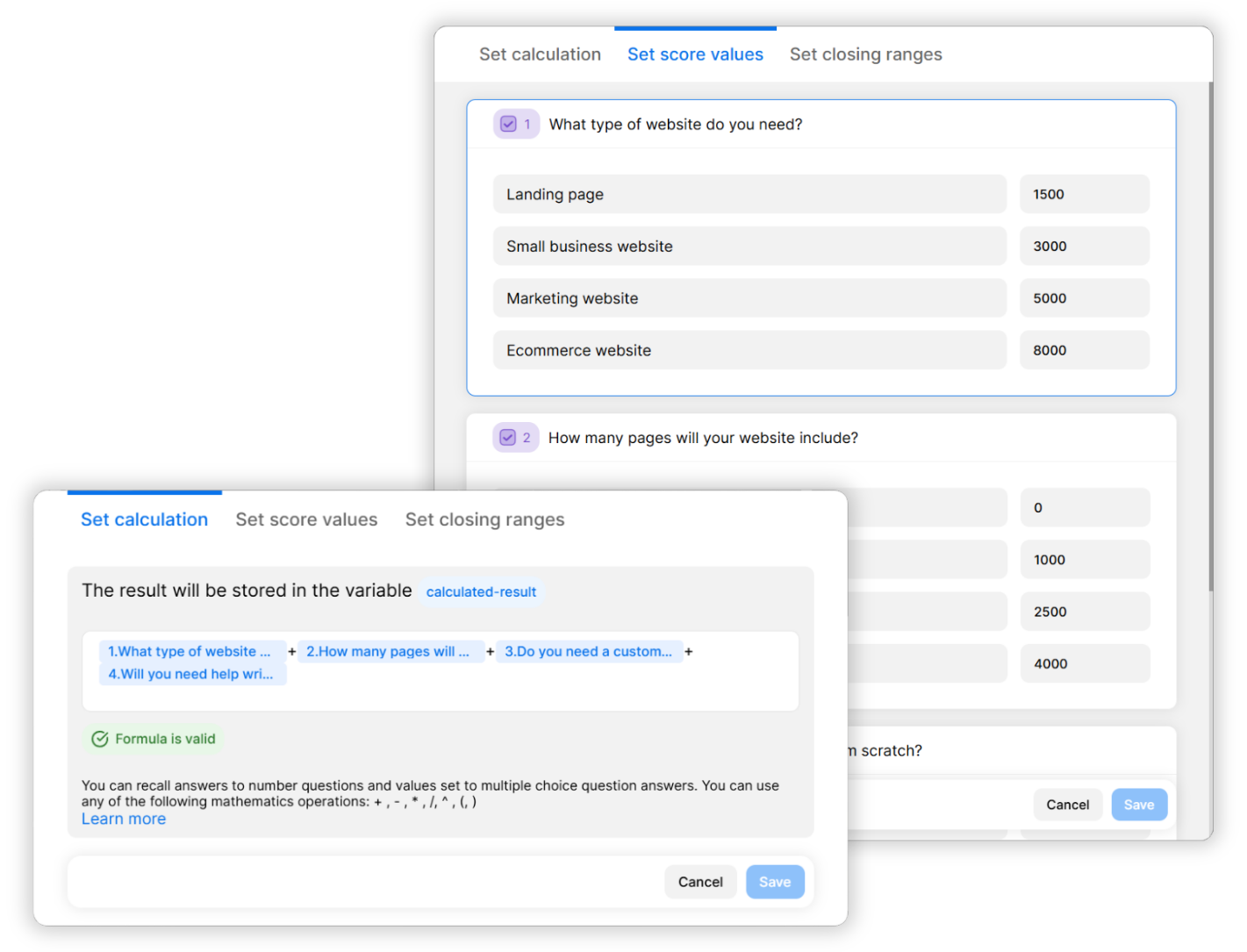
Custom Formulas That Work Your Way
Build calculators that match how your business actually works.
Define how results are calculated using your own logic, whether you’re estimating pricing, calculating ROI, or projecting savings. You can adjust and refine your formula anytime, so your calculator always stays aligned with what you need.
Interactive & Visual From Start to Finish
Getting a result should feel quick and easy.
Opinion Stage’s free online calculator guides people one question at a time, creating a flow that feels conversational and natural.
You can add images, videos, and GIFs to give context and make each choice easier to understand.
So instead of guessing, people move forward with clarity – and feel confident making decisions based on what actually fits them.

Create Calculators in Minutes
Setting up a calculator is easier than it sounds. Whether you’re starting from scratch, using a template, or letting AI take the wheel, you can have something ready to share in no time.
- Free plan available: Start right away, no credit card required.
- Create with AI: Describe what you want to calculate and get a full draft in under a minute.
- 100+ templates: Ready-to-use starting points for all use cases.
- Beginner-friendly builder: Get started right away with a builder that makes it easy to create calculators without a developer.

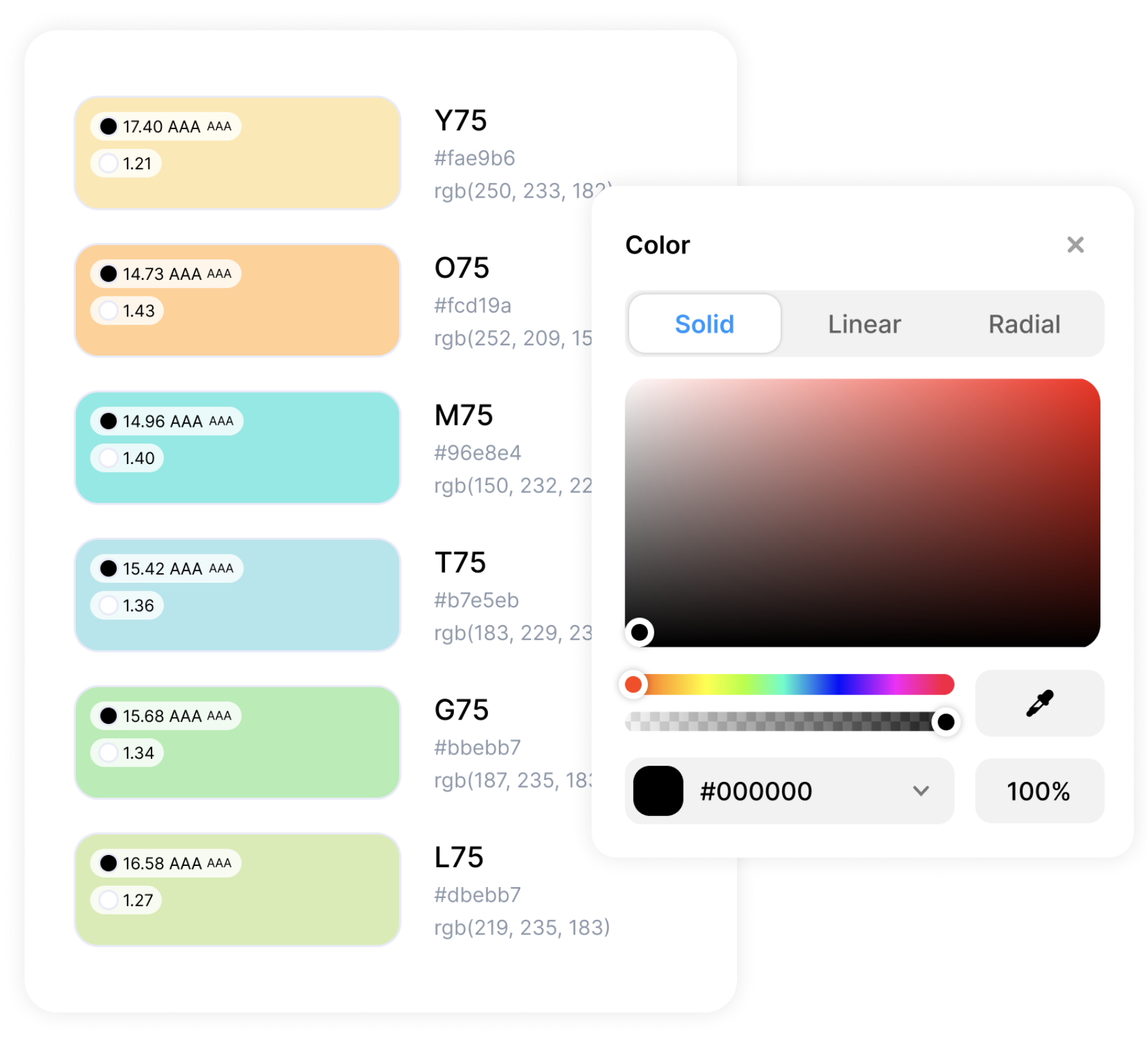
Fully Customizable & On-Brand
Make your calculator as unique as your brand. Whether it’s embedded on your site or shared as a standalone link, you’re in full control of how it looks.
- Custom color themes: Any color combination you want, available on all plans, including free.
- Add your logo: White label the experience so your brand stays front and center.
- Custom CSS: Change anything and everything about the design to match your exact style.
Share Anywhere
Once your calculator is ready, sharing it is easy.
- Embed on websites like WordPress, Wix, Shopify, Squarespace, and more.
- Launch from a hosted landing page on the Opinion Stage site.
- Share via email campaigns, social media, or messaging platforms like WhatsApp.

Track Results in Real Time
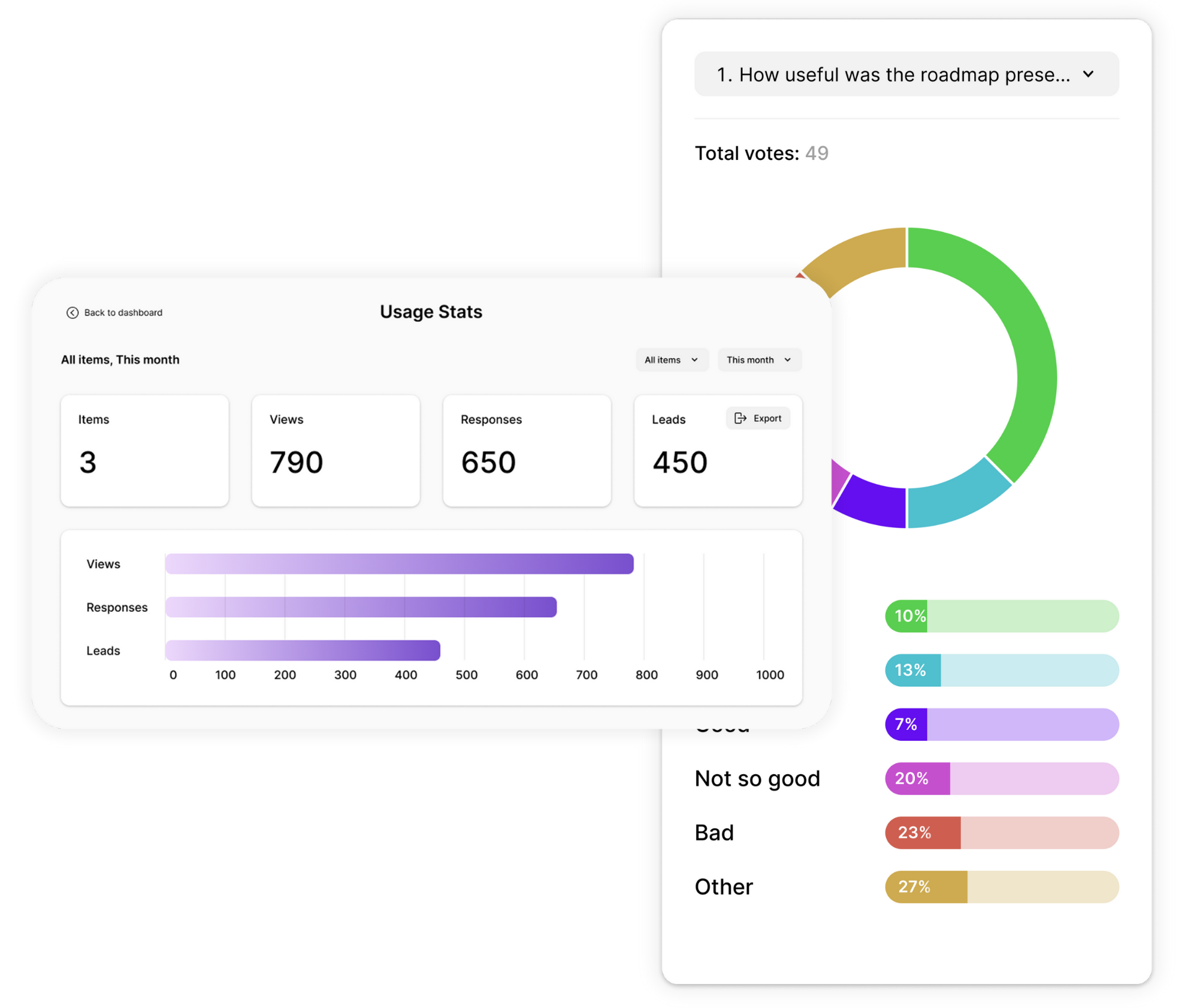
With our advanced analytics, you can see exactly how people interact with your calculators.
Track key metrics like:
- Views, starts, completions, and drop-off rates.
- Engagement metrics, including average time spent and CTA clicks.
- Individual responses with metadata.
- Export results to CSV or Excel for deeper analysis.
Use AI-powered analysis to uncover patterns and understand what’s driving results.
Integrations With Your Favorite Tools
Connect your calculators to the tools you already use and keep everything in sync.
- Send responses and leads to thousands of tools via Zapier, or connect directly to platforms like Mailchimp or your own API.
- Get notified by email the moment someone completes a calculator.
- Add Facebook and Google pixels to track performance and support remarketing.

Secure, Accessible, & GDPR Compliant
Your data and your users’ data are protected with industry-standard security practices. All calculators use encryption in transit and at rest and are fully GDPR-compliant. They also follow WCAG accessibility guidelines, so everyone can access and complete them.

Calculator Templates
Get a head start with effective website calculator templates you can customize and make your own.


Hundreds of Customers Gave Us 5-Star Reviews



This tool is great for engagement and lead capture. Highly recommend!

Mickey Bates
Great features, helpful support, and an interactive experience that truly engages customers.

Iris Morales
Easy to use yet powerful. Helps us gather the insights we need to grow our business.

Jacob Wedemeier
- 1.3M+ Experiences created
- 3B+ Questions answered
- 20M+ Leads captured
- 10+ Years of results
Calculator FAQs
What is an online calculator maker?
An online calculator maker is a tool that lets you build interactive calculators without coding. Users answer a series of questions, and the calculator applies a formula to produce a personalized result, like a cost estimate, ROI figure, or recommended plan. Opinion Stage’s calculator builder lets you define custom formulas and result ranges, so every user gets an exact result based on their answers.
How is a calculator different from a quiz or assessment?
Quizzes and assessments add up points or scores to produce a result. A calculator uses a custom formula to generate results based on user inputs. This makes calculators better suited for use cases like pricing estimators, ROI tools, and budget planners, where the result needs to reflect actual numbers, not just a score range.
Can I create a calculator for free?
Yes. Opinion Stage offers a free plan that lets you build and publish calculators right away. You can upgrade anytime to access more responses, advanced features, and additional branding options.
Can calculators collect leads?
Yes. You can add an optional lead form to your calculator to collect participant information, such as name and email address, before they see their results. This lets you capture leads at the moment they’re most motivated to follow through.
Can I embed a calculator on my website?
Yes. You can embed a calculator on your website by copying and pasting a simple embed code. Opinion Stage works with platforms like WordPress, Wix, Squarespace, Shopify, and all others.
Are Opinion Stage calculators mobile-friendly?
Yes. All calculators created with Opinion Stage are fully responsive and work smoothly across phones, tablets, and desktops.
How do result ranges work?
When building your calculator, you define the formula that calculates each user’s result. You then create multiple result screens and assign value ranges to each one – for example, results from $0–$999 show one screen, and results from $1,000–$5,000 show another. Each user sees the result screen that matches their calculated outcome.
What kinds of businesses use online calculators?
Any business that helps people make decisions based on their situation. Some common examples:
- Coaches and consultants — to help clients estimate costs or understand what they need
- E-commerce businesses — to guide product choices or calculate savings
- SaaS companies — to show potential ROI before someone signs up
- Fitness and wellness coaches — to calculate session plans, program length, or calorie needs
- Freelancers — to give clients instant project or pricing estimates
Get Up and Running in Minutes
Create a Calculator