Lead Generation Forms: What Makes Them Convert & When a Quiz Works Better

A lead generation form, also called a lead capture form, is a form on your website, landing page, or ad that asks visitors for their contact details in exchange for something they want: a newsletter, a download, a quote, or a demo. It’s how anonymous traffic becomes people you can follow up with.
Whether a lead form converts comes down to three things: an offer worth the email, as few fields as possible, and asking at the right moment. Below you’ll find what to get right, eight lead capture form examples, and the point where a regular form stops being enough.
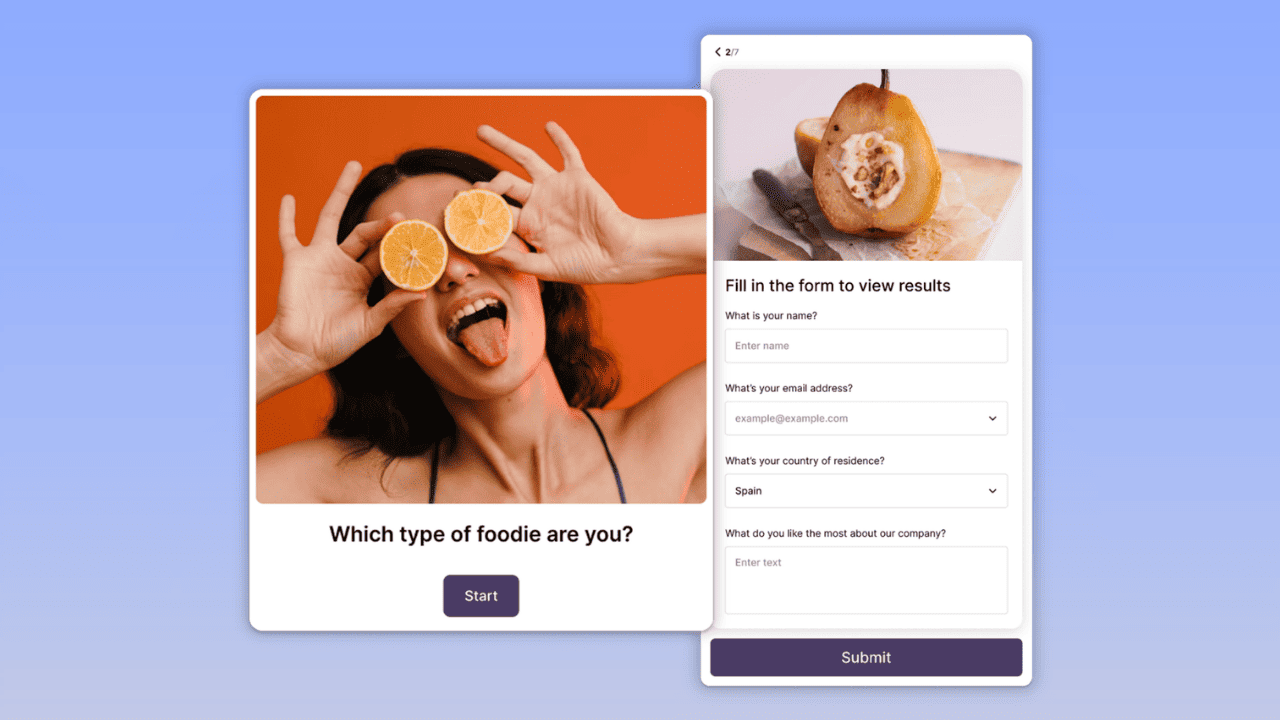
Because for a lot of sites, the better lead form is a quiz. Instead of asking for an email upfront, a quiz asks a few questions people actually want to answer, then asks for contact details right before showing the result. A quiz can bring up to 5X more leads than a regular lead form, and every lead arrives with answers you can use in your follow-up.
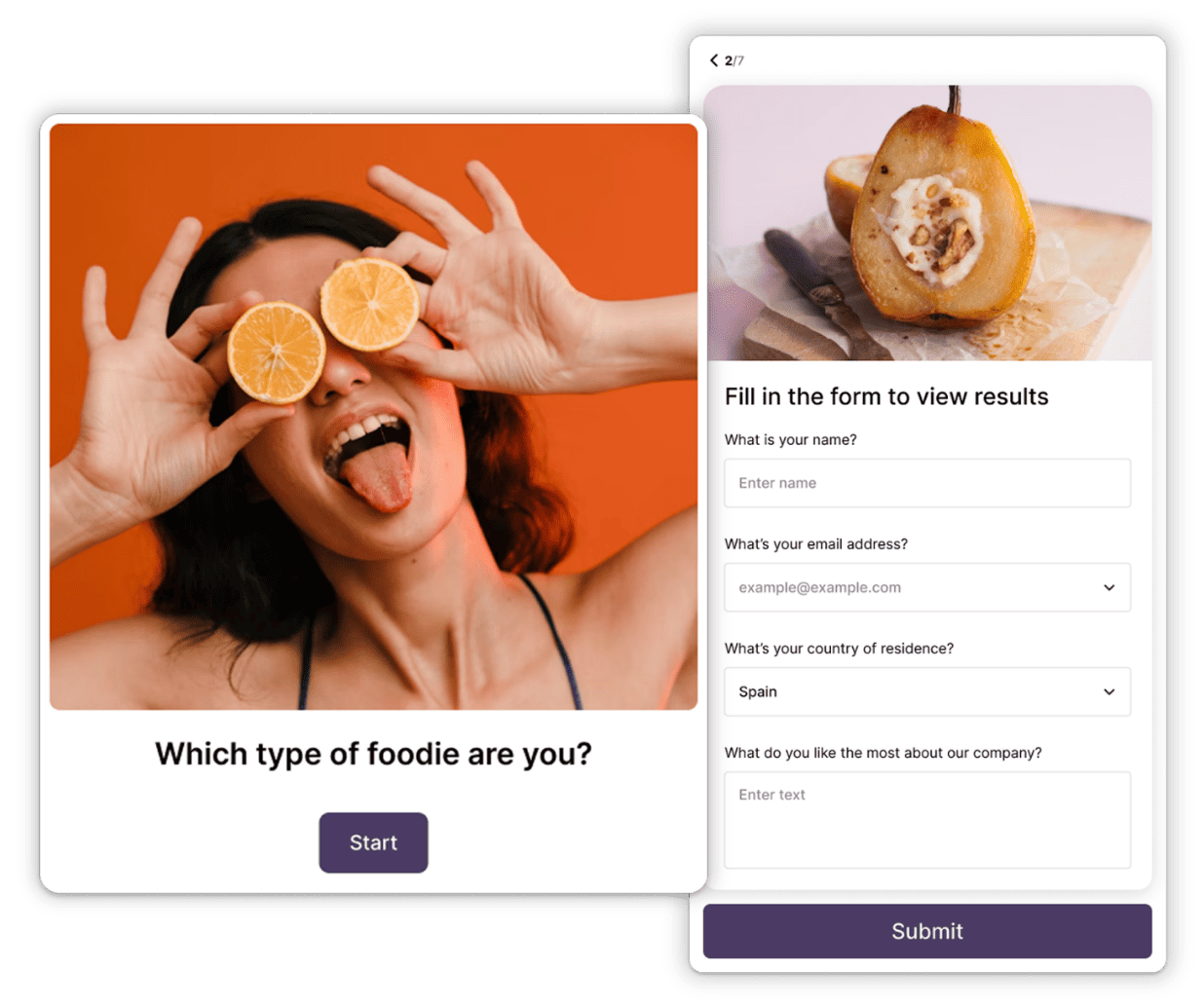
An example of a lead generation quiz created with Opinion Stage.
What Makes a Lead Generation Form Convert
The forms that bring in leads tend to get the same six things right:
- An offer worth the email. People are more likely to share their email when they know what they’ll get in return, whether it’s a discount, a helpful guide, a quote, or an answer to a question they have. The more relevant and clear the benefit, the more likely they are to fill out the form.
- Only the fields you’ll use. Every extra field costs you leads. Ask for what your follow-up actually needs. For a newsletter, that’s an email. For a quote, it’s a few more details.
- The right placement. Put the form where interest peaks: at the end of a helpful article, on a pricing page, or next to the product someone is reading about. A form in the footer of every page rarely does much.
- A specific button. “Get my quote” or “Send me the checklist” tells people what happens next. “Submit” doesn’t.
- Trust near the button. A one-line privacy note, a short testimonial, or “No spam, unsubscribe anytime” answers the last doubt before someone clicks.
- A thank-you step that moves the lead forward. Don’t end on “Thanks!” Deliver what you promised, then suggest one next step, like booking a call or browsing a matching product.
8 Lead Capture Form Examples & When to Use Each
Most lead generation forms fall into one of these eight types. Each one works best for a different visitor and a different stage of interest.
1. Newsletter Signup Form
One field, one button, usually in a sidebar, after a blog post, or in the footer. It’s the easiest form to add and the easiest to ignore, so it works best when the newsletter itself has a clear promise, like “One marketing idea you can use, every Tuesday”.
Best for: blogs and publishers with regular readers.
2. Gated Content Form
Visitors share their details to download an ebook, a checklist, a report, or a template. The content does the selling, so the form can ask for a little more, such as company name or role.
Best for: B2B marketers building a list around one topic.
3. Demo or Consultation Request Form
A short form that books a call with sales. These leads are the most valuable, but they’re also the smallest group, because most visitors aren’t ready to talk to anyone yet.
Best for: SaaS companies, agencies, and service businesses.
4. Quote Request Form
Asks for project details so you can send a price: square footage for a contractor, guest count for a caterer, scope for a freelancer. People expect more fields here, because the details shape their price.
Best for: local and service businesses.
5. Event or Webinar Registration Form
Name, email, and maybe one question about what attendees hope to learn. The date creates urgency, and the reminder emails give you a reason to stay in touch.
Best for: teams that run webinars, workshops, or live events.
6. Discount Pop-Up Form
“Get 10% off your first order” in exchange for an email. It grows a list quickly, but every subscriber looks the same, and some only want the code.
Best for: ecommerce stores.
7. Contact Form
The “Get in touch” form that almost every site has. It catches people who already know what they want, and very few of everyone else.
Best for: visitors with a specific question.
8. Multi-Step Form
Splits a longer form into short steps, starting with an easy question and leaving contact details for last. Each step feels small, so more people get to the end.
Best for: any form that needs more than three or four fields.
Notice that last one. A multi-step form that starts with questions and asks for an email at the end is already halfway to being a quiz.
Where Static Lead Forms Stop Working
A well-built form still has limits, and they show up in the same places:
- The cost comes before the payoff. Visitors see the fields first and the reward later, if at all. Most of them decide it isn’t worth it and keep scrolling.
- Every lead looks the same. A name and an email don’t tell you what someone wants, what they’re comparing, or whether they’re ready to buy.
- Qualifying fields scare people off. To tell a good lead from a poor fit, you need to know things like budget, company size, or timeline. Add those as required form fields, though, and fewer people finish the form. The fix is to ask the same questions in a quiz. “What’s your monthly budget?” feels like a sales screen in a form, but in a quiz it’s one of the answers that shapes the result, so people answer it. You get more leads and know which ones to call first.
- The follow-up is generic. With nothing to go on, every new lead gets the same welcome email, whatever they came for.
You can improve a form’s wording, length, and placement. But a form still asks people to give something before they get anything back.
A Quiz Is a Better Lead Form
A lead generation quiz does the same job as a lead form, in a different order. People answer a few questions about themselves, and the lead form appears just before their personalized result. Here’s why that works better:
- People want to answer. “Which skincare routine fits your skin?” is a question people are curious about. “Enter your email” isn’t.
- You ask at the right moment. After five or six answers, people want to see their result, so sharing an email feels like a fair trade instead of a hurdle.
- Leads arrive segmented. Each lead comes with their answers: what they want, their budget range, their timeline. That’s zero-party data people share willingly, because every answer shapes their result.
- Follow-up matches the result. Each result can trigger its own email sequence, tag, or offer, so a beginner and a ready-to-buy lead never get the same message.
That’s how a quiz can bring up to 5X more leads than a regular lead form, from the traffic you already have.
| Static lead form | Lead quiz | |
|---|---|---|
| What visitors see first | Fields to fill in | A question about themselves |
| When you ask for contact details | Upfront | Right before the result |
| What you learn about each lead | Name and email | Name, email, and their answers |
| Segmentation | Manual, after the fact | Automatic, by answer or result |
| Follow-up | The same for everyone | Based on each result |
Lead Quiz Examples for Each Form It Replaces
You don’t need a new funnel to try this. Take a form you already have and replace it with the quiz that does the same job.
Instead of a Newsletter Box: a Personality Quiz
A food blog swaps “Subscribe for recipes” for “What kind of home cook are you?” Each result, like The Weeknight Hero or The Weekend Project Chef, becomes its own email segment. A personality quiz grows your list and sorts it at the same time.
Instead of a Discount Pop-Up: a Product Recommendation Quiz
A coffee store asks, “Which roast fits how you brew?”: brewing method, flavor preference, how strong you like it. The lead form offers the discount code alongside the matching roasts. A product recommendation quiz collects the email and tells you what each shopper is likely to buy.
Instead of a Demo Form: a Lead Qualification Quiz
A SaaS company asks, “Which plan fits your team?”: team size, main goal, current tool, timeline. High-fit leads see a “Book a demo” button on their result. Everyone else gets a helpful guide and a nurture sequence. Agencies use the same setup. Here’s how agencies generate leads with quizzes.
Instead of a Gated PDF: a Scored Quiz
A consultant who used to gate an “Email marketing checklist” asks “How healthy is your email marketing?” instead. People get a score and the three fixes that matter most for them. It’s the same expertise as the PDF, made personal, and you learn where each lead is struggling.
How to Turn Your Lead Form Into a Quiz
With the Opinion Stage quiz maker, a first version takes minutes, and no developer is needed. The lead generation quiz template gives you a ready-made starting point.
1. Pick a result people want
Start by creating a quiz around an outcome your audience is curious about: a recommendation, a score, or a type. The result is your offer, so make it worth an email. Then map each result to a group you’d follow up with differently.
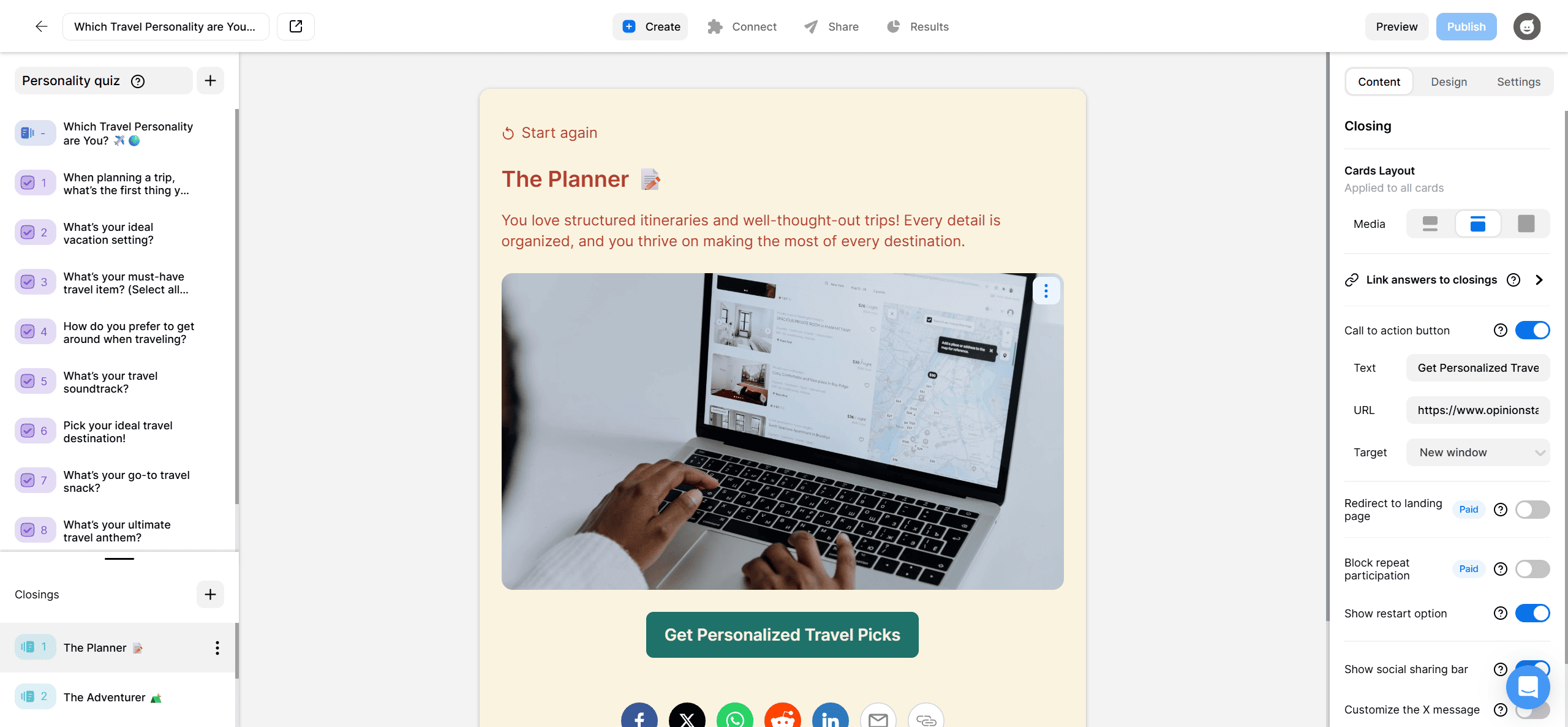
2. Write 4–7 questions
Keep them quick to answer, ideally with images or short options. Make one or two of them the questions that tell you who the lead is and what they need. That depends on your business: a travel brand might ask about travel style, a skincare brand about skin type, a course creator about experience level, and an agency about budget and timeline. You can edit the template’s questions or let AI draft the quiz from your idea, which is included on the free plan.
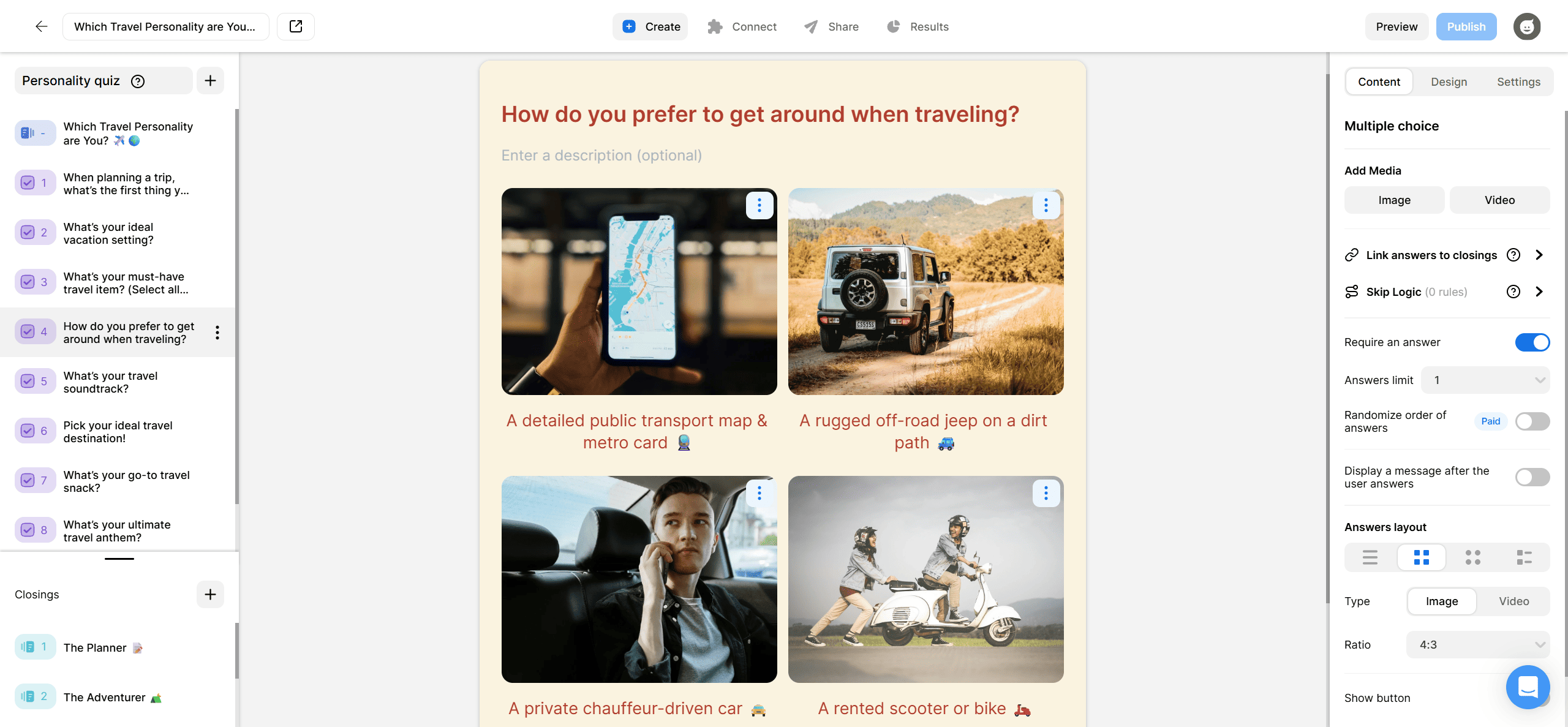
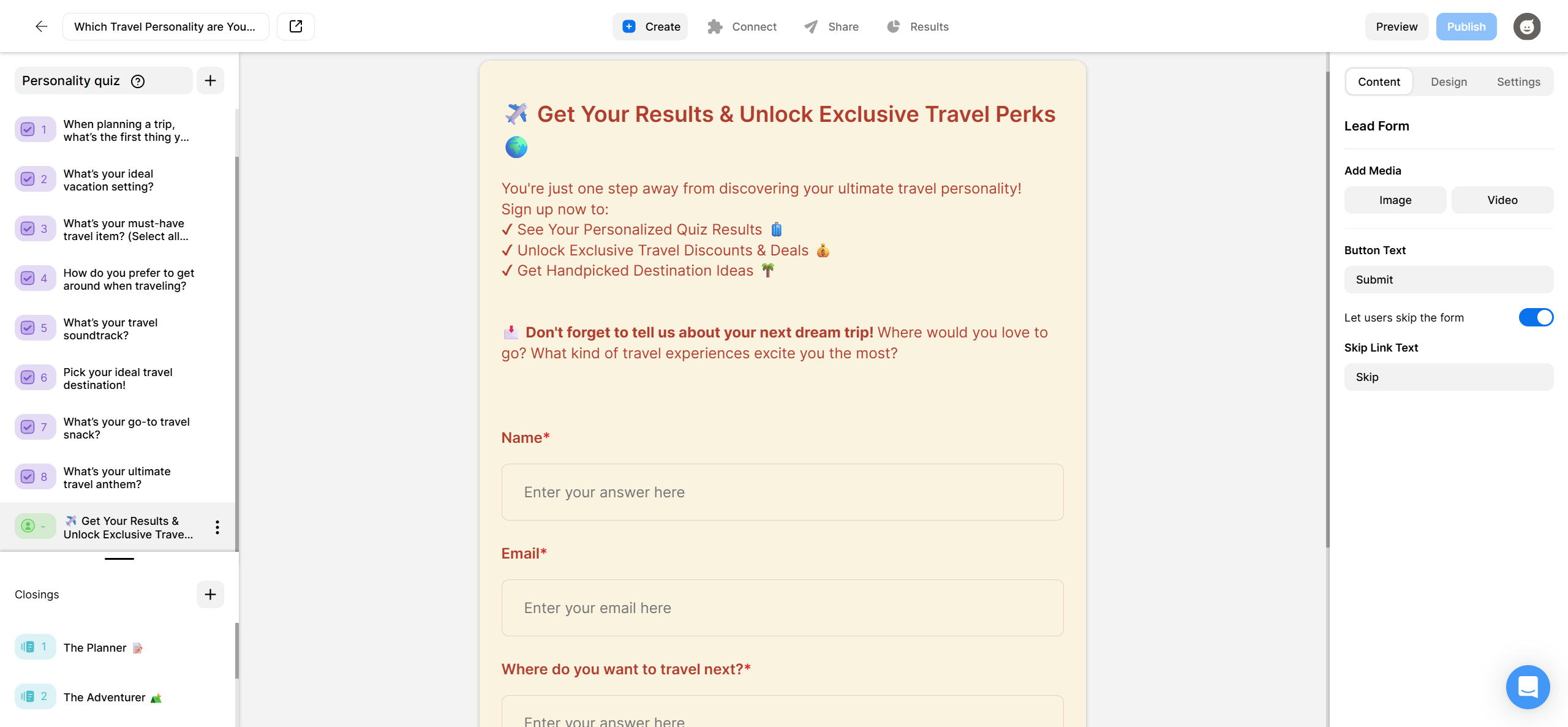
3. Add the lead form right before the result
Place it after the last question, when people most want to see their result. Name and email is usually enough, because the quiz answers already tell you the rest.
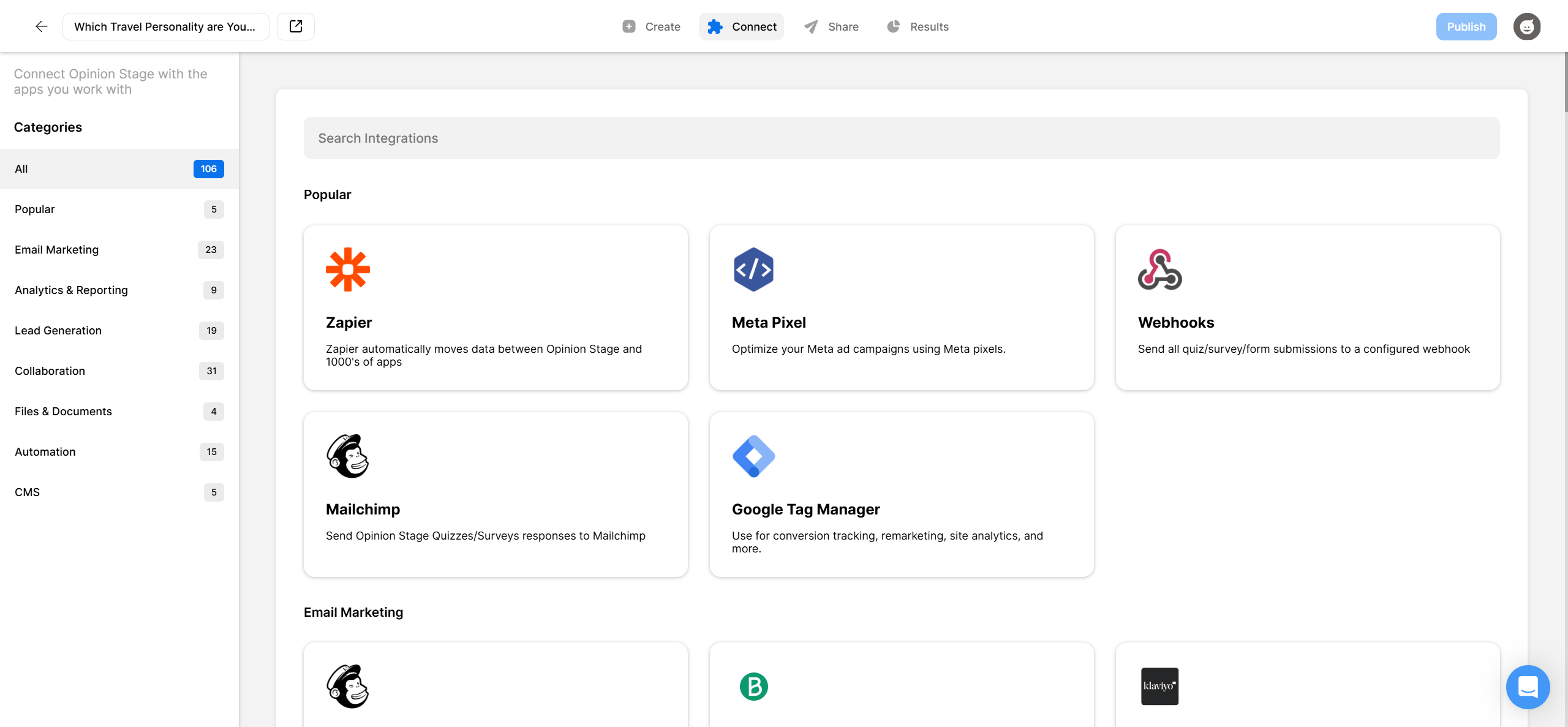
4. Connect your tools
Leads land in your CRM or email platform with their answers attached, through native integrations such as Mailchimp, plus Zapier and webhooks. HubSpot users connect through Zapier.
5. Follow up based on the result
Tag each lead by result, start a matching email sequence, and send high-fit leads to sales first. Then embed the quiz where your old form was, or share its link in emails, ads, and social posts.
When to Use a Form, a Quiz, or Both
You don’t have to choose one. Keep a short form for people who already know what they want: a quote request or a “Book a demo” button on your pricing page should stay quick and direct.
Use a quiz for everyone else, which is most of your traffic. That includes blog readers, first-time visitors, and people comparing options. They aren’t ready to talk to sales, but they will answer a few questions about themselves. The quiz turns them into leads you can sort, and the best-fit ones can still book a call from their result.
FAQ
A lead generation form, or lead capture form, is a form that asks visitors for their contact details in exchange for something they want, such as a newsletter, a download, a quote, or a demo. It turns anonymous website visitors into leads you can follow up with.
A clear offer, only the fields your follow-up needs, a specific button label that says what happens next, and a short trust signal such as a privacy note. After someone submits, deliver what you promised and suggest one next step.
As few as your follow-up needs. An email is enough for a newsletter, while a quote request may need a few project details. If you want to learn more about each lead without adding fields, ask those questions in a quiz before the lead form.
For most visitors who aren’t ready to buy yet, yes. A quiz gives people a personal result and asks for their email right before showing it, so it can bring up to 5X more leads than a regular lead form, and each lead comes with answers you can use. Keep a short form for high-intent requests like quotes or demos.
Yes. Opinion Stage sends leads and their quiz answers to HubSpot through Zapier. It also has native integrations such as Mailchimp, and webhooks for sending leads to your own systems.
Get Up and Running in Minutes