
Elementor Poll – How to Add a Poll to Your Elementor Site
Make a visually engaging poll and add it to your Elementor site in only a few clicks.
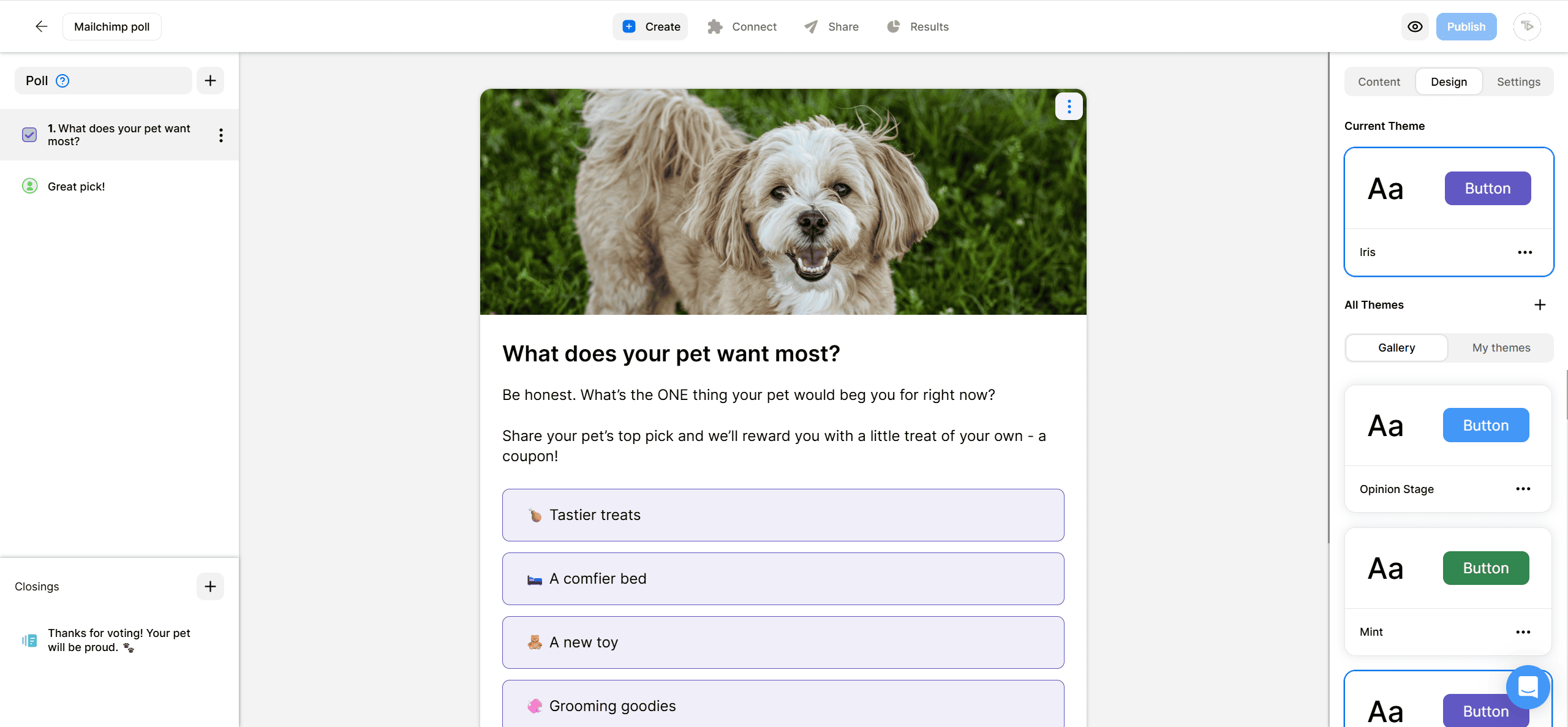
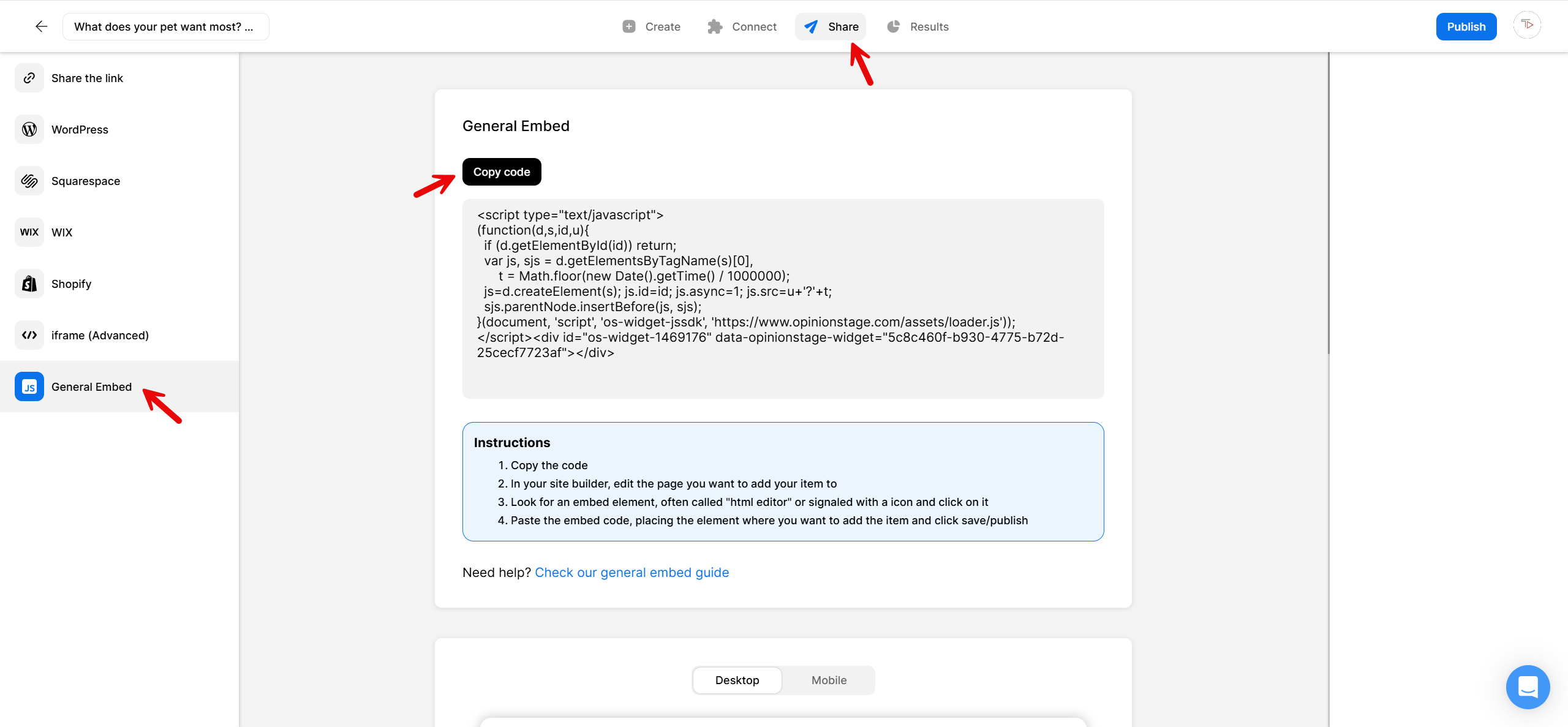
2. Copy the code
Click on the Share button at the top of your screen and then click on the General Embed tab. Copy the embed code.
3. Add the poll to your Elementor site
Add an Elementor HTML widget and drag it where you want the poll to be displayed. Paste the script code in the Elementor HTML widget and click Save.
Now you’re done!
Types of Elementor Polls
Designed with marketers in mind, Opinion Stage’s poll maker helps you create interactive polls that match your goals. Here are some popular poll types you can make:
Opinion Poll
Running polls on your site is a great way to discover the opinions of your audience. All you need to do is ask a question, add a few options, and publish the poll on your website.
Lead Poll
You can get up to 500% more leads added to your email list using a lead poll than you would with a simple contact form. In addition, with the proper poll question you can qualify the leads you gather and keep only the relevant ones. Send the email leads to your email list located in your email automation software using our email marketing integration.
Lead Poll
User Engagement Poll
Polls and quizzes are among the most engaging types of content. Adding them to blog posts and landing pages encourages your audience to spend more time on your site and boosts traffic through social sharing. For example, you can create a Blogger poll to make your content more interactive and invite readers to share their opinions.
Feedback Poll
One-question polls are very effective for getting quick feedback because users find it easier to answer one quick question than a long, multi-question survey. Polls also get more engagement than surveys, because after answering the question, the voter discovers what all the rest of the people voted for.
Contest Poll
You can easily conduct an online contest or competition on your site using a voting poll. You can optionally add a large image or a thumbnail image to each option of the poll to make the voting more appealing. After the vote is complete, you can select the winner based on which side got the most votes.
Image Poll
With image polls, your audience will be voting on images rather than on texts. Image polls offer your audience a highly engaging visual experience, that in return results in high engagement rates and more votes for your poll.
Video Poll
In video polls, each voting option is associated with a video. The poll/video topic can range from music videos to political positions that are explained in the different videos, to any other topic that can make use of videos. Voters can vote on the poll after becoming more informed by watching the videos. Video polls get great engagement rates and are a great way to create buzz on social networks.
Segmentation Poll
A segmentation poll is a poll that is created to help you segment your audience. Based on the answer the voters give to the poll you can later target them with different content on your site, emails, or offers. You can also use pixels to signal the users for future remarketing campaigns based on their answers to the poll.
Ready to get started?
Create an Elementor PollWhat to Look for in an Elementor Poll Plugin
When choosing a poll plugin for your Elementor site, focus on three things: compatibility, design flexibility, and built-in functionality so you don’t need multiple plugins.
Elementor compatibility
The plugin should work with the Elementor HTML widget or offer a dedicated Elementor block. You want a clean embed that doesn’t break your page layout or slow down load times. Opinion Stage works with any Elementor version – just paste the embed code into an HTML widget and you’re done.
All-in-one functionality
Rather than installing separate plugins for polls, surveys, and quizzes, use one tool that covers all three. This keeps your plugin count low and gives you consistent branding and reporting across all your interactive content. With Opinion Stage, you can create polls, surveys, and quizzes from the same dashboard and embed them all on your Elementor site the same way.
Design that matches your site
Your poll should look like part of your page, not a third-party widget. Look for customizable colors, fonts, and layout options, plus the ability to add images or videos to answer options. Custom CSS support is important if your brand guidelines are specific.
You Can Easily Do It Yourself, No Need For A Developer
Create an Elementor Poll