Matrix™ - Feature Spotlight Challenge
Think you know your way around Matrix™? Put your knowledge to the test and see how many features, tools, and shortcuts you can identify. Whether you're a seasoned user or still discovering new capabilities, this challenge is a fun way to spotlight your Matrix™ expertise!
Take this quick five-question quiz to find out!
How can you customize your Market Watch to feature only LSTAR results?
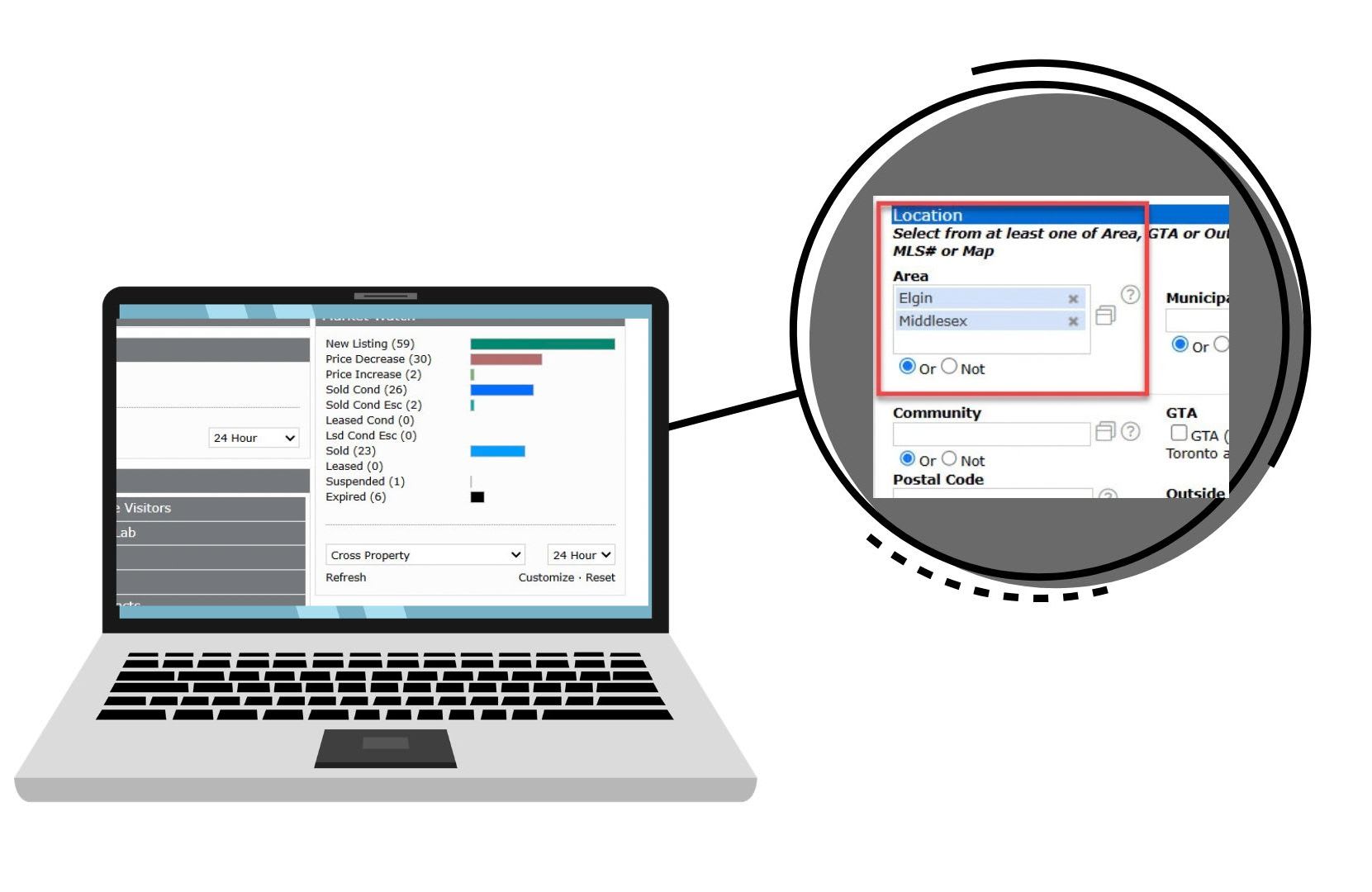
To customize your Market Watch do the following:
Click on CUSTOMIZE in the Market Watch widget on your dashboard, and scroll to the bottom of the page.
-
Go to the location boxes and add Middlesex and Elgin county.
Click on SAVE.
Besides Auto Email, how can you save listings that you want to share with your Buyers?

In order to save the listings, first, choose the listings that you want to save by checking the small box to the left.
Click on CARTS in the action buttons across the bottom, create a new cart, or add to an existing one. When you want to see what is in a cart or email them to your client, you can go to My Matrix™ > Carts, click on the one you want to open, choose results, and then choose which ones you want to email.
Use the email button in the black action bar at the bottom of the screen.
Where can you find an LSTAR map?
We have a couple of options for maps, do you know how to access them?
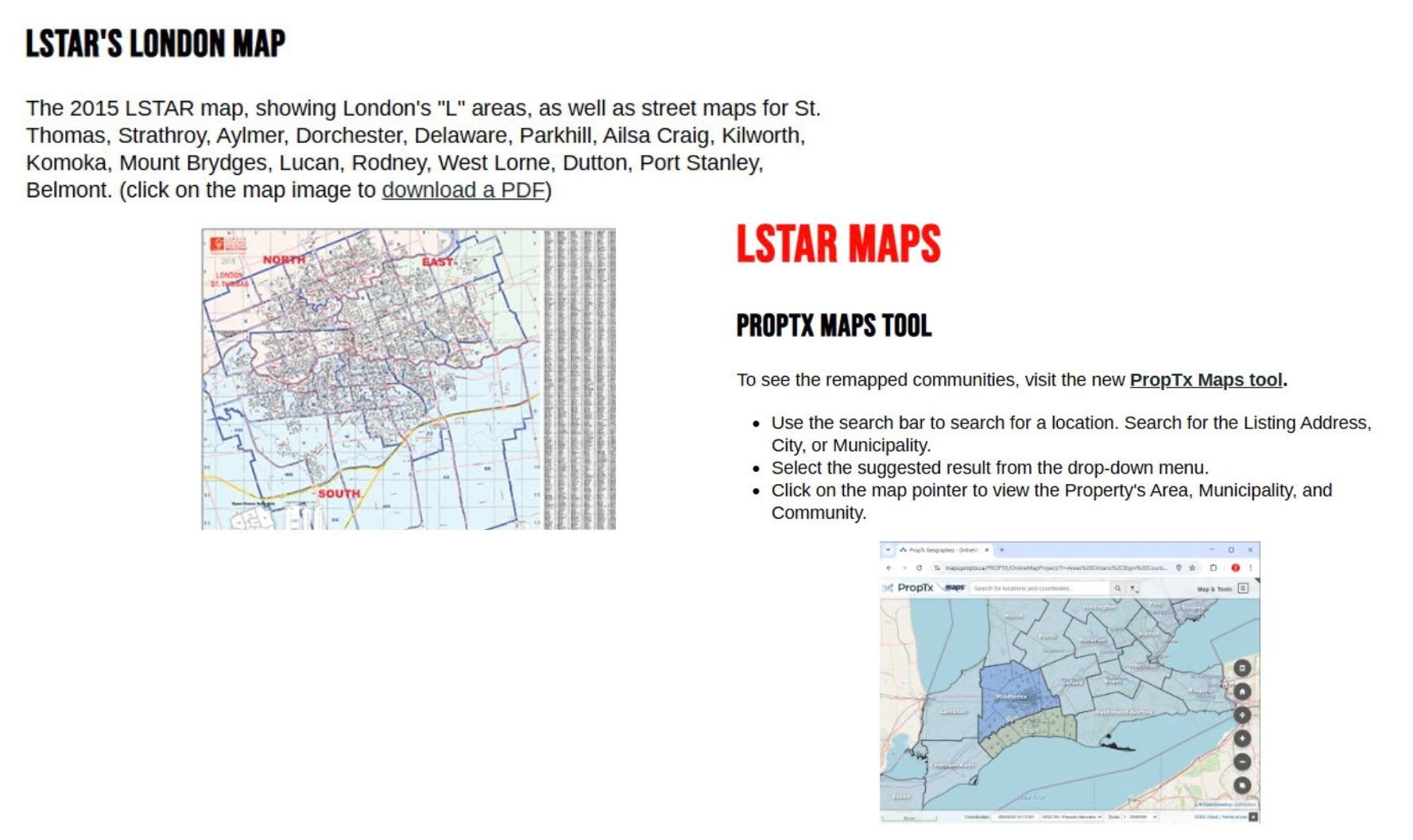
LSTAR no longer offers hard copies of this map. You can click on the TOOLS tab at the top, scroll down to LSTAR Maps – Neighbourhoods/Sub-Districts
How can you report a potential issue on a listing?
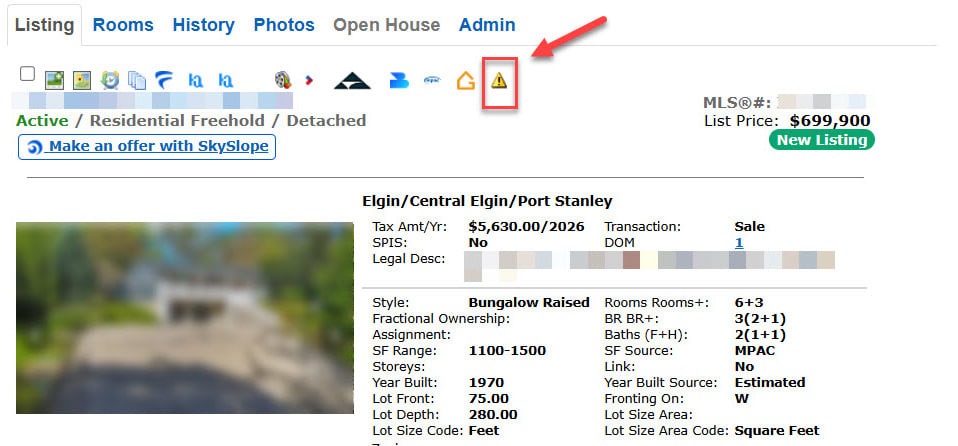
PropTx has now applied a yellow triangle where you can easily and anonymously report potential issues on listings. Simply click on the yellow triangle and fill out the form. The information will go directly to the presiding board for that listing. The reports will be screened by staff, investigated and the Listing Agent notified to make corrections if applicable.
Is there a way to keep an eye on a certain property, or see what is happening in the area that I farm?

Hot Sheets are a great way to get quick results for very specific properties or areas. You can click on CUSTOMIZE in the Hot Sheets widget, choose what information you want in your search, and then choose an area, a street, or even a specific address. When you add an item to your Hot Sheets widget, you can just click on that link in the widget, and get instantly updated results.
You got {number correct}/{number of questions} correct answers.
Oops! Your Matrix™ knowledge could use some improvement!
Why not take our Matrix™ class either online or in person? It's the best way to stay at the top of your game!
Stay tuned for next week's quiz!

You got {number correct}/{number of questions} correct answers!
Congratulations! You've aced this quiz!
Why not take our Matrix™ class either online or in person, to learn more? It's the best way to stay at the top of your game!
Stay tuned for next week's quiz!